Fareeqy on your phone.. no app store needed
One seamless experience across desktop, phone, and tablet. A responsive interface that adapts to your screen, no app download needed.
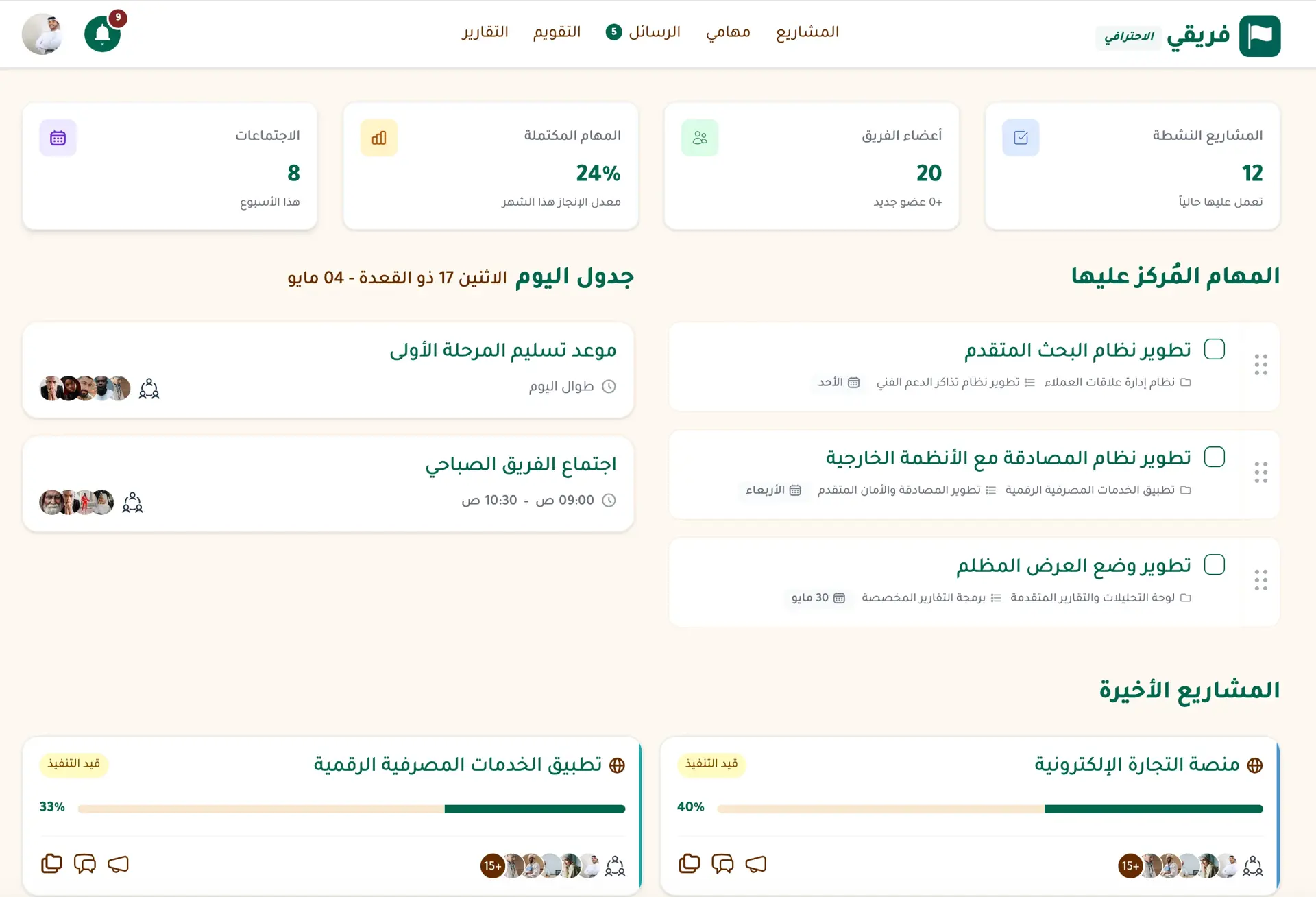
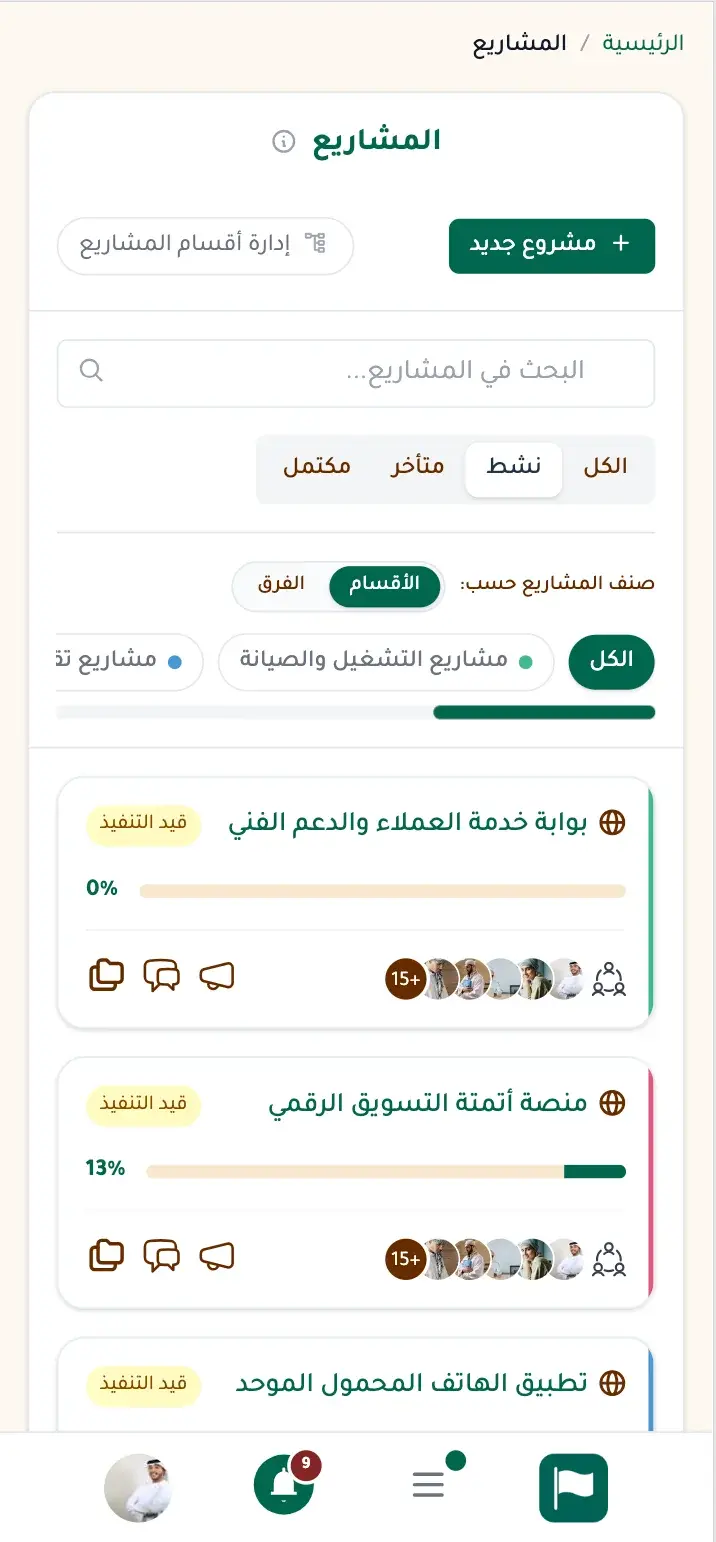
You opened the app store, searched for Fareeqy, and found nothing. It was natural to assume Fareeqy did not work on mobile.. but it does.
The Fareeqy app gives you the full experience on your phone. You can install it from your browser in seconds, with no app store and no package to download.
Updates come to you. When a new version is ready, Fareeqy shows a bar saying a newer version is ready, with options to reload the page now or later. If you wait, the new version opens on its own next time. There is no store review between a released fix and your device.
Because the installed app is a shortcut to the site itself, it does not consume hundreds of megabytes or grow with every update. You also use the same account and the same data on mobile and desktop, with no sync step.
Push notifications arrive even when the app is closed, and one tap opens the relevant page. Fareeqy works the same way across Android, iPhone, iPad, Windows, and Mac.
When your connection drops, Offline Mode shows a saved day sheet with the time, your assigned tasks, upcoming meetings, and prayer times. It is read-only, and the page returns automatically when the connection is back. On iOS, mobile notifications work only after you install Fareeqy on your Home Screen from Safari and open it from there, not inside Safari. This is an Apple requirement for all web apps, not a Fareeqy limitation.
The result? Your projects stay with you on every screen, on the latest version, with notifications that take you straight to what needs attention.. without another app store search.
What do you gain without the app store?
Updates come to you
Searching for a new version and downloading it interrupts your work. Fareeqy shows the update inside the app, so you can refresh and continue.
No store review delay
Store reviews can delay fixes. Fareeqy delivers improvements when they are released, so you benefit without waiting on an intermediary.
More room for files
Large app packages compete with your files and grow with updates. Fareeqy is a shortcut to the site itself, so it stays light on your device.
One account everywhere
Switching devices can create an extra sync step. Fareeqy uses the same account and data, so you can move between mobile and desktop instantly.
Notifications after you close
Closing the app should not mean missing something important. Notifications still arrive, and one tap takes you to the relevant page.
Same experience on every system
A different operating system should not mean a different experience. Fareeqy works the same way on Android, iPhone, iPad, Windows, and Mac.
Install Fareeqy on your phone in 3 steps
No app store. No download. Ready in seconds.
Sign in to Fareeqy
Open your Fareeqy account from your phone's browser. Don't have an account? Sign up for free in seconds.
Tap "Add to Home Screen"
On Safari: tap the Share button, then "Add to Home Screen".On Chrome: tap the three-dot menu, then "Add to Home Screen".
Fareeqy is ready as an app!
Fareeqy appears on your home screen as a standalone app. Open it with one tap, no browser needed.
Install Fareeqy on your computer in 3 steps
A standalone desktop app. No downloads from any source.
Sign in to Fareeqy
Open your Fareeqy account from your browser on your computer. Don't have an account? Sign up for free in seconds.
Click the install icon
On Chrome: click the install icon in the address bar.On Edge: click the three-dot menu, then "Install as app".On Safari (Mac): File, then "Add to Dock".
Fareeqy is ready on your desktop!
Fareeqy appears as a standalone app on your desktop. Open it directly from the taskbar or Dock, no browser needed.
Key Benefits
Related Features
Offline Mode
When your connection drops, Fareeqy opens a calm day sheet with the current time, overdue tasks, upcoming meetings, prayer times, and the details you need to keep your day on track
Full Arabic Interface
Built in Arabic from scratch, not translated. Every button, label, and layout respects your language and reading direction for a natural experience.
Dashboard
A comprehensive view of all your projects, tasks, and team activities in one clear dashboard. Know where things stand at a glance.
Instant Notifications
Smart notifications the moment anything updates on your tasks or projects. Stay in the loop and respond fast.
Related Articles
Frequently Asked Questions
Why can’t I find Fareeqy on Google Play or the App Store?
Do I need a constant connection to use the Fareeqy app?
Do Fareeqy notifications work on iPhone?
How much phone storage does Fareeqy use?
How do I get updates without an app store?
Start your first project in 60 seconds
Try Fareeqy for free and start organizing your work with your team
Start Your Free Trial✓ Free Forever • ✓ No Credit Card Required