Offline Mode: lose the connection, not the thread of your day
When your connection drops, Fareeqy opens a calm day sheet with the current time, overdue tasks, upcoming meetings, prayer times, and the details you need to keep your day on track
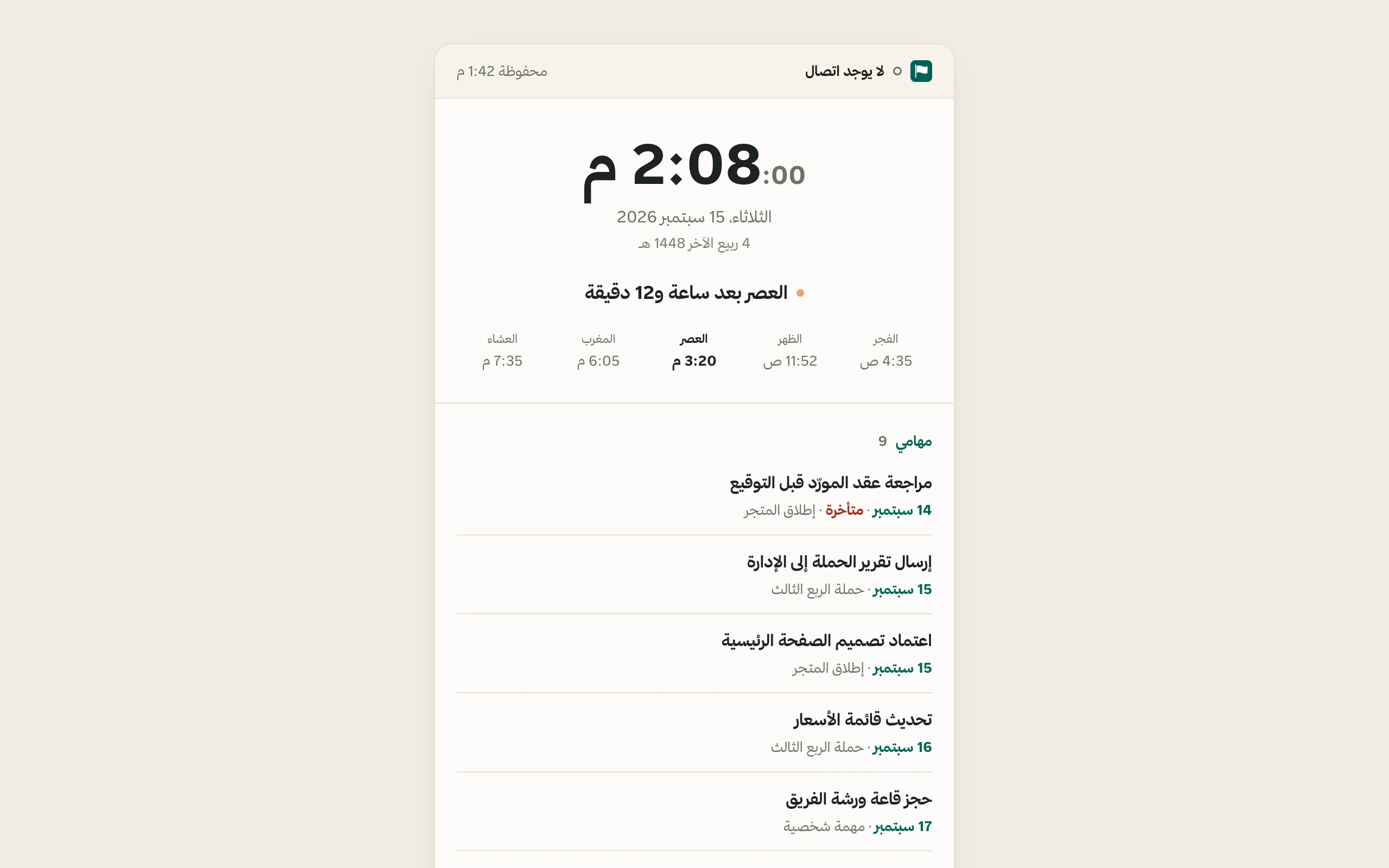
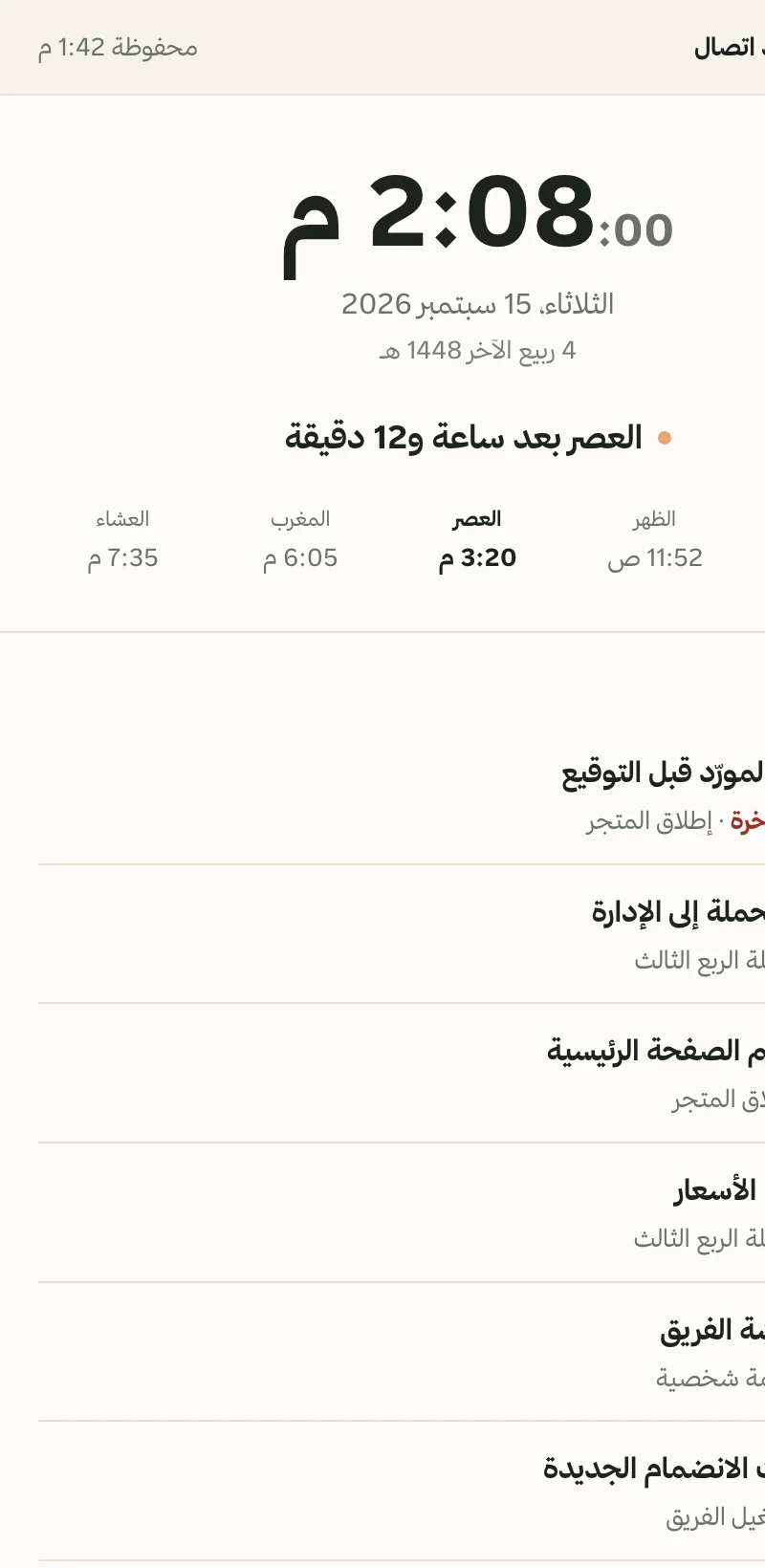
The office router dies at 10 a.m., your train enters a tunnel, or the basement meeting room loses its last bar.. you already know the connection is gone. You do not need a sad cloud to explain it. Fareeqy opens your day sheet instead, starting with one quiet line: “No connection”, beside the time the copy was taken, such as “Saved 7:42.”
Below it, a live clock keeps ticking with seconds, followed by today's full Gregorian date and the Hijri date. Then come all five prayer times and a sentence telling you exactly what is next, such as “Asr in 1 hour and 12 minutes.” Fareeqy computes the times from your coordinates and timezone, and saves a full week of them on your device. A full week travels with the copy, so they remain exact even on the fourth day offline. If you turned prayer times off in Fareeqy, the row stays out of sight.
Next is My tasks, containing the open work assigned to you. Each task shows its title, due date, project or “Personal task,” and an overdue badge when needed. That decision is recalculated against the day you are reading, not the day the copy was saved. The first 7 tasks are open on the page, with the rest behind “Show remaining tasks.”
Then My meetings lays out the coming week under Today, Tomorrow, or the weekday and date. You see the start time or “All day,” plus the meeting link as readable, copyable text. It deliberately does not look clickable when there is nowhere for it to go. At the bottom, a plain retry link works with JavaScript completely disabled, and the page returns by itself when the connection does.
While you are online and signed in, Fareeqy quietly saves a small copy of your day to the device and refreshes it about every 5 minutes as you use the app. The offline page reads that copy without making a network request. Tasks pass the same access checks as My tasks, including whether you can still access their projects. Meetings are limited to ones you own or attend. The copy stores no name, avatar, or email, and never includes anyone else's work. It is erased when you sign out, your session expires, or a different person signs in on the same device. What it keeps is capped, and when a list was trimmed the page says so. It also follows your Fareeqy light or dark preference, not your computer's setting.
This is a page to read, not write. You cannot create, edit, or complete a task, add a comment, upload a file, or queue anything for later. That is deliberate: a change you believed was saved but was not is worse than one you know you must make again. If you have never opened Fareeqy on that device while signed in, there is no copy yet, and the page tells you exactly that.
The result? The outage costs you the network, not the thread of your day. You still know what is overdue, what comes next, when the next prayer begins, and what the meeting link said. Offline Mode is available to everyone on every plan, including the free plan, across phone, tablet, and desktop, whether Fareeqy is installed as an app or open in a browser tab. There is nothing to switch on.
What stays with you when the connection drops?
Time and date stay live
A ticking clock with seconds, today's full Gregorian date, and the Hijri date beneath it
The next prayer, stated
See all five times and the next as a sentence, computed from your coordinates and timezone and saved on your device for a full week, exact on the fourth day
Tasks judged by today
See each due date and project or Personal task, with overdue status recalculated for the day you are reading
Your coming week, readable
See the day, date, time or All day, and each meeting link as readable, copyable text
A copy on your device
Fareeqy refreshes it about every 5 minutes while you work, then reads it without any network request
Only your work
It contains no one else's work and is erased on sign-out, session expiry, or another person's sign-in
Key Benefits
Related Features
Works on Every Device
One seamless experience across desktop, phone, and tablet. A responsive interface that adapts to your screen, no app download needed.
Today Bar
One adaptive line for your day, with meetings in place, prayer-time markers, and a sun that becomes tonight's moon
Calendar
Hijri and Gregorian calendar combining your meetings and task deadlines in one view so you never miss a date.
Task Management
Turn projects into clear tasks. Prioritize, assign, and track completion in real time.. with an automatic activity log on every task showing who created, edited, and completed it.
Related Articles
Frequently Asked Questions
Does Fareeqy work without internet?
What exactly will I see when my connection drops?
Can I create or edit a task while offline?
How do my tasks and meetings reach the offline page?
Can a coworker see my tasks if they use my device?
Are prayer times still accurate after days offline?
Do I need to turn Offline Mode on?
Start your first project in 60 seconds
Try Fareeqy for free and start organizing your work with your team
Start Your Free Trial✓ Free Forever • ✓ No Credit Card Required