Hijri & Gregorian Calendar, One Place for All Your Dates
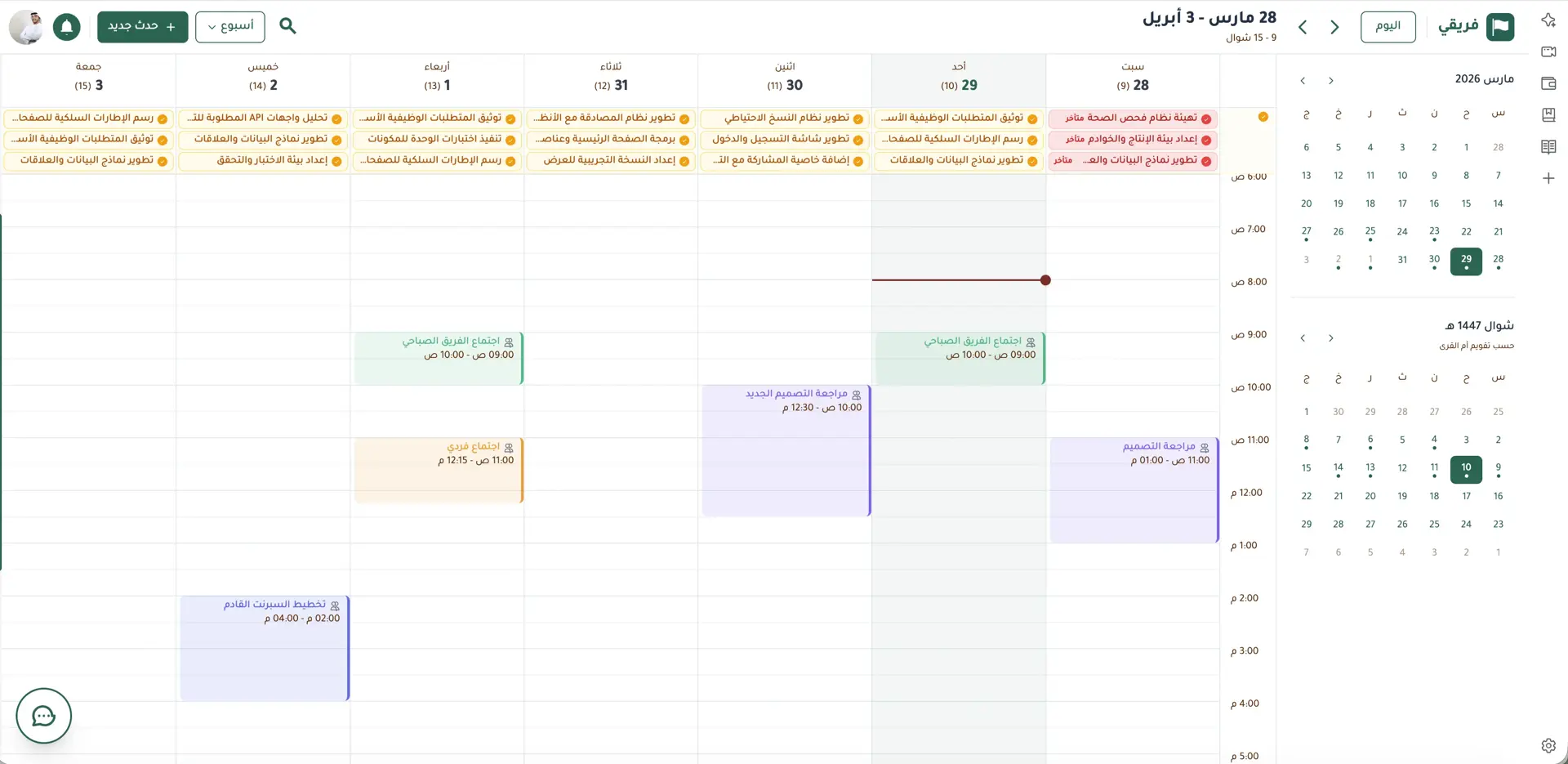
Hijri and Gregorian calendar combining your meetings and task deadlines in one view so you never miss a date.
Using Google Calendar for Gregorian dates and another app for Hijri dates? Then trying to remember project deadlines from scattered notes?
That fragmentation costs you deadlines.
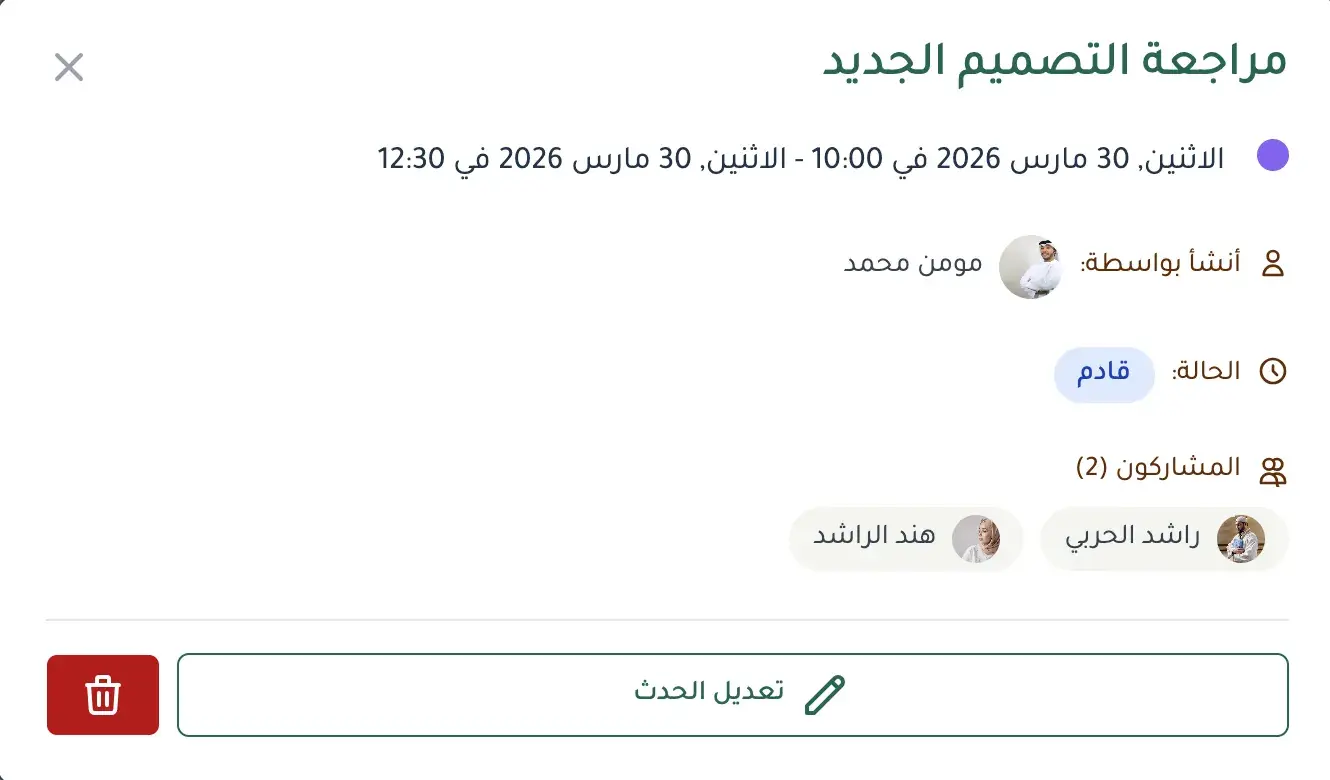
Fareeqy's calendar brings everything together in one interface. Hijri and Gregorian calendars work side by side, and task deadlines, meetings, and events all appear automatically. Every event shows full details, participants, status, time, in a single click. View your daily, weekly, or monthly schedule at a glance. Changed a task deadline? The calendar updates itself.
Honestly, there's no good reason in 2026 for your team to juggle two separate calendars.
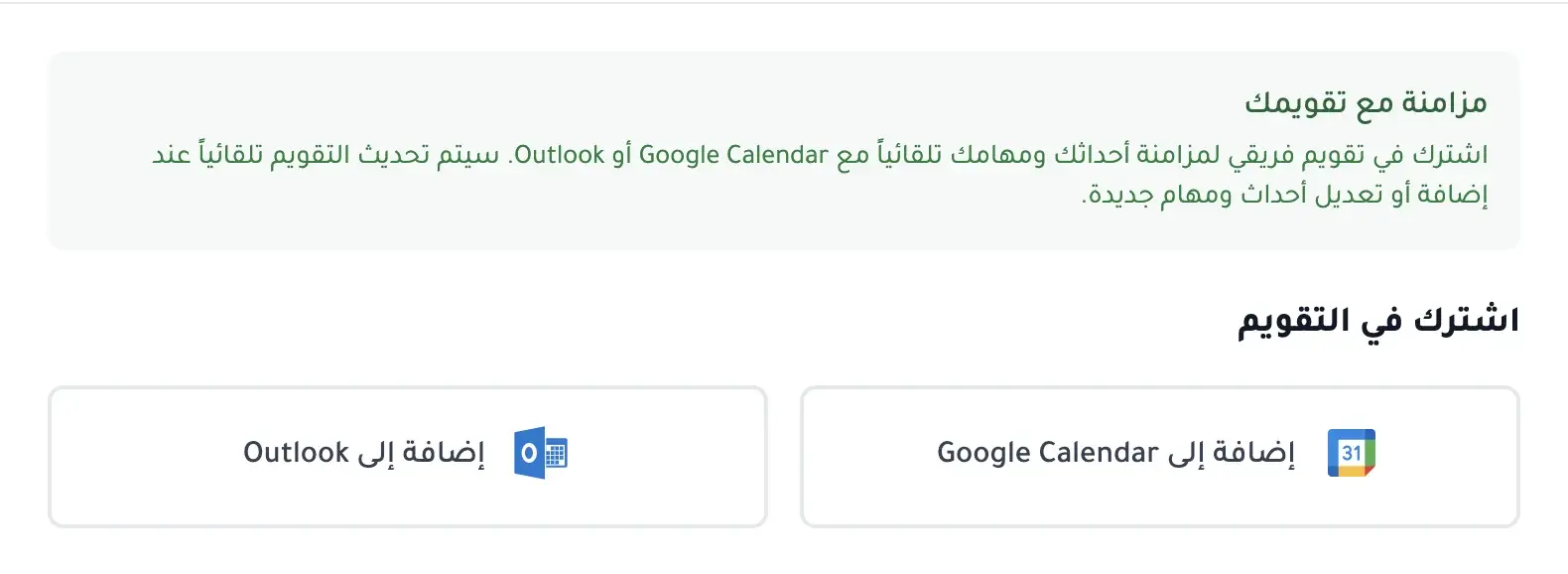
And so you never have to switch between apps, Fareeqy ships with a native Google Calendar integration, connect your account in one click, and every meeting you organize in Fareeqy is instantly added to your Google Calendar, automatically updates when you edit the event, and is automatically removed when you delete the event. It all happens in the background without you opening Google Calendar.
If your team uses Outlook, Apple Calendar, or any other calendar, you can subscribe to your Fareeqy calendar's iCal feed and every event will show up in the calendar you already use.
And because your team works in an Arabic-first environment, the calendar shows prayer times right alongside your schedule. Enable them for your city and the five daily prayers appear next to your meetings and tasks, so you plan your work around prayer times instead of colliding with them.
And when someone outside your team needs to see an event, publish it with a public link. The link opens the event's full details, time, description, and meeting link, for anyone you choose, no Fareeqy account required, so you share a meeting, a workshop, or a deadline with a client or partner in one click.
The result? A team that never misses dates. Every deadline, every meeting, and every event is in the right place, whether you open Fareeqy or your phone's calendar.
Key Benefits
Related Features
Project Management
Every project is a complete workspace for your team: tasks, files, conversations, decisions, and an automatic timeline of every action grouped by day. Color-coded departments group the company's projects by type of work.
Instant Notifications
Smart notifications the moment anything updates on your tasks or projects. Stay in the loop and respond fast.
Task Management
Turn projects into clear tasks. Prioritize, assign, and track completion in real time.. with an automatic activity log on every task showing who created, edited, and completed it.
Dashboard
A comprehensive view of all your projects, tasks, and team activities in one clear dashboard. Know where things stand at a glance.
Related Articles
Frequently Asked Questions
Do prayer times appear inside the calendar itself?
How do I share an event with someone outside my team?
Does Fareeqy combine the Hijri and Gregorian calendars?
Can I sync Fareeqy's calendar with Google Calendar and Apple Calendar?
Start your first project in 60 seconds
Try Fareeqy for free and start organizing your work with your team
Start Your Free Trial✓ Free Forever • ✓ No Credit Card Required