Your Whole Day on One Line.. Start Where It Matters
One adaptive line for your day, with meetings in place, prayer-time markers, and a sun that becomes tonight's moon
You open your work tool in the morning to a long task list and a full calendar. You know what needs doing, but not what the day can actually hold. What comes next? Is there enough time to focus before the next meeting? So you start with whatever caught your eye first.
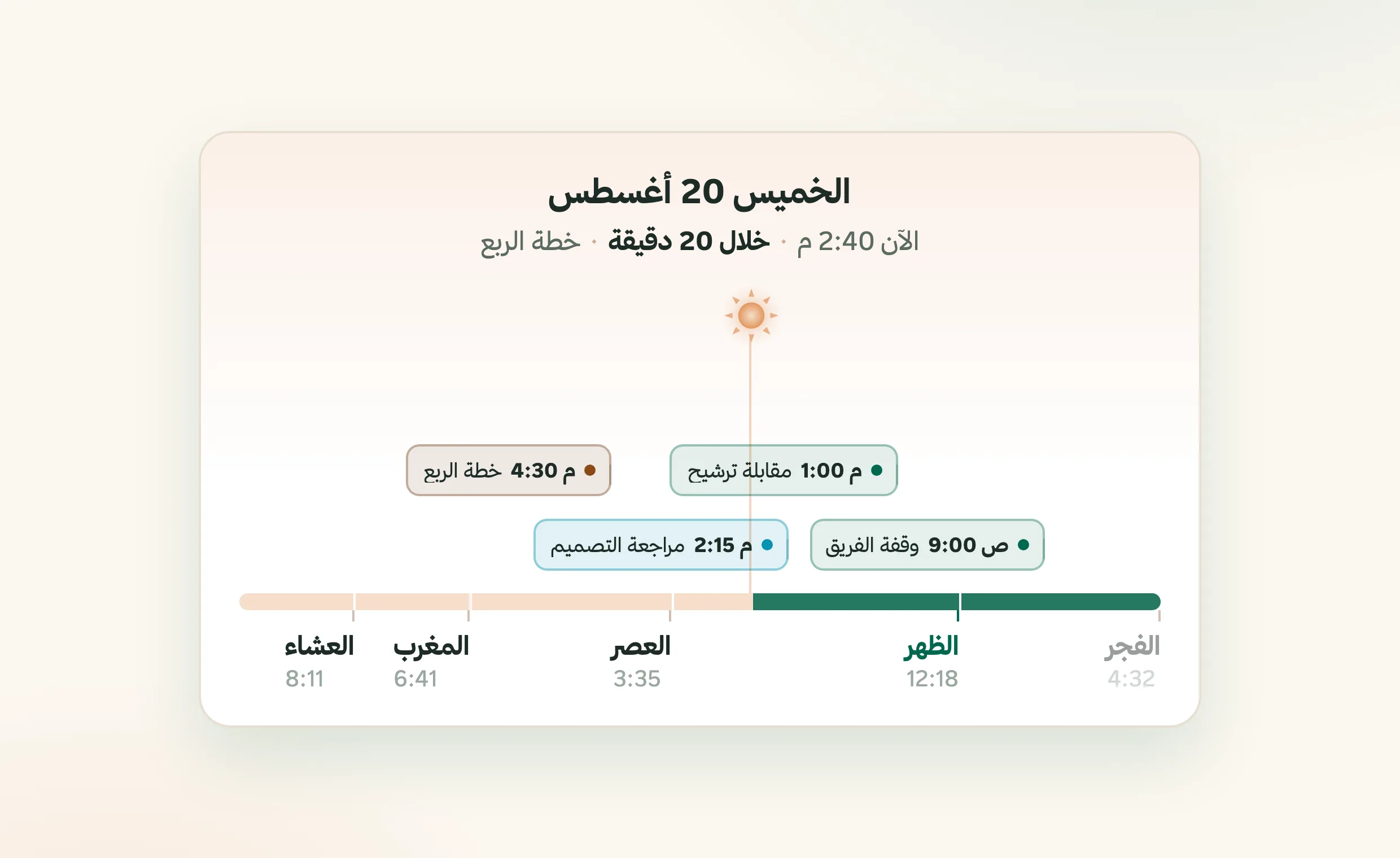
On the Fareeqy home page, Today Bar turns the day into one clear line. The five prayer times create familiar time divisions, while today's meetings hang exactly where they happen. One glance shows the rhythm of your workday and what is waiting around the corner.
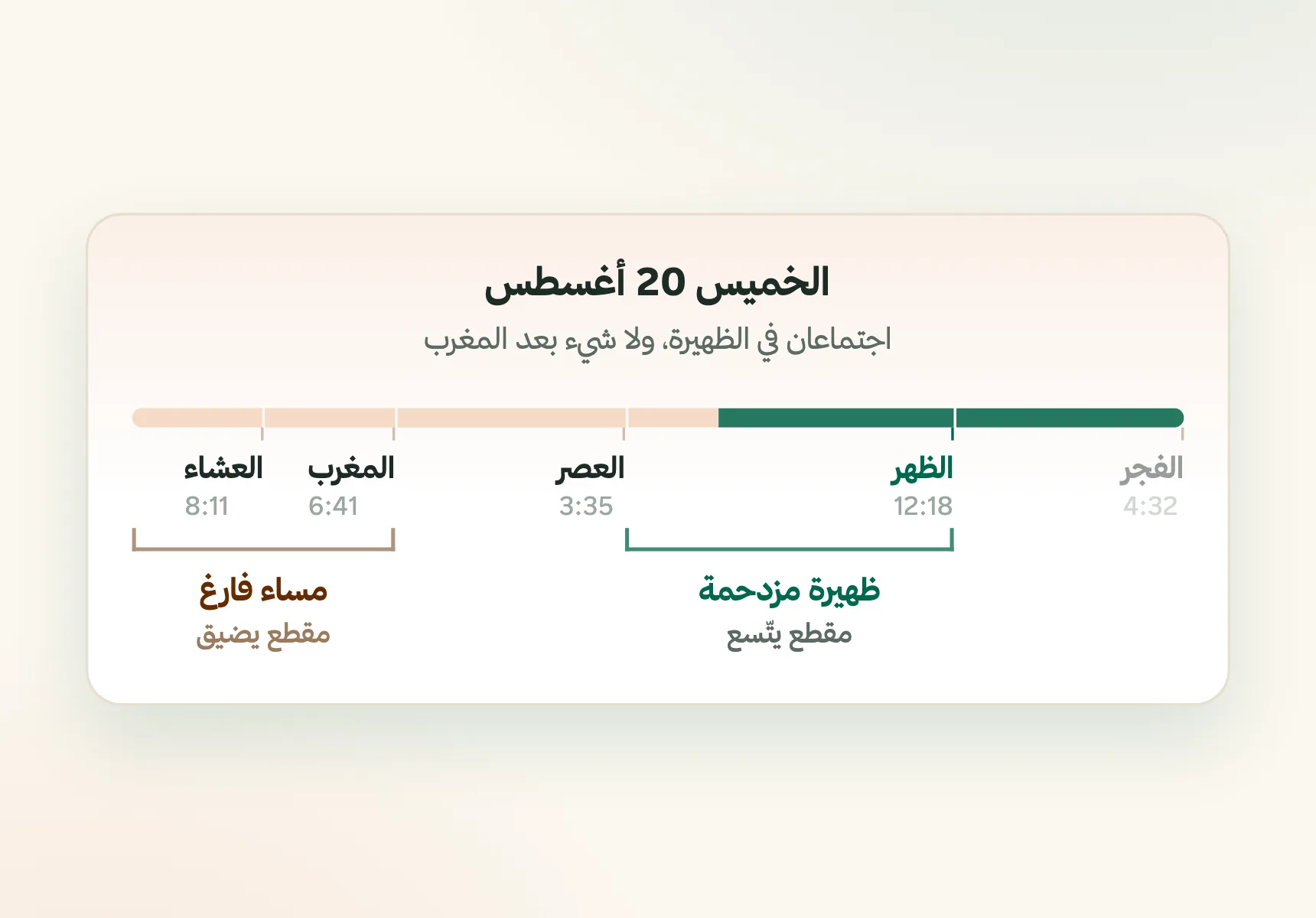
It does not pretend every hour needs equal space. Busy sections expand and empty ones contract, so the parts carrying real work receive the attention. You see the shape of the day, not a rigid row of identical hours.
A sun travels along the bar to show where you are in the day. After Maghrib, it becomes the moon in its true phase for that night. Time stops feeling like a list of appointments and starts feeling visible.
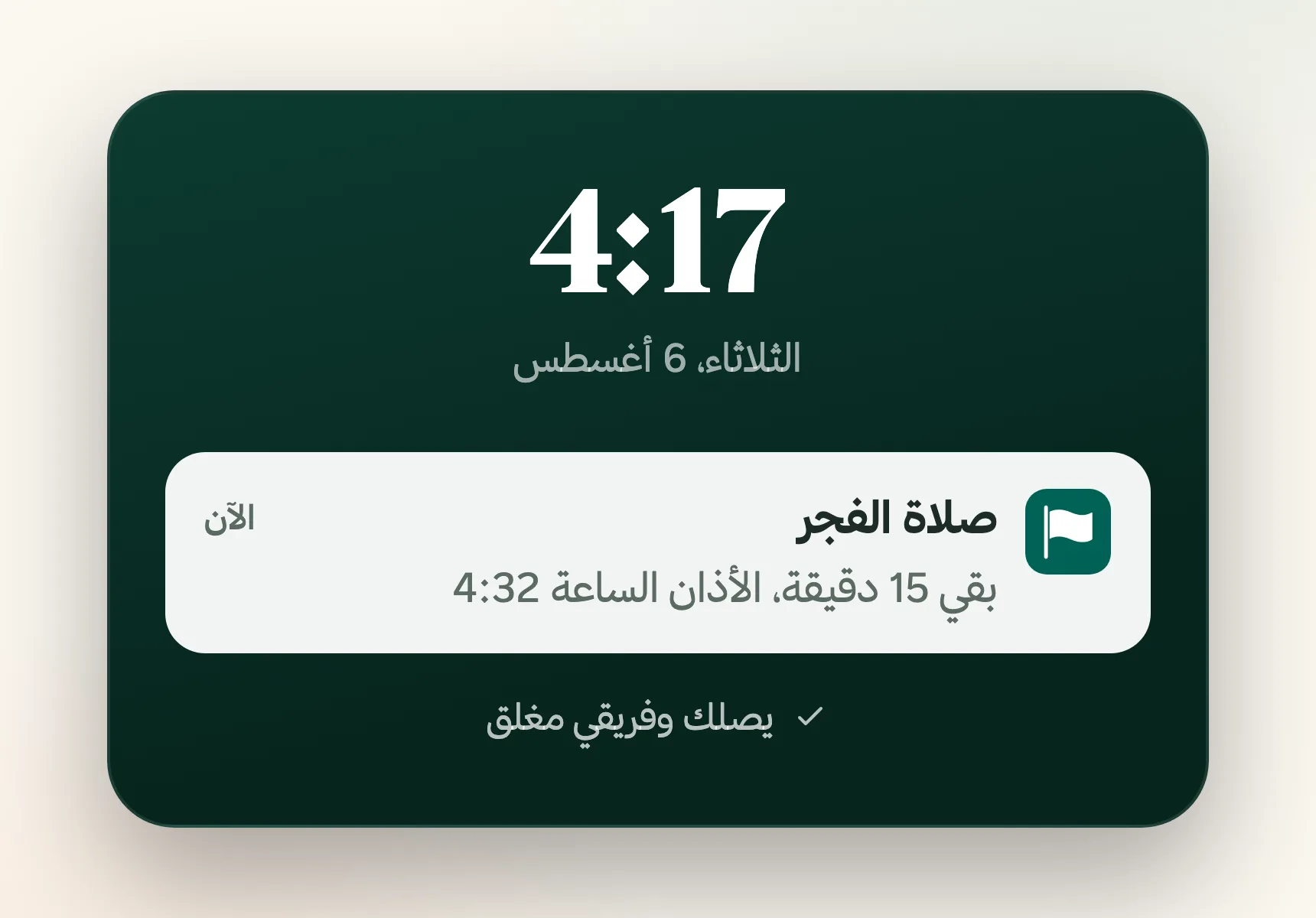
Prayer-time divisions are calculated automatically from your time zone, without another setup step. Egypt follows its dedicated timing. Turn prayer times off in Calendar Settings and Today Bar switches to hours only. Alerts arrive before a prayer time and before a meeting, while the new design stays the default with the previous design available in Appearance Settings.
The result? You stop rebuilding the day in your head after every task. You know what is next, where focused work will fit, and how much of the day remains. You begin with direction, move between commitments calmly, and finish knowing where your time went.
How Does Today Bar Work?
One Living Timeline
The five prayer times divide the day into familiar sections, with every meeting positioned at its actual time.
Space Follows Work
Busy stretches expand and quiet ones shrink, putting visual weight where your day actually needs it.
Sun Into Moon
The sun moves with your day. After Maghrib, it becomes the moon in its true phase for that night.
Local Time, Automatic
Prayer times follow your time zone automatically, with dedicated timing for Egypt. Turn them off to use hourly markers instead.
Alerts Beforehand
Get a timely alert before a prayer time and before a meeting, so the next commitment never arrives cold.
Your Preferred View
The new Today Bar design is the default, and the previous home design remains available in Appearance Settings.
Key Benefits
Related Features
Calendar
Hijri and Gregorian calendar combining your meetings and task deadlines in one view so you never miss a date.
Fareeqy Assistant
Say or type, "Prioritise my tasks and tell me what to finish today." Fareeqy Assistant reads only the work your permissions allow and returns a clear order grounded in your projects. You can enable it across your team, and the company credit balance is sized by your subscription seats, so it grows with them.
Instant Notifications
Smart notifications the moment anything updates on your tasks or projects. Stay in the loop and respond fast.
Task Management
Turn projects into clear tasks. Prioritize, assign, and track completion in real time.. with an automatic activity log on every task showing who created, edited, and completed it.
Related Articles
Frequently Asked Questions
What is Today Bar in Fareeqy?
How does Today Bar calculate prayer times at work?
Can I hide prayer times from Today Bar?
Does Fareeqy send alerts before prayer times and meetings?
Can I switch back to the previous home design?
Start your first project in 60 seconds
Try Fareeqy for free and start organizing your work with your team
Start Your Free Trial✓ Free Forever • ✓ No Credit Card Required