Task Management: A Complete Guide for Teams
A practical guide to task management: define work, assign owners, set deadlines, organize priorities, track progress, and help your team deliver.
One lost task can put an entire project at risk
How often has an important task disappeared between WhatsApp messages, emails, and meeting notes? How often have you asked a team member, "Where are we with this task?" only to hear, "I thought Ahmed was responsible for it"? How often have you reached a deadline and discovered that no one had even started a critical task?
This is not a hypothetical scenario. It is the daily reality of thousands of teams.
The problem is not that your team is lazy or incapable. The problem is that there is no clear task management system. Tasks are scattered across five different places, responsibilities are vague, and follow-up depends on memory and luck.
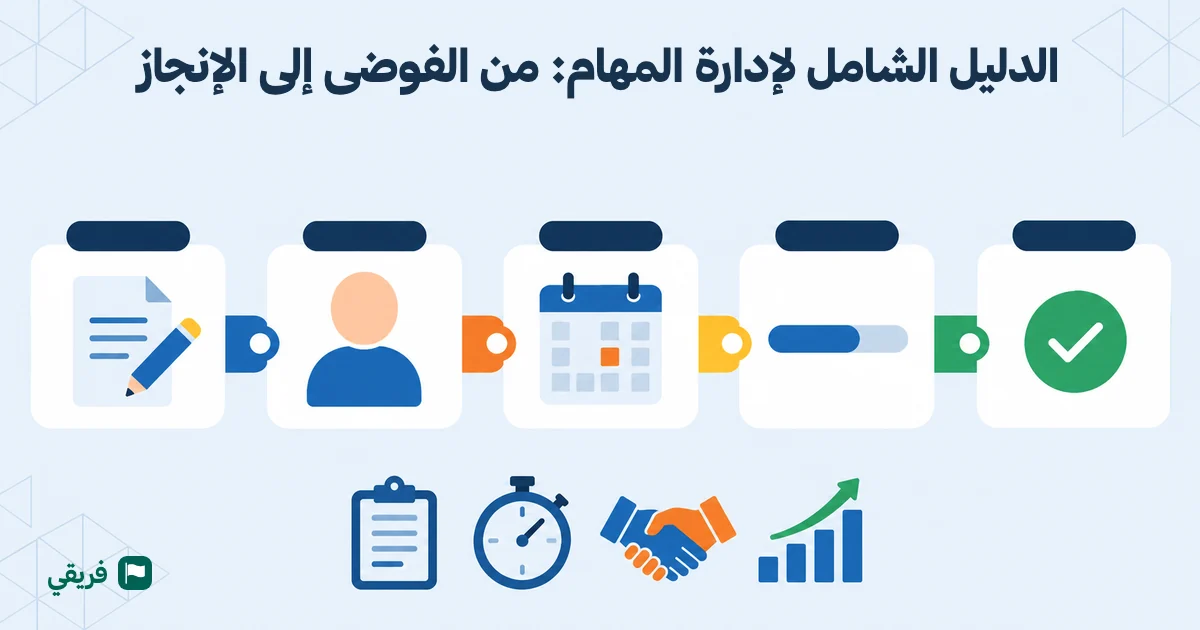
Task management is more than a to-do list written on paper. It is a complete system that makes every task clear, assigns it to an owner, gives it a deadline, and provides a way to track it. This guide will take you through the entire process, from understanding the fundamentals to applying them with your team.
If you want the bigger picture of organizing projects as a whole, read our complete guide to project management. Here, we will focus on the basic unit of every project: the task.
What is task management, and why is it more than a list?
Task management is the process of turning required work into clear tasks, ordering them by what should be completed next, assigning each task to one owner, setting its deadline, tracking its progress, and reviewing its result. The goal is for everyone to know what they need to do, what comes next, and how their work contributes to the team's objective.
But isn't that just a to-do list?
No. A to-do list is only one tool within task management. The difference is significant:
| A basic to-do list | Effective task management |
|---|---|
| A list of things to do | Every task has one clear owner |
| No clear order | Every task has a position showing what comes before and after it |
| No deadlines, or vague ones | A specific, realistic deadline |
| No progress tracking | A clear status: not started, in progress, or complete |
| Isolated from the work context | Connected to the project, team, and files |
The result? Task management turns chaos into a system where everyone knows exactly what they need to do today without asking anyone.
The elements of task management
Defining the task
Write the task in clear language that explains the expected result, relevant context, and completion criteria. A good description prevents conflicting expectations before work begins.
Setting the order
Place each task in relation to the rest of the work. What needs to be completed now, and what should follow it? The order of the list turns priority into a practical decision that the owner can see.
Assigning one owner
Assign every task to one person who knows they are responsible for its result. Other people can collaborate, but keeping ownership with one person prevents the task from getting lost between team members.
Setting the deadline
Choose a realistic completion date instead of using phrases such as "as soon as possible." A clear deadline helps the owner plan and allows the team to spot delays early.
Tracking progress
Track what has started, what is blocked, and what has been completed without waiting for a meeting or asking each person individually. Regular follow-up reveals obstacles while there is still time to resolve them.
Reviewing the result
Compare the outcome with what was requested before closing the task. A review confirms the quality of the work and turns mistakes into knowledge the team can use next time.
The result? A clear task, a known owner, a specific deadline, an understandable order, visible progress, and an outcome you can trust.
The difference between task management and task organization
Task organization is the practice of arranging work into a clear sequence that shows what should happen now and what should wait, whether you are organizing your own day or your team's work. It removes uncertainty when choosing the next step, but it is not enough to manage execution on its own.
Task management is the broader system. It adds one owner for every task, a deadline, progress tracking, and a review of the result. Organization answers, "What comes next?" Task management also answers, "Who will do it?", "When will we review it?", and "How will we know it is complete?"
If you want to learn how to organize tasks in practice, start with our step-by-step task organization guide.
The task lifecycle: 5 stages every task goes through
Every task, whether simple or complex, moves through a clear lifecycle. Understanding this cycle helps you manage tasks effectively and prevent problems before they happen.
1. Creation: define the task clearly
This is where everything begins, but it is also where many teams make mistakes. They write "Prepare the presentation" or "Review the report" and assume the task is clear. It is not.
A clear task answers four questions:
- What exactly? "Prepare a client presentation covering Q1 results and the Q2 plan, with no more than 15 slides"
- Who owns it? One named person, not "the team" or "Ahmed and Sarah together"
- When is it due? A specific date, not "as soon as possible" or "this week"
- Where does it belong in the order? Its position among the other tasks shows what comes before it and what follows it, so the owner knows where to begin
When you manage tasks this way, there is little room for ambiguity. Everyone can open their task list and know exactly what to do.
2. Assignment: give the task to the right person
Not everyone on your team is suited to every task. Effective assignment considers the person's skills, current workload, and interest in that type of work. We will explore this in more detail later.
3. Execution: work on the task
This is where the actual work happens. The owner begins the task, changes its status to "in progress," and communicates with the team if they encounter an obstacle.
Keeping comments and discussions directly on the task makes communication focused and documented instead of leaving it buried in a stream of WhatsApp messages.
What about conversations unrelated to a specific task? Team conversations in Fareeqy give them a suitable place, including private conversations between two members, groups for smaller teams, and a conversation created automatically for every new project. A quick question does not need to become a task comment, while an important decision deserves to be documented in the project's Majlis. Every type of discussion has its place, and nothing gets lost between apps.
4. Review: is the task actually complete?
"I'm done" does not necessarily mean the task is complete. Does the result match what was requested? Is the quality acceptable? The review stage ensures that the delivered work meets the original requirement. Some tasks may need approval from a manager or client before they can be closed.
5. Closure: document and learn
The task is complete and has been approved. Now close it and document what you learned. Did it take longer than expected? Why? Could anything be improved next time? This simple documentation helps your team become faster and more effective with every new task.
The result? When everyone understands and follows this lifecycle, statements such as "I thought it was finished" and "I didn't know it was my responsibility" begin to disappear. The work becomes clear and traceable.
Task management methods: choose what fits your team
There is no single correct way to manage tasks. The right approach depends on the size of your team and the nature of its work. Here are some of the most common methods.
Kanban: a visual view of work in progress
A Kanban board divides tasks into columns representing work stages, usually "To Do," "In Progress," and "Done." A task moves from one column to another as work advances.
Why does it work?
- You can see all team tasks at a glance
- Bottlenecks become visible when tasks accumulate in one column
- It is simple and requires little training
Best for: Teams handling varied, frequently changing work, including support, marketing, and operations teams.
To-do lists: simplicity at its best
A to-do list contains tasks arranged by priority, with a completion checkbox for each one. It is simple and effective for individuals and smaller teams.
Why does it work?
- It has almost no learning curve
- Checking off tasks creates a sense of progress
- It works well for daily and recurring tasks
Best for: Individuals, smaller teams of two to five people, and routine work.
Task management in Fareeqy uses clear, ordered lists instead of columns. Every task has one owner, one deadline, and a position in the list that determines its priority, allowing the team to see progress without moving cards between stages.
For recurring work, ready-made task lists give you a starting point instead of making you build every list from scratch. You can also explore practical examples of ready-made task list templates and how to use them.
The Eisenhower Matrix: prioritize intelligently
The Eisenhower Matrix divides tasks into four quadrants based on two questions: Is the task important? Is it urgent?
- Important and urgent: Do it now
- Important but not urgent: Schedule time for it in your calendar
- Urgent but not important: Delegate it to someone else
- Neither important nor urgent: Eliminate it
This method is useful for preventing the "everything is urgent" problem that can paralyze a team's productivity. To explore task prioritization in more depth, read our detailed task prioritization guide, which covers five proven methods with practical examples.
Scrum and sprints: short, focused work cycles
Scrum divides work into short cycles, usually one or two weeks, called sprints. At the beginning of each sprint, the team chooses the tasks it plans to complete. At the end, the team reviews what was delivered and plans the next sprint.
Why does it work?
- It helps limit scope creep by committing to specific work for a defined period
- It creates a regular rhythm for execution and review
- It reveals problems every couple of weeks instead of allowing them to remain hidden for months
Best for: Software development teams, complex projects, and medium-sized teams of five to fifteen people.
GTD, Getting Things Done: get work out of your head
David Allen's methodology is based on a simple idea: move every task and idea in your mind into a trusted system outside your head. Then process each item. Does it require action? Can it be delegated? Will it take less than two minutes? If it can be completed in under two minutes, do it immediately.
Why does it work?
- It reduces the anxiety of trying to remember everything
- It helps prevent tasks from being overlooked
- It works with any tool, including paper, an app, or project management software
Best for: Individuals, freelancers, and people managing varied tasks from multiple sources.
Which method should you choose?
| Method | Best for | Team size | Complexity |
|---|---|---|---|
| Kanban | Varied, changing tasks | Any size | Low |
| To-do lists | Daily and routine tasks | Individuals and smaller teams | Very low |
| Eisenhower Matrix | Setting priorities | Individuals and smaller teams | Low |
| Scrum and sprints | Complex development projects | 5-15 people | Medium |
| GTD | Tasks from multiple sources | Individuals | Low |
The truth is that effective teams rarely follow one method word for word. They take what works from different approaches and build a system that fits their needs. What matters is having a clear system that everyone follows, not finding a theoretically perfect method.
How to assign tasks effectively
Task assignment sounds simple, but it causes some of the most common team problems. Poor assignment leads to overloaded people, underused people, delayed tasks, and a frustrated team.
The golden rule: one owner for every task
"Everyone is responsible" often means "no one is responsible." When you assign a task to two people, each person may assume the other will handle it. The result is that no one does.
Every task needs one clearly named owner who is accountable for the result. That person can collaborate with others, but final ownership remains with them.
5 criteria for assigning tasks intelligently
1. Relevant skills
Do not give a design task to a developer or a technical task to a designer unless learning and development are the goal. That should be a deliberate choice, not an oversight.
2. Current workload
Before assigning someone another task, make sure they have the capacity to handle it. The dashboard shows the workload across the team, including who is overloaded and who has room for more work.
3. Deadline and priority
Urgent work needs someone who is available now, not someone already overwhelmed by another project.
4. Development opportunity
Sometimes you assign a task to someone who is not the strongest person for it because you want to develop their skills. This can be a smart long-term investment in the team.
5. Clear expectations
Do not stop at assigning the task. Explain exactly what you expect. What are the completion criteria? What level of quality is required? Are there any constraints or specific requirements?
How to delegate without losing control
Delegation does not mean handing over a task and walking away. It means that you:
- Explain the task clearly
- Agree on the deadline
- Set check-in points, not every hour, but perhaps, "Update me on Wednesday"
- Remain available if the person encounters an obstacle
- Trust the person and give them room to work
When you manage your team with clear permissions, everyone understands what they can do and where their responsibilities begin and end. Delegation becomes natural instead of intimidating.
The result? Everyone knows exactly which tasks they own, workloads are more balanced, and no task is left without an owner.
Task tracking: how to know where your team stands
You have a project with 40 tasks distributed across eight people. How do you know where everyone stands without asking each person for an update every day?
Track with numbers, not impressions
"Things seem to be going well" is a dangerous statement because it is often wrong. Real tracking gives you clear numbers:
- How many tasks are complete? For example, 28 out of 40 equals 70%
- How many tasks are overdue? Which tasks are they, and who owns them?
- Which tasks are creating the biggest bottlenecks? Is one task delaying five others that depend on it?
- How is the workload distributed? Does Khaled have 15 tasks while Sarah has only three?
Performance reports provide these numbers automatically across individuals, project sections, projects, teams, and the company. Open the reports and see the real picture without endless meetings.
Even better, you do not need to open the platform. Scheduled reports can send a report to your inbox and the inboxes of anyone you want to include, with support for up to 20 recipients. Reports can arrive daily, weekly (for example, every Monday at 8:00 a.m.), or monthly on the opening day of the month.
Choose an Arabic PDF for a meeting, Excel for analysis, CSV for another system, or JSON for a software integration. Daily scheduling automatically skips weekends. Your report can arrive on Monday morning before the weekly kickoff meeting without anyone collecting a single number manually.
The difference between tracking and micromanagement
There is a narrow line between healthy follow-up and destructive micromanagement:
| Healthy follow-up | Micromanagement |
|---|---|
| Tracks results and deadlines | Tracks every step and every minute |
| Asks, "Do you need help?" | Asks, "What did you do in the last hour?" |
| Trusts the team and gives people space | Requires approval for every minor decision |
| Intervenes when something is delayed | Intervenes in everything, all the time |
| Builds an independent team | Builds a team that depends on the manager for everything |
3 practical ways to track work without becoming disruptive
1. The daily dashboard
Open the dashboard in the morning. At a glance, you can see overdue tasks, tasks completed yesterday, and tasks planned for today without asking anyone.
2. Task updates
Instead of holding a daily meeting where the manager questions every person, each team member updates their task status directly. The manager opens the project and sees progress immediately. Notifications alert you automatically when a task changes status or something becomes overdue.
3. The weekly review
Set aside 30 minutes every week for a complete review. What did we deliver this week? What was delayed, and why? What needs to change in the plan?
The result? You know exactly where your team stands without becoming a manager who monitors every movement and discourages the team.
7 common task management mistakes
1. Tasks without deadlines
"As soon as possible" and "when you have time" are not deadlines. A task without a due date can remain in the queue indefinitely. Every task needs a specific date, even if it is an estimate. Add it to the calendar so it does not get lost.
2. Vague descriptions
"Prepare the file." Which file? Prepare it how? For whom? By when? The clearer the task description, the fewer questions and revisions you will face later. Two minutes spent writing a clear description can save hours of confusion.
3. No system for priorities
When every task is "important" and "urgent," nothing is genuinely important. The team begins with whichever task catches someone's attention instead of the work that matters most.
Arrange tasks in one sequence, with the task at the top representing what should be done now. Move each task to the right position whenever the work changes. For more advanced approaches, explore the five proven methods in our detailed guide.
4. Tasks scattered across multiple places
Some tasks are in Excel, some are in WhatsApp, some are in email, and some exist only in the manager's head. The result is that no one has the complete picture. The solution is simple: put every task in one place that everyone can see.
5. Ignoring workload
You assign ten tasks to one person and then wonder why they are late. Before assigning another task, check the person's current workload. Someone with three major tasks cannot absorb another urgent one, no matter how motivated they are.
6. No review and no learning
A task is completed, and everyone immediately moves on to the next one. No one reviews what worked or what went wrong. As a result, the same mistakes appear in every project. After each major task, spend five minutes asking, "What could we do better next time?"
7. Relying on memory
"I'll remember this task." You probably will not, especially when 20 other tasks are competing for your attention. Record every idea, request, and new task in the system immediately. If it was not recorded, it did not happen.
Task management tools: how to choose the right one
A task management tool is not a luxury. It becomes necessary for any team with more than two people. But the market is full of options. How do you choose?
What you actually need from a task management tool
- Flexible task organization: Ordered task lists and clear distribution
- Clear assignment: Every task has an owner and a deadline
- Progress tracking: Task status, completion percentage, and a dashboard
- Communication in context: Comments and discussions attached to the task
- Useful notifications: Alerts when something is delayed or relevant work changes
- Reports: Data about team and project performance
Why does a good tool still fail?
A good tool fails when the team does not use it. If your team faces a complicated tool with too many views, rituals for methodologies they do not need, or an interface that does not suit their language and reading direction, managing the tool becomes extra work instead of helping organize the real work.
After a week, tasks return to WhatsApp and the manager goes back to asking people for individual updates, no matter how capable the tool may be. Do not test features alone. Test whether the team understands the tool, uses it every day, and can see the next step clearly.
Fareeqy: clear tasks and a team that knows what comes next
Fareeqy begins with clarity. Every task has one owner, one deadline, and one priority determined by its position in the list. The "My Tasks" page brings team tasks and private personal tasks into a single view. Progress remains visible, so every team member knows what is required, what has been completed, and what comes next.
Fareeqy Assistant, available on the Pro plan, helps you identify your next step. Ask it, "Sort my tasks and tell me what to do today." It reads the tasks available within your permissions, organizes them, and explains where to begin. If your request involves a change, by default it waits for your approval before applying it.
- Task management with ordered lists, one owner and one deadline per task, and priority determined by the task's position in its list
- Project management that brings tasks, files, and discussions together
- A dashboard that shows the complete picture at a glance
- Performance reports across individuals, project sections, projects, teams, and the company, with email scheduling that works without opening the platform
- Built-in team conversations, including private chats, groups, and an automatically created conversation for every project, with voice messages and Arabic search
- A discussion Majlis for every project, where major decisions and announcements remain documented
- A calendar supporting both Hijri and Gregorian dates
- Instant notifications so important updates do not pass unnoticed
- Comments and discussions connected directly to tasks
This clarity is supported by an Arabic interface with right-to-left layout and a Hijri calendar alongside the Gregorian calendar. These factors help teams adopt the tool, but they do not replace clear ownership and visible progress.
Building a culture of delivery within your team
A tool alone is not enough. You can buy the best tool in the world, but if your team does not commit to using it, the chaos will remain. Effective task management needs a team culture that supports it.
4 habits that build a culture of delivery
1. Everything goes into the system
Use a simple rule: if the task is not recorded in the system, it does not count. No verbal tasks, hallway agreements, or "I told you during the meeting." Record it, or it will get lost.
2. Everyone is responsible for status updates
It is not the manager's responsibility to ask every person about their progress. Each team member is responsible for updating the status of their tasks: started, blocked, or complete.
3. The weekly review is a habit, not an event
Every week, the team spends 20 to 30 minutes reviewing the work. What did we complete? What was delayed? What needs to change? This review prevents small issues from turning into serious problems.
4. Celebrate completed work
When someone completes a difficult task or meets every deadline for an entire week, thank them. Recognize the effort. This is not a luxury. It is fuel that helps the team keep going.
For another perspective on building a culture of delivery, read our guide to project management from an Islamic perspective.
Frequently asked questions about task management
What is task management?
Task management is the process of turning work into clear tasks, arranging them, assigning each task to one owner, setting its deadline, tracking progress, and reviewing the result. Its purpose is to help everyone understand what they should do now and what comes next.
What is the difference between task management and project management?
Project management covers scope, objectives, budgets, resources, and risks. Task management focuses on the daily units of work used to execute the project plan. To understand the broader relationship between them, read our complete guide to project management.
What is the difference between task management and task organization?
Task organization arranges work and clarifies what comes next. Task management adds ownership, deadlines, follow-up, and review. Our task organization guide will help you create a practical order for your day and your team's work.
How should I prioritize tasks?
Collect your tasks and arrange them in a single sequence based on impact, deadlines, and dependencies. Put the task that should be done now at the top. You will find practical methods and examples in our task prioritization guide.
How do I choose task management software for my team?
Begin with the way your team works. Can every member understand what they need to do? Can they see the owner, deadline, and next step without lengthy training? Look for ordered lists, one owner per task, clear deadlines, and visible progress. Then test task management in Fareeqy with real work before making a decision.
Conclusion: from chaos to delivery in 5 steps
Task management is not a complicated science. It is a set of simple habits applied consistently:
- Define every task clearly: What, who, when, and where it belongs in the order
- Assign intelligently: One owner per task, with skills and workload in mind
- Track with numbers: Use a dashboard and reports instead of meetings and repeated questions
- Keep everything in one place: Do not scatter tasks across five tools
- Review and learn: After every week, project, and major task
What separates a team that delivers from one trapped in an endless loop? It is not the number of hours worked, the size of the team, or the budget. It is the clarity of the tasks and everyone's commitment to one system.
Try Fareeqy for free, with no credit card and no user limit. Organize your team's tasks, assign them clearly, and track progress so every task is understood, every piece of work has an owner, and every team member knows what comes next.