Majlis, Discussion Board & Project Documentation
A discussion and documentation board inside every project. Document your team's decisions, post announcements and ideas, and build a permanent reference for your project away from message clutter.
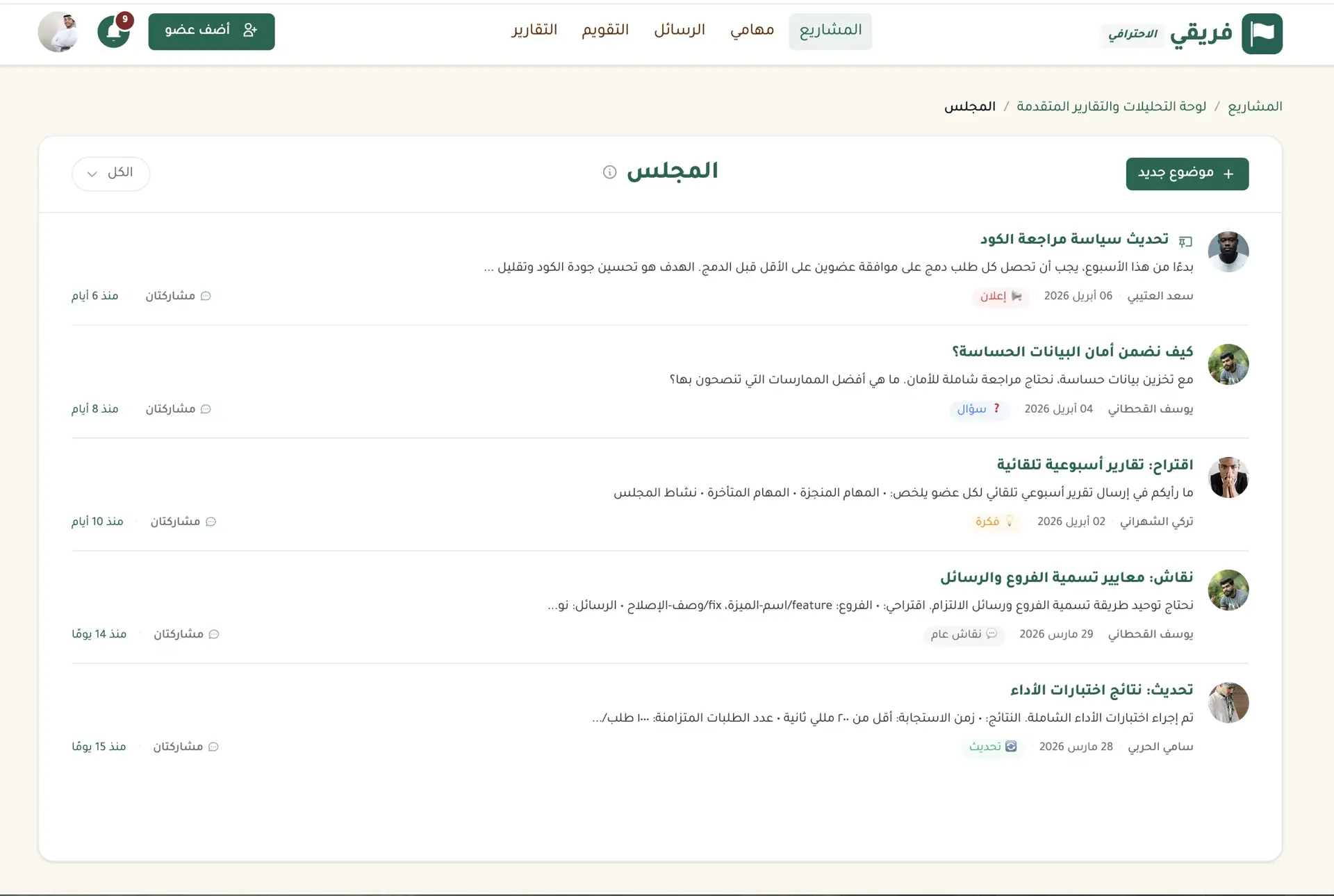
A new idea the team needs to discuss..
An important announcement everyone should see..
A question that needs input from several people.
Task comments are built around one task, not conversations that shape the wider project. In chat, important points drown in new messages. In email, discussions disappear into branching threads that not everyone sees.
Majlis gives every project a dedicated discussion and documentation space. It keeps decisions, announcements, ideas, and meeting minutes organized beyond the flow of daily tasks. No scattered threads and no important decision lost when the conversation ends.
Use Majlis when a new member needs the context behind past decisions, when a manager needs to pin an important announcement, or when an idea needs input over several days without another meeting. Mention a colleague with @ and they receive the full context instead of a disconnected notification.
Sometimes the best discussion starts in your conversation with Fareeqy Assistant. If a response deserves the team's input, turn it into a topic in any project's Majlis with one click. Fareeqy saves it as a draft so you can review and edit it. Your team sees nothing until you publish. You speak with the assistant, shape the draft yourself, and bring the team into the same flow of work.
Some decisions also matter to clients or partners outside the team. Publish any Majlis topic through a public link they can open without a Fareeqy account. When a new project resembles an earlier one, its Majlis does not have to start from a blank page. Copy the policy, guide, or decision you need from that topic's actions menu into the new project as a draft, review it, and publish when ready without bringing its replies.
The result? The human, the team, and Fareeqy Assistant work in one context. An idea becomes a topic, discussion becomes a decision, and the decision remains part of the project's record.
How Majlis Works
Built-In Categories.. And Your Own
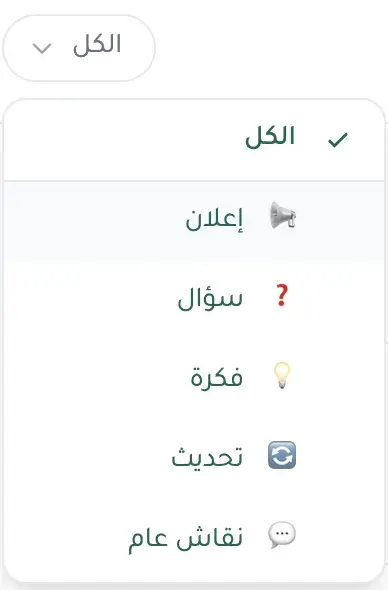
Organize topics as Announcement, Question, Idea, Update, or General Discussion. From the new-topic page, create a project category with its own name and icon, and it appears immediately for every member in the picker and Majlis filters; anyone with Majlis management permission can create one.
Pin Decisions & Announcements
Important decisions don't get buried. Pin announcements and key calls to the top so every member, new or old, sees them.
Direct @Mentions
Mention any member with @ in a topic or reply. They get an instant notification with full context.
Selective Subscriptions
Each member chooses which topics to follow and gets notifications only for new replies on those topics.
From Assistant Response to Team Discussion
Found a response that deserves the team's input? Turn it into a Majlis topic with one click. Fareeqy saves it as a draft for your review and edits, and your team sees nothing until you publish.
Drafts for Cleaner Docs
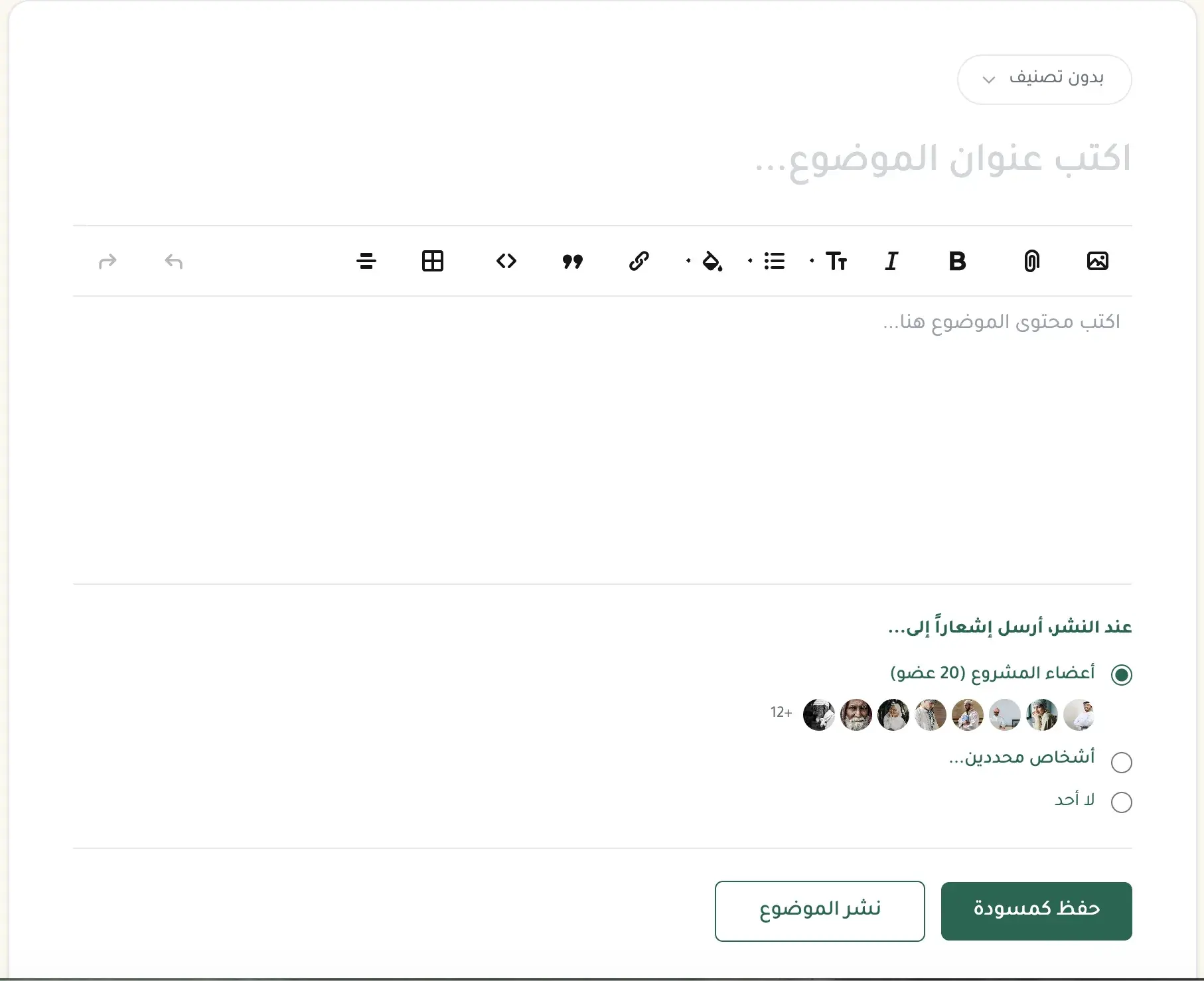
A doc that needs time to write? Save it as a private draft and finish later. No pressure, no rush.
Permanent Project Reference
Every decision, every announcement, every discussion, documented and searchable. A new member joins? They open Majlis and find the full project context right there.
Share a Discussion via Public Link
Need someone outside your team to see a decision or announcement? Publish the topic as a public link anyone can open, no Fareeqy account required.
You Choose Who Is Notified
A topic that concerns three people? When you publish, choose all project members, specific people, or no one. The notification reaches those it concerns and spares everyone else.
Copy One Topic
Need a policy or guide in another project? Use the topic's actions menu to copy it there as a draft, review it, and publish when ready. Only the topic is copied, not its replies.
Key Benefits
Related Features
Fareeqy Assistant
Say or type, "Prioritise my tasks and tell me what to finish today." Fareeqy Assistant reads only the work your permissions allow and returns a clear order grounded in your projects. You can enable it across your team, and the company credit balance is sized by your subscription seats, so it grows with them.
Conversations
Direct messages, group chats, and a chat for every project that's auto-created with the project. With Arabic-aware search, voice messages, and smart @mentions, all inside Fareeqy.
Comments & Discussions
Discuss directly on tasks instead of scattered messages. Every conversation stays linked to its task for easy reference.
Instant Notifications
Smart notifications the moment anything updates on your tasks or projects. Stay in the loop and respond fast.
Team Management
Invite your team in one click, set roles and permissions, and collaborate seamlessly in an organized and secure workspace.
MCP Server & REST API
Connect your own AI assistant, or your own systems, to your Fareeqy workspace. You set its permissions tool by tool, and every call is written to an audit log.
Related Articles
Frequently Asked Questions
What is the difference between Majlis and comments on a task?
How do I publish an assistant response in Majlis, and who sees it before publication?
Can someone outside Fareeqy open a Majlis topic?
Start your first project in 60 seconds
Try Fareeqy for free and start organizing your work with your team
Start Your Free Trial✓ Free Forever • ✓ No Credit Card Required