Your AI Assistant Works Inside Fareeqy, Not Beside It
Connect your own AI assistant, or your own systems, to your Fareeqy workspace. You set its permissions tool by tool, and every call is written to an audit log.
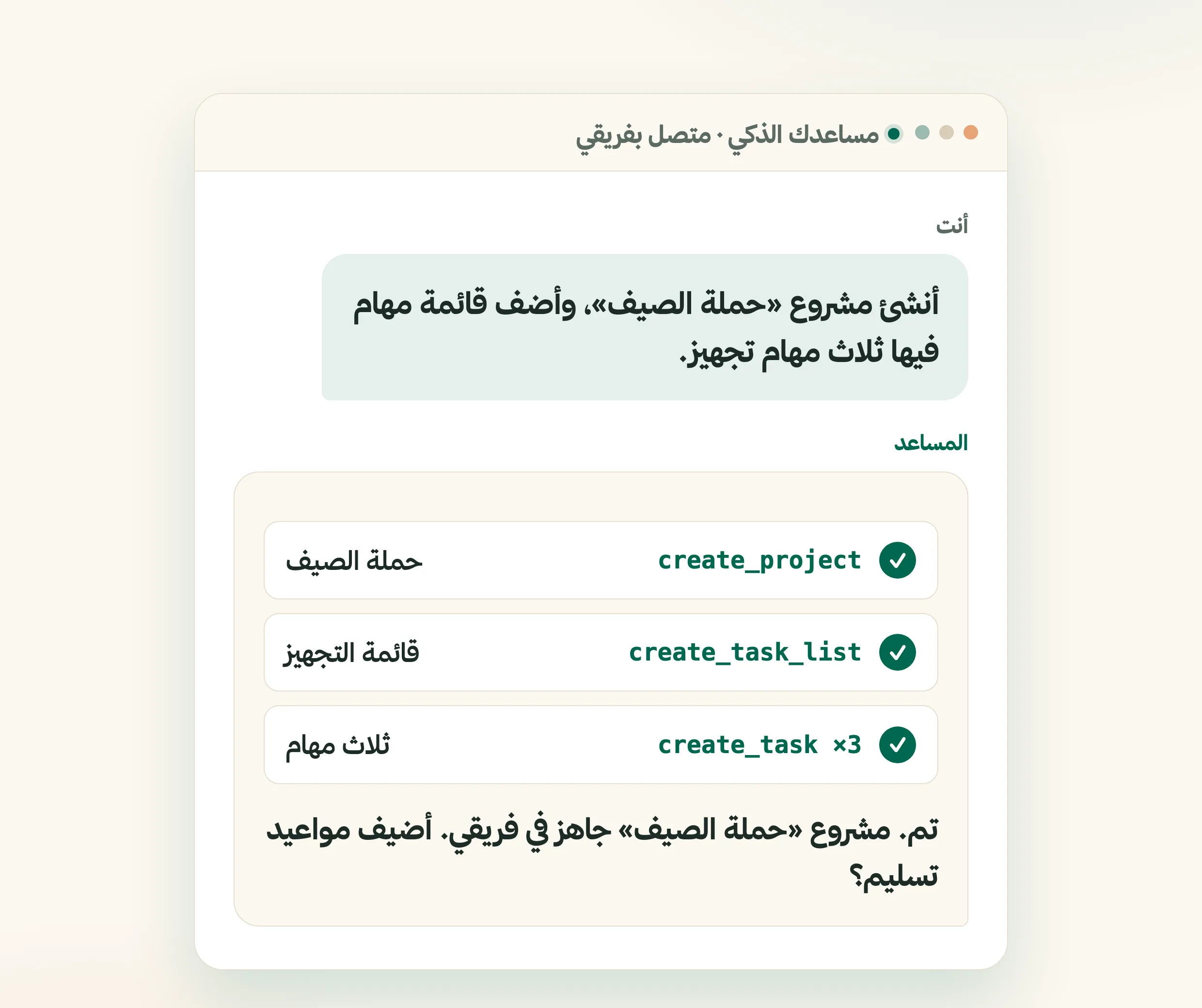
You open an AI assistant, describe your next project, and get a clear plan.. then what? You copy it, open your project management tool, and type out the project, the task list, and every task one by one. The assistant understood the work, but it stayed outside it. You still pay the cost of moving everything by hand.
Fareeqy's MCP server closes that gap. Paste one link into your assistant and sign in to Fareeqy once, then ask it to create the project, fill the task list, and tell you what deserves attention tomorrow. It works directly inside Fareeqy, not in a separate copy or a file on your machine.
It reads as well as it writes. Ask it to summarize the latest Majlis discussion and turn its decisions into follow-up tasks. Search in Arabic for a file or task whose location you cannot remember, and it finds it. When you say "tomorrow," it uses your company's timezone, so the deadline lands on the right day.
Every project, task list, task, Majlis topic, and file now has a short link. Copy it from the address bar and paste it anywhere and it arrives short and readable, not as a long scrambled line. Rename the record later and the link stays the same. Links you shared before continue to open as they are.
Paste a task, task list, or Majlis link into Fareeqy Assistant or any tool connected to your account through API or MCP. The tool opens the record from that link alone, without needing the project, list, and task names together. Paste a task link and say, "Close this".. it knows exactly which record you mean. Whenever the tool creates or updates something, it replies with a clickable link, so you can open the result and inspect it yourself instead of searching for it.
Feedback no longer has to interrupt your work. Send a note or report a problem from Fareeqy Assistant or any tool you connect through MCP. Fareeqy Assistant shows you the message before sending, so you can review and correct it. Once you approve, it reaches the same place as feedback sent from the web form, and support replies as usual.
The connected tools cover your workspace: projects, task lists, tasks, Majlis discussions, files, folders, the calendar, and search. A complete task list can be created in one batch, and if one entry is rejected the whole batch rolls back, so you never inherit a half-built list to clean up.
Access stays within clear boundaries:
- Tool-by-tool permissions: when you approve, choose the exact operations your assistant may call, not a broad read or write switch
- Deletion off by default: no connection receives delete tools automatically; you enable each one yourself if needed
- A complete audit log: review every call, whether it succeeded, was denied, or ended in an error
- The member's permissions, nothing more: the assistant inherits the role of the member who connected it and cannot reach anything that member could not
- Permissions you can change later: grant or revoke a tool without reconnecting
- Instant revocation: disconnect at any time from your account settings
Fareeqy Assistant itself follows a separate safety model. Reads run freely within the member's own permissions. Writes ask for your approval and run once you approve. If you trust it, you can turn on Instant Execution to skip the confirmation card; it is off by default. Deletion remains unavailable to Fareeqy Assistant either way.
If you prefer to connect your own systems directly, Fareeqy also provides a REST API. Read, create, and update projects, task lists, tasks, Majlis discussions, files, and meetings programmatically from any language or tool. Issue a key from API Keys settings and scope its allowed operations precisely. The API is available on the Advanced, Productive, and Enterprise plans. Read the API reference for endpoints, parameters, and request and response examples.
Your assistant can also create a ready task list for your company or edit an existing one, with no need to open settings. Switch on the two new tools in your key's settings.
The result? Decisions move into finished work through a shorter path. You open a record from its link, inspect what your tool changed immediately, and keep everything inside Fareeqy and under your control.
How does the AI Assistant work inside Fareeqy?
Tools You Pick Yourself
Paste one link into your assistant and sign in, then choose exactly which tools it may call, not a blanket read or write switch.
From Words to Tasks
Talk to it in natural Arabic or English, and it creates projects, task lists, and tasks inside Fareeqy.
It Reads Your Context
Majlis discussions, open tasks, and files. It reads what you can see, then acts on it.
Deadlines on the Right Day
It uses your company timezone, so when you say \"tomorrow\" the deadline lands on the day you meant.
Works With Your Tools
claude.ai, ChatGPT, Claude Code, Claude Desktop, Codex, Cursor, VS Code, and Windsurf. The protocol is open, so you are not tied to one tool.
Permissions You Can Edit
Grant an existing connection a new tool, or take one away, without reconnecting.
An API Key Scoped Precisely
Connect your own systems through the REST API, with a key whose allowed operations you define exactly.
A Link That Survives a Rename
Copy a short link to any project, list, task, topic, or file, and it keeps working after the name changes.
Paste a Link, It Opens
Give a connected tool a task, list, or Majlis link on its own and it opens the record directly, with no hierarchy to spell out.
Key Benefits
Related Features
Fareeqy Assistant
Say or type, "Prioritise my tasks and tell me what to finish today." Fareeqy Assistant reads only the work your permissions allow and returns a clear order grounded in your projects. You can enable it across your team, and the company credit balance is sized by your subscription seats, so it grows with them.
Task Management
Turn projects into clear tasks. Prioritize, assign, and track completion in real time.. with an automatic activity log on every task showing who created, edited, and completed it.
Project Management
Every project is a complete workspace for your team: tasks, files, conversations, decisions, and an automatic timeline of every action grouped by day. Color-coded departments group the company's projects by type of work.
Majlis
A discussion and documentation board inside every project. Document your team's decisions, post announcements and ideas, and build a permanent reference for your project away from message clutter.
Related Articles
Frequently Asked Questions
What is the AI Assistant (MCP) in Fareeqy?
Which assistants does it work with?
How do I turn it on?
Can the assistant see things I can't?
Can it delete my data?
How do I know what the assistant actually did?
Can I edit a connection's permissions later?
What is the difference between the AI Assistant (MCP) and the REST API?
Does the short link change when I rename a project or task?
Can a connected tool open a record from just its link?
Will the tool return a link after every creation or update?
Can I send feedback from Fareeqy Assistant or an MCP tool?
Can my assistant edit a ready task list?
Try the AI Assistant for free
Connect your assistant to Fareeqy and let your first project be built with one request
Try it free nowFind it in: Account Settings → AI Assistant (MCP)
✓ Free Forever • ✓ No Credit Card Required