Ask about your work in Arabic. It acts inside your projects
Say or type, "Prioritise my tasks and tell me what to finish today." Fareeqy Assistant reads only the work your permissions allow and returns a clear order grounded in your projects. You can enable it across your team, and the company credit balance is sized by your subscription seats, so it grows with them.
How often does someone ask "where are we?", while the answer is scattered across tasks, Majlis threads, and files? Ask Fareeqy Assistant, "What is overdue this week?" It reads the real state of your projects and returns a clear answer, so you know what needs attention now.
Access should not expand just because an assistant is involved. Fareeqy Assistant sees exactly what you see: projects, tasks, task lists, Majlis, files, and the calendar, all within your own permissions. If you cannot open a project, neither can it, and a custom role that limits a member also limits their assistant.
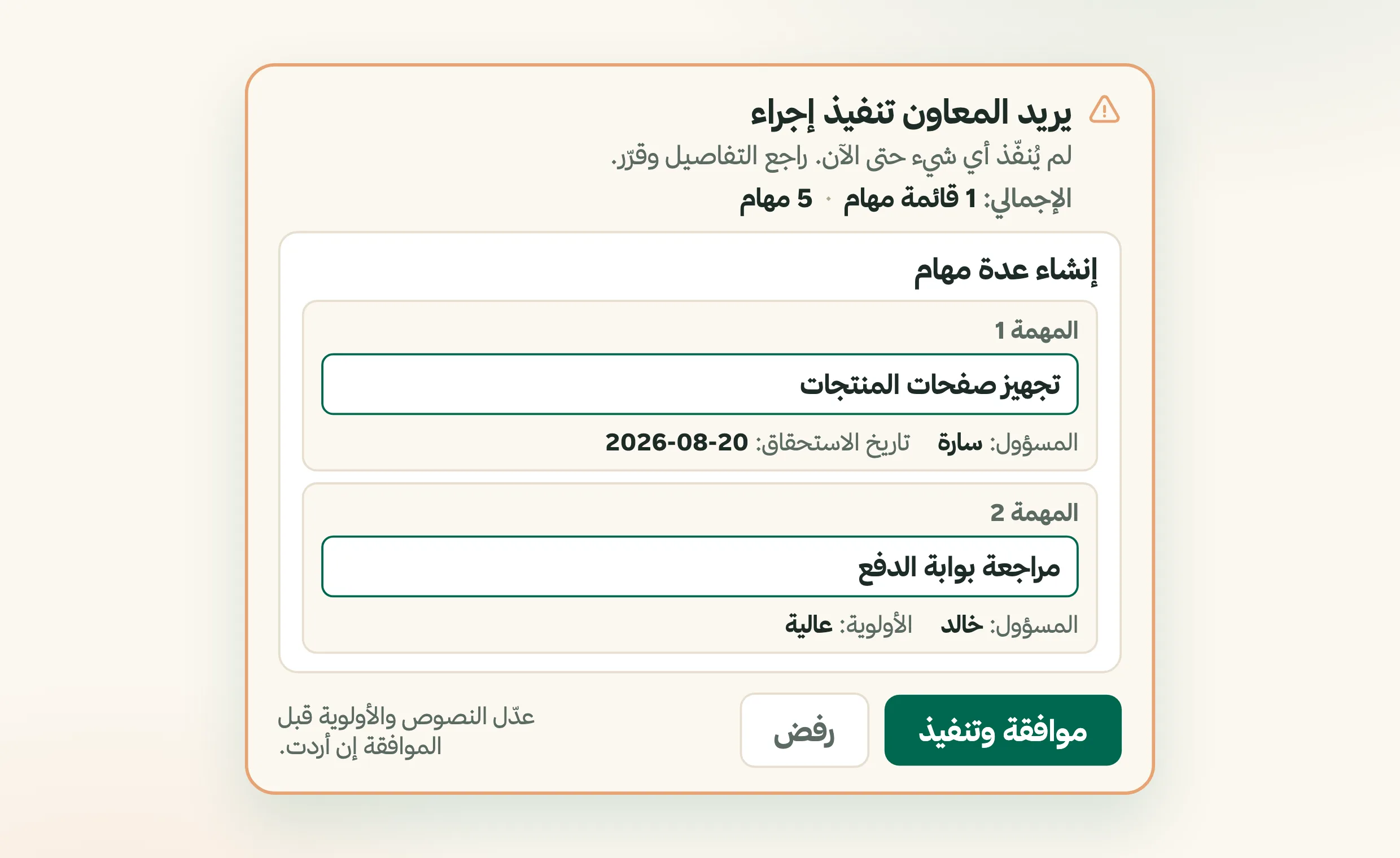
Re-entering updates wastes time, but letting them happen without review does not suit everyone. Reads run freely without a confirmation card or a wait. Writing is the only point that pauses for approval by default. The confirmation card is a live editor: correct a title or change a priority in place, then approve, so the update reaches your project exactly as intended.
Once you trust the assistant, approving the same kind of work repeatedly becomes its own chore. Turn on Instant Execution below the composer and requested writes happen immediately, without a confirmation card. The switch is off by default and keeps its state across all your conversations until you turn it off. Every completed write still appears in the conversation with full details and a link to what was created or changed. Deletion is unavailable in either mode.
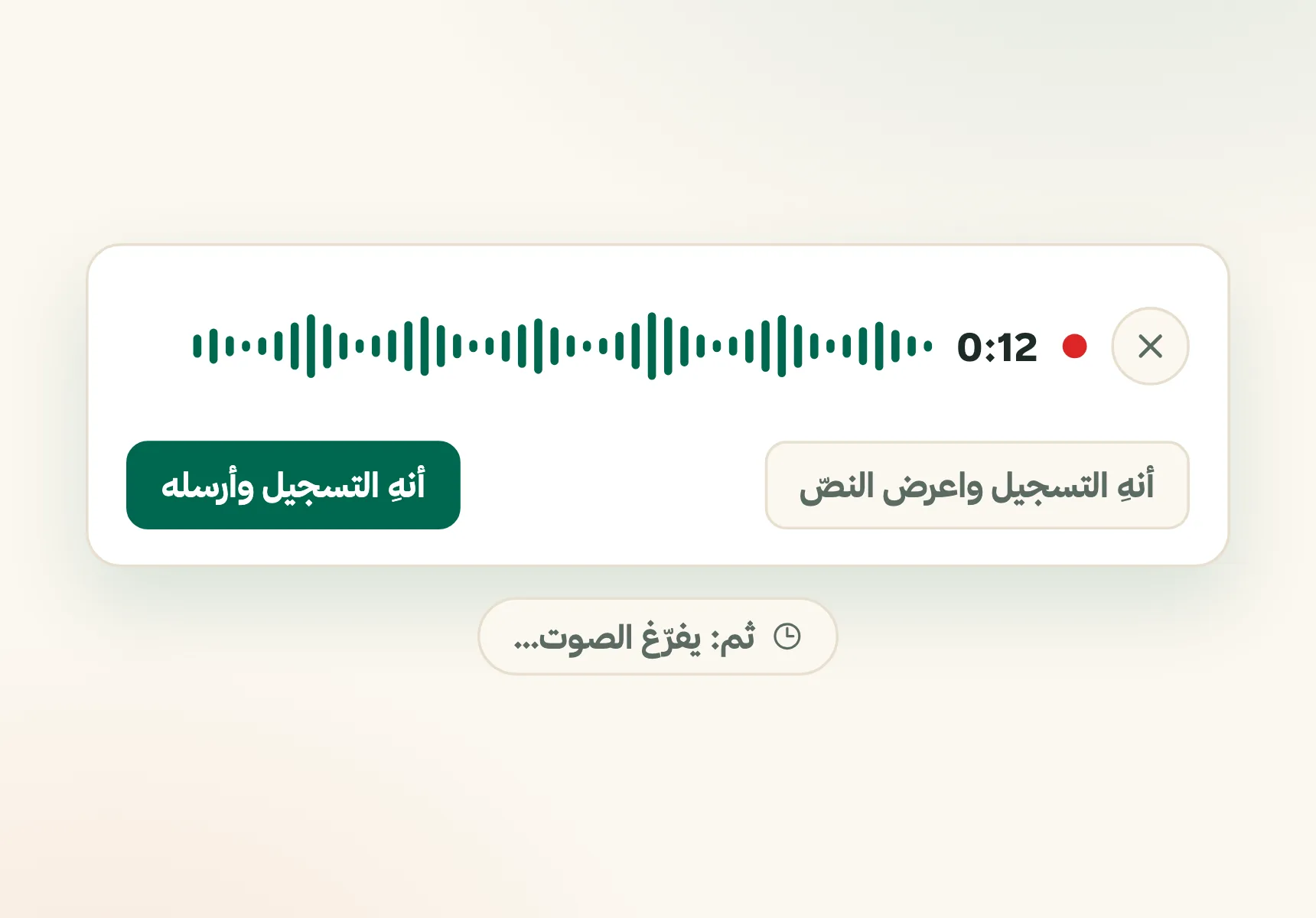
A useful request often arrives between meetings, when typing a long prompt is the last thing you need. Tap the microphone in the question box and speak. While recording, you have three choices: cancel, stop and place the transcript in the box for review and editing, or stop and send immediately. It understands Modern Standard Arabic, spoken dialects, and English terms inside an Arabic sentence, and if a dialect word comes out wrong, you fix it in the transcript before sending. A recording can run up to two minutes, the audio itself is not stored by Fareeqy, and each transcription minute is charged to the company credit balance. Your thought reaches the workspace before it disappears.
Keeping the assistant visible only to the owner left the rest of the team outside the workflow. Now every member can see it. If access is disabled, they see why and can send an activation request to the owner from the button in front of them. The owner sees every member's status in one table, enables everyone in one click, and can make new members start enabled. Turning that new-member setting off does not revoke access already granted.
Delegating this work should not require handing over every company setting. The Manage Fareeqy Assistant permission lets a trusted person manage member access and statuses without receiving broader company administration rights. Responsibility moves to the right person while its scope stays clear.
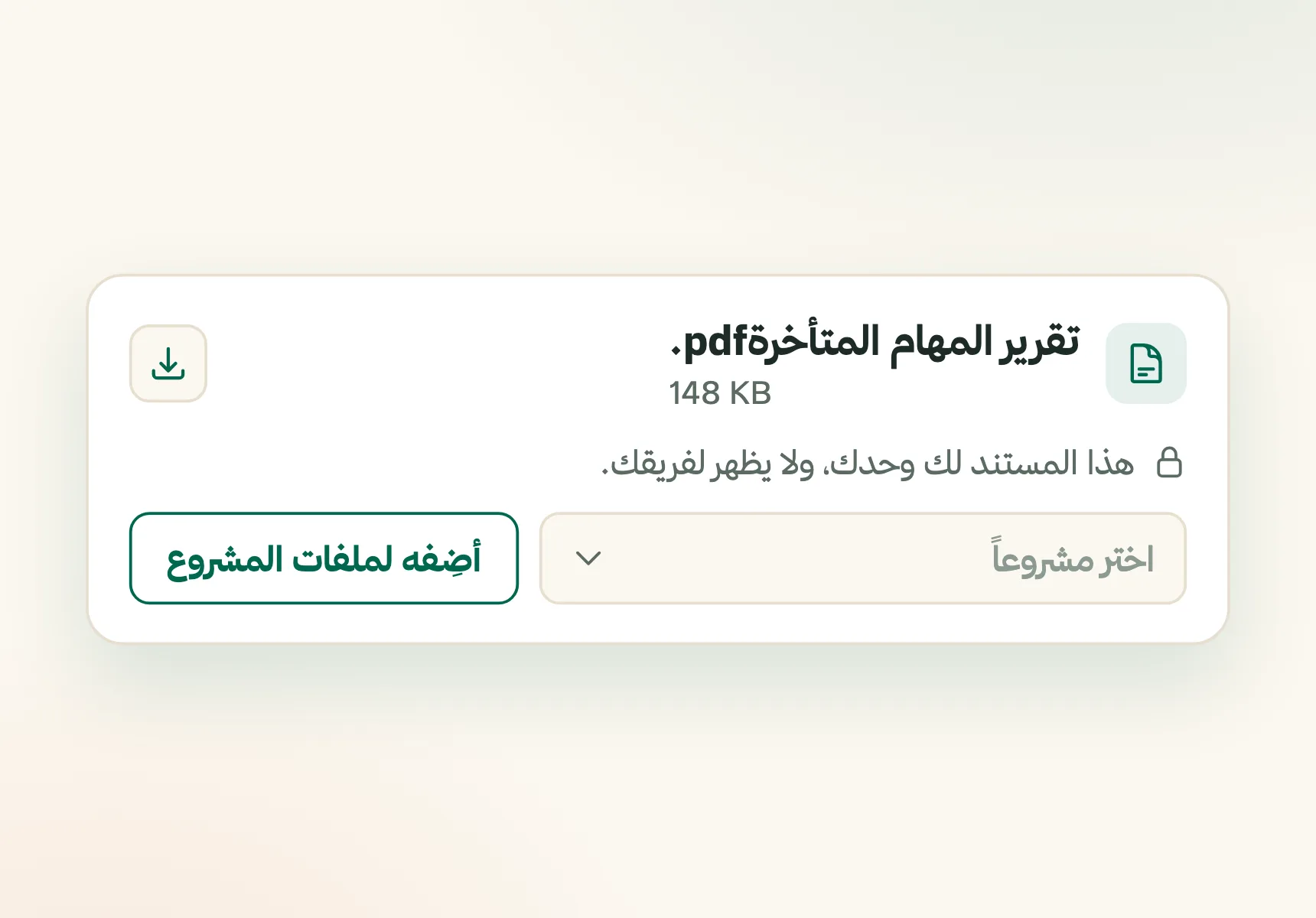
A report may need your review before the team sees it. Ask for a private PDF or Markdown report and the assistant delivers it inside your conversation, visible only to you. Publishing it to project files is a separate button you press. The assistant also cannot invite members, change roles or permissions, or touch billing, so company administration stays with your team.
Enabling the assistant for everyone can sound like an open-ended cost. It is not. The company's monthly allowance is the per-member rate multiplied by the number of seats, and that allocation is prepaid. Enabling the assistant for people in those seats does not raise the bill, while every new seat on your subscription adds to the company credit balance.
Fareeqy Assistant is available on the Pro, Advanced, Productive, and Enterprise plans. The Free plan does not include it. The result? Every enabled member can ask in their own words, get an answer grounded in real work, and choose between reviewing writes or executing them instantly, with permissions, privacy, and cost kept clear.
What does Fareeqy Assistant do?
Answers From Your Work
Ask "What is overdue this week?" It reads your projects and tasks, then answers from their real state.
Tasks From One Brief
Describe the campaign launch and it prepares the tasks and assignments. By default, you review the write before creation.
Summarises Majlis Decisions
Skip rereading a long thread. Ask for the decisions and turn them into clear follow-up tasks.
Reads Within Your Permissions
It reads only what you can see, without a confirmation card or wait. Your custom role limits it too.
Edit Before You Approve
The confirmation card is not two buttons. Fix the title or change the priority in place, then approve.
Speak Instead of Typing
Speak in Arabic, then send immediately or review and edit the transcript. Fareeqy does not store the recording.
Your Private Ready Report
Receive a PDF or Markdown report inside your private conversation, then publish it only when you press the separate button.
Optional Instant Execution
Skip confirmation when you choose, while keeping full execution details and a direct link in the conversation.
Available Across Your Team
Every member can see it and request access, while the owner can enable the whole team in one click.
Credits Scale With Seats
The monthly allowance is calculated by seat count and prepaid, so enabling the whole team adds no surprise charge.
What can you ask?
Ask in your own words, and Fareeqy Assistant will use your real workspace data to give you a clear, actionable response.
Prioritises and plans
- “Prioritise my tasks and tell me what to start today”
- “Plan my team's tasks this week and set their deadlines”
- “Plan our website launch, assign the tasks, and set deadlines”
Analyses and compares
- “Analyse Campaign Launch: are we on time or late, and why?”
- “Which tasks are overdue, and what is blocking this project?”
- “Compare task deadlines with their current status and flag delivery risks”
Summarises and documents
- “Summarise the Campaign Launch Majlis”
- “I'm new to this project. Summarise what was decided and what I need to follow up”
Acts inside your projects
- “Turn the Majlis decision into follow-up tasks”
- “Update these task deadlines and add a comment explaining the change”
Key Benefits
Related Features
MCP Server & REST API
Connect your own AI assistant, or your own systems, to your Fareeqy workspace. You set its permissions tool by tool, and every call is written to an audit log.
Majlis
A discussion and documentation board inside every project. Document your team's decisions, post announcements and ideas, and build a permanent reference for your project away from message clutter.
Task Management
Turn projects into clear tasks. Prioritize, assign, and track completion in real time.. with an automatic activity log on every task showing who created, edited, and completed it.
Time Tracking
Record how long each task took in one field, right where the task already is, with no timer and no timesheet. Then read your team's hours in your reports: where the time went, and how many tasks carry a number at all
Reports & Tracking
Detailed reports on team performance and project progress. Know where your team's time goes and make data-driven decisions.
Related Articles
Frequently Asked Questions
Can Fareeqy Assistant prioritise my tasks and tell me what to do today?
Can Fareeqy Assistant analyse whether a project is late?
Can Fareeqy Assistant summarise Majlis discussions?
Can I speak instead of typing?
How long can a voice recording be, and is it stored?
Who can see a report generated by the assistant?
Does everything the assistant does need my approval?
Can Fareeqy Assistant change my work without my approval?
What is Instant Execution, and what appears after I enable it?
Can Fareeqy Assistant delete anything?
What company data can the assistant see?
How are assistant credits calculated?
Can every company member use Fareeqy Assistant?
What does the Manage Fareeqy Assistant permission allow?
Does enabling the assistant for the whole team raise the bill?
How is this different from connecting an assistant over MCP?
What language do I talk to it in?
Ask your assistant its first question
Open it from any page and ask about your project in Arabic
Try it free nowFind it at: the round button at the bottom of any page
✓ Free Forever • ✓ No Credit Card Required