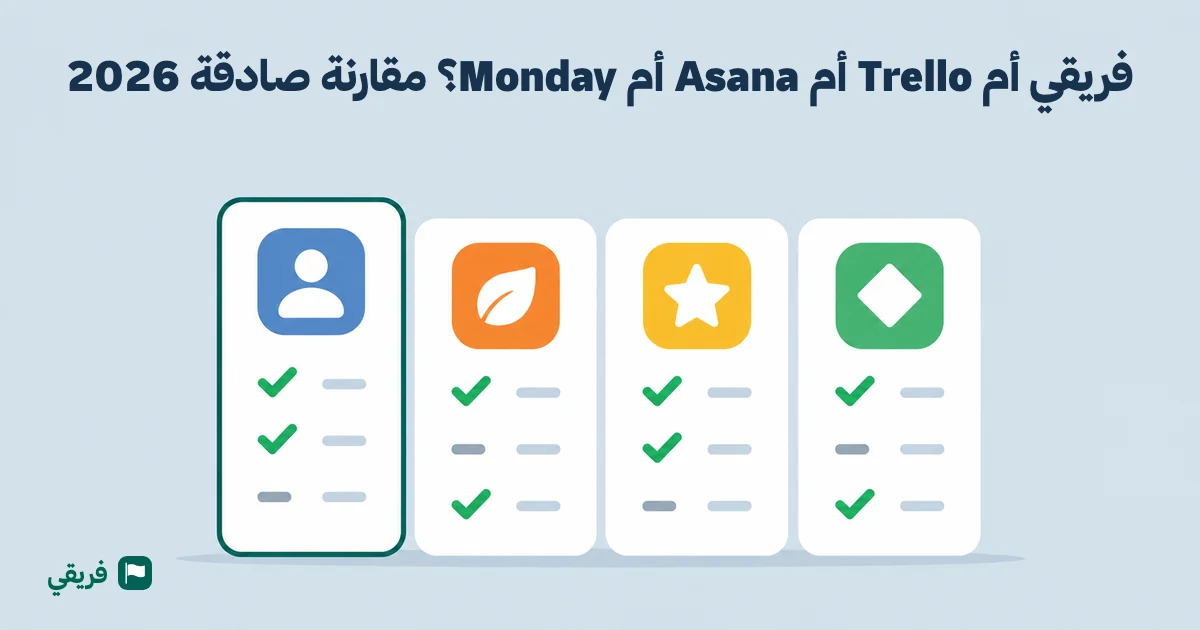
Fareeqy vs Trello vs Asana vs Monday: 2026 Comparison
Honest 2026 comparison: Fareeqy vs Trello, Asana, and Monday, Arabic support, pricing, and features. Pick the right PM tool for your Arabic team.
You Bought the Tool.. But Your Team Went Back to WhatsApp
An operations manager at a company in Jeddah. A team of 14. He signed up for Trello after reading about it everywhere. Created the boards, added the members, turned on the Arabic translation. One week later, three team members were still asking "how do I add a task?" -- the buttons said things like "Insert Item," a phrase nobody uses in real professional life.
Two weeks in, half the team had gone back to the WhatsApp group. The tool existed, but nobody was using it.
This is not a lazy team. This is a team that was given a tool that was never built for them.
Teams and companies across Saudi Arabia, Egypt, the UAE, and Jordan have switched to Fareeqy -- some left Trello specifically because of the language barrier. But language is not the whole story. The problem goes deeper.
The Real Problem Is Not the Tool.. It Is That the Tool Was Not Designed for Your Team
Trello, Asana, and Monday are good tools -- for teams that work in English, are accustomed to Western work culture, and have time for training and onboarding. But when you use any of them with an Arabic-speaking team, problems surface that have nothing to do with how powerful the tool is:
- The Arabic translation is broken and full of unnatural terminology
- The layout is mirrored from left-to-right -- buttons land in awkward spots and text gets clipped
- No Hijri calendar -- even though you deal with government contracts and agencies that run on Hijri dates
- The learning curve is steep -- Asana takes weeks of training, and your team needs to start today
- Feature overload becomes a burden -- 20 view modes that your team neither needs nor uses
The result? You pay a monthly subscription for a tool that a quarter of your team actually uses. The rest keep communicating on WhatsApp and tracking their work in Excel.
What Does Your Team Actually Need?
Before we talk about any tool, let us agree on what every team needs to work effectively:
- Every person knows exactly what they are responsible for -- no ambiguity
- Files are where they belong -- nobody is digging through email and WhatsApp
- The manager sees project progress without asking -- real numbers, not gut feelings
- The team communicates in the context of their work -- discussions tied to tasks, not scattered across channels
- The tool is easy enough that everyone actually uses it -- every single day
This is not a feature checklist. These are the fundamentals. If any of them are missing, it does not matter how powerful the tool is.
How Does Fareeqy Solve These Problems?
"I Thought You Were Handling That"
The most dangerous sentence on any team. It means tasks exist but nobody clearly owns them.
In Fareeqy, every task has one assigned owner, a specific deadline, and a clear place in its list: move it up and the team sees it comes first. The "My Tasks" page shows each person their tasks from every project in one place -- they open it in the morning and know exactly what is expected of them today.
More importantly, the Focus List lets you pick just the tasks you have decided to tackle today. Not all your tasks -- only the ones you are working on right now. Drag and drop them into your preferred order and get started. This is a feature you will not find in Trello, Asana, or Monday.
"Where Does the Project Stand?"
How many hours a week do you spend in status meetings? Asking each person "where are you at?" and waiting for vague answers.
In Fareeqy, you open the project page and see in seconds: completed tasks, overdue tasks, who is working on what, and the project's completion percentage. Fareeqy calculates progress automatically based on finished tasks. And when you need deeper detail, Reports give you the full picture -- at the individual, project department, project, team, and company level.
Every change on any task is recorded in a complete activity log -- who completed it, who reversed the completion, and when. Real transparency without needing to ask anyone.
"The Files Are Lost.. and Mohammed Is Working on an Old Version"
Ahmed sent the report by email. Sara never saw the email. Mohammed found a copy on WhatsApp and started working on it -- but it was last week's version. Three people, three copies, and nobody is sure which one is correct.
In Fareeqy, the File Space works like an actual library: folders and subfolders (a folder for designs, a folder for contracts, a folder for reports), instant previews without downloading, and automatic security scanning on every uploaded file. You can also link external files from Google Drive, Dropbox, Figma, or Notion without moving them.
Every file is tied to its project and task. Nobody searches, and nobody works on the wrong version.
"The Team Is Not Using the Tool"
This is the biggest problem with complex tools. You subscribe to Asana at $10.99 per user, and a month later you discover that half the team has gone back to WhatsApp. Not because they do not want to improve -- but because the tool demands extra effort that has nothing to do with their actual work. Before you pay, see how Asana pricing and Arabic support compare with Fareeqy.
Fareeqy is designed to be easy from the very first minute. A fully native Arabic interface -- every button, every menu, every alert message written in the Arabic you actually use at work. The right-to-left layout is not a "mirror" of an English design -- it was built that way from the ground up.
A tool your team uses every day is far more valuable than a tool with 100 features that nobody opens.
"We Need a Hijri Calendar with Our Tasks"
If you deal with Saudi government agencies, plan Ramadan events, or have contracts with Hijri dates -- you need a calendar that understands that. In Trello, Asana, and Monday, you have to open a separate app and convert dates manually.
The Fareeqy Calendar displays Hijri and Gregorian side by side on the same page. Deadlines and meetings appear automatically. And it sends your meetings to Google Calendar automatically, plus an iCal link you subscribe to once in Outlook or Apple Calendar, so your task deadlines and meetings show up in your external calendar without copying them by hand.
"Discussions Are Lost Between WhatsApp and Email"
A quick question to a colleague on WhatsApp. The final decision with the manager on email. The note about a design in a third app. The announcement to the team in a fourth group. And when someone new joins the project.. they start from scratch, because the context is split across four places -- none of which they can reach.
In Fareeqy, you do not have to decide "where do I write this" -- because every type of discussion has a place:
Comments -- for the conversation around the task. A note on a specific design, a question about a task's requirements, an approval on an attachment. Every comment is attached to the task or file it belongs to. A rich text editor supports formatting and images, @mentions trigger an instant notification, and updates appear in real time for the entire team -- no refresh needed.
Team Conversations -- for the daily back-and-forth. Three forms: a private chat between two members, a group with a custom name, and a conversation that is created automatically with every project and includes its members. Add someone to the project.. they are added to the conversation. Remove them.. they are removed. Without a manual step. Search any conversation for a message you wrote weeks ago -- the search understands roots and word forms. Send a voice message when typing is too slow. Mention a colleague with @ and they will not get a duplicate notification if they are already reading the conversation.
Majlis -- for decisions and announcements. A discussion board for every project, with a more formal tone than chat. For major decisions worth permanent documentation, announcements directed at every project member, and discussions you will need to come back to a month from now. Pin an important topic to keep it at the top, and tag discussions by category.
Comments for tasks, conversations for daily talk, Majlis for decisions. Every discussion has its place -- and when someone new joins the project, they open Majlis and learn the decisions, open the conversation and see the context, open the task and read the comments. Full context in minutes, instead of a week of questions.
"Monday Morning Reports.. No Longer Need You to Open the Platform"
Every week, the finance team asks for an Excel file with the week's performance. Every month, the manager waits for you to prepare the company report. Every time, you open the platform, pick the date range, export, send. An hour minimum.
In Fareeqy, scheduled reports end this weekly hour. Pick the report (company, project, team, or specific member), pick the format (Arabic PDF, Excel for analysis, CSV for other systems, JSON for integrations), then pick the cadence: daily at 8 AM, weekly every Monday, monthly on the first. Add up to 20 recipients -- even if they are outside Fareeqy.
The daily report covers yesterday. The Monday report covers last week. The monthly report on the first of the month carries the full previous month. Daily scheduling automatically respects the weekend (Friday and Saturday). And the timing follows your company's timezone -- if you change the timezone, the schedule adapts.
No Zapier. No complex automation. No data analysis team. Set it once on the Advanced plan, and it arrives on its own every week. Trello does not do this at all.
What Sets Fareeqy Apart from Trello, Asana, and Monday?
| Feature | Fareeqy | Trello | Asana | Monday |
|---|---|---|---|---|
| Arabic language | Native -- built from scratch | Shallow, broken translation | No Arabic interface | Shallow translation, broken RTL |
| Hijri calendar | Yes -- alongside Gregorian on the same page | No | No | No |
| Daily Focus List | Yes -- unique feature | No | No | No |
| Activity log for changes | Yes | No (on free plan) | Paid plans only | Paid plans only |
| Organized file folders | Yes -- with subfolders | No | Basic | Limited |
| Automatic file security scanning | Yes -- on every upload | No | No | No |
| Reports (individual + dept + project + team + company) | Yes (Fareeqy Pro) | No | Paid plans only | Higher paid tiers only |
| Time to get started | Minutes -- no training needed | Easy in English | Weeks of training | Long setup, steep learning curve |
| In-app team conversations | Yes -- private, groups, and a chat per project | No | Project messages | No -- Updates only |
| Voice messages and Arabic-aware search | Yes -- search understands roots and word forms | No | No | No |
| Project discussion board (Majlis) | Yes -- to document decisions and announcements | No | Project messages and status updates | Limited via "Updates" |
| Scheduled reports by email | Yes (Advanced plan) -- daily/weekly/monthly, PDF/Excel/CSV/JSON | No | Limited on higher tiers | Higher tiers only |
| Minimum users on paid plan | One person | One person | One person | 3 users on paid plans |
| Arabic support team | Yes -- a team that speaks your language | No | No | No |
| Real-time updates | Yes -- everything updates live | Yes | Yes | Yes |
What About Notion?
Notion is not really a project management tool so much as a comprehensive workspace. Excellent for documentation and notes. But its right-to-left support is still broken, and it was not designed for tracking tasks and team performance.
Comparing one tool in particular? We have a dedicated page for each, with a point-by-point comparison against Fareeqy: the Arabic Trello alternative, Asana alternative, Monday alternative, and Notion alternative.
Start Free -- With Your Entire Team
Most tools limit the free plan by user count: Asana caps it at 2 users. Trello limits the number of boards. Monday does not really offer a usable free plan for teams at all.
Fareeqy? Add your entire team -- 5 people or 50 -- on the free plan. Not for 14 days -- free forever. Try the tool on a real project with your real team. All the core tools are included: tasks, comments, calendar, notifications, file sharing, and the dashboard.
When you need unlimited projects, full performance reports, and more storage -- Fareeqy Pro is there. When you want reports landing in your inbox without opening the platform, Advanced is ready. But nobody is pressuring you. See plan details.
The Bottom Line
Teams across Saudi Arabia, Egypt, the UAE, and Jordan chose Fareeqy to manage their projects. Some switched from Trello. Some tried Asana and adoption failed. Some grew tired of Monday's complexity and pricing. Some were running everything through WhatsApp.
The difference between a tool built for your team and a tool translated for them is not just language. It means your team starts working from minute one, every person knows exactly what is expected of them, files are where they should be, and progress is visible to everyone -- without endless meetings and unread messages.
If you want to understand project management fundamentals in more depth, check out The Complete Guide to Project Management. And if you are looking for an effective way to organize your team's priorities, read The Task Prioritization Guide.
Try Fareeqy free -- no credit card, no user limit.