Keep Your Sales Team Moving and Every Follow-Up Accounted For
Fareeqy is not a CRM. It works beside yours to turn every follow-up, commitment, and handoff into a clear task with one owner, deadline, and priority.
✓ Free Forever • ✓ No Credit Card • ✓ Ready in 2 minutes
How often has a rep promised to follow up, only for a busy week to swallow the commitment? The opportunity still exists in the CRM, but the owner, due date, and agreed next step disappear into chats, meetings, and private notes. When the deal closes, delivery has to ask the customer for the same context again.
Fareeqy is not a CRM and does not try to replace one. It sits beside your CRM for sales team task management: projects hold campaigns or strategic accounts, task lists organize stages or rep commitments, tasks give every follow-up one owner, deadline, and priority, while Majlis and Fareeqy Assistant preserve decisions and help the team act on them.
The result? Every rep knows what needs attention today, managers can spot stalled follow-ups before deadlines pass, and delivery receives won deals with the decisions, files, and next steps intact.
How Fareeqy Maps to Your Sales Cycle
Turn what happens after an opportunity enters your CRM into organized work your sales team can execute, review, and hand over.
A project represents a quarterly sales push, a named strategic account, entry into a new market segment, or an ongoing function such as daily follow-up and qualification.
- Q4 Sales Push
- Al Noor Group Deal
- Healthcare Segment Entry
- Daily Qualified-Account Follow-Up
A task list can hold one stage of a sales push, act as a strategic account whose tasks are the steps required to close it, or collect one rep's follow-up commitments for the month.
- Post-Demo Follow-Ups
- Al Madar Account
- Sarah's September Commitments
- Won-Deal Handoffs
A follow-up without an owner or date is a deal at risk, so each task carries one rep, one deadline, one priority, and notes that preserve what was agreed.
- Send the Case Study to the CFO
- Confirm User Count Before Thursday
- Review Pricing Exception with the Manager
- Schedule a Technical Call with the Client Team
Majlis preserves commercial knowledge that does not belong in a CRM field, such as why a deal was lost, an approved discount decision, a successful objection response, or context delivery must receive.
- Contract-Term Exception Decision
- Al Ofoq Deal-Loss Analysis
- Weekly Sales Meeting Notes
- Al Riyadah Account Handoff Brief
Ready task lists turn the steps repeated for every strategic account, sales push, or won deal into a reusable template that members can apply inside any project.
- Open a New Strategic Account
- Launch a Quarterly Sales Push
- Hand a Won Deal to Delivery
- Onboard a New Sales Rep
Project files keep the material needed for follow-up and handoff close at hand, with folders for decks, scopes of work, discount policies, and external Google Drive or Dropbox links.
- Approved Sales Deck
- Final Scope of Work
- Discount and Exception Policy
- Client Document Folder Link
From Sales Push to Won-Deal Handoff
Define the Push
Create a project for a quarterly push, strategic account, or new segment. Give it a clear scope so the team knows what belongs in the work plan and what remains in the CRM.
Structure the Commitments
Organize task lists by push stage, strategic account, or each rep's monthly commitments. Apply a ready list whenever the same account-opening or deal-follow-up steps repeat.
Lock In the Next Step
Turn every customer promise into a task with one owner, one deadline, and one priority. Keep the agreement in the notes and attach what the rep needs before following up.
Review the Week Early
Use task ownership, activity history, and team reports to see what moved and what slipped. Record meeting decisions, blockers, and approved responses in Majlis so the team can find them later.
Hand Over the Full Context
When a deal is won, apply a handoff template and assign each step to its owner in sales or delivery. Keep the scope, promises, files, and risks in the project so delivery starts from a shared agreement.
A Sales Memory That Outlives the Meeting
Objections repeat, loss reasons fade, and pricing decisions arrive incomplete when knowledge stays scattered across chats. Your team adds sales-specific categories on top of the seeded Announcement, Question, Idea, Update, and General Discussion categories.
Approved Pricing Decisions and Exceptions
Record the approved discount, its conditions, and the decision owner so no rep makes a commercial promise the team cannot trace.
Deal Wins and Loss Reasons
Capture the deciding factor, objections raised, and what could have gone better so every deal becomes reusable learning.
Weekly Sales Meeting Notes
Keep the decisions, follow-up commitments, and blockers from each meeting instead of leaving them in attendees' memories.
Approved Objection Responses
Collect proven responses to pricing, timing, and competitive objections so the team can answer consistently.
Deal Handoff to Delivery
Summarize the agreed scope, promises, risks, and stakeholders so delivery starts with the right context.
An Assistant That Turns Follow-Up Status into a Plan
Fareeqy Assistant reads projects, tasks, task lists, Majlis, files, and calendars within your permissions without asking for approval, then analyzes delays and helps prioritize the work. When you ask it to create or change something, it presents a live editable confirmation card and acts once you approve, unless you enable Instant Execution, which is off by default; deletion is unavailable in either mode.
«Which sales follow-ups are overdue this week, and which ones should I handle today?»
It returns a prioritized view based on lateness, deadline, and priority, with the account and owner shown for every follow-up.
«Create follow-up tasks for these accounts, with a clear owner and deadline for each.»
It shows the tasks, with owners and deadlines, in a live confirmation card where you can correct titles and notes before it creates them once you approve.
«Summarize this week's pricing decisions and customer objections from Majlis.»
It returns a contextual summary of each decision and highlights recurring objections and responses worth sharing with the team.
«Prepare a PDF handoff brief for this won deal and the delivery team.»
It creates a PDF from the project's notes and files inside your private conversation, and it reaches project files only if you press the publish button.
Share a clear customer handoff
The handoff from sales to delivery slows down when proposals are resent or onboarding steps are explained manually. Share the record through a browser-friendly viewing link that prospects and new customers can open before they have a Fareeqy account.
Sales proposal
The prospect previews the proposal in the browser without waiting for the attachment to be resent.
Customer onboarding plan
The new customer sees progress, tasks, owners and due dates, making their next step clear.
Kickoff meeting
The customer opens the event to see its time, place and description without asking the sales representative.
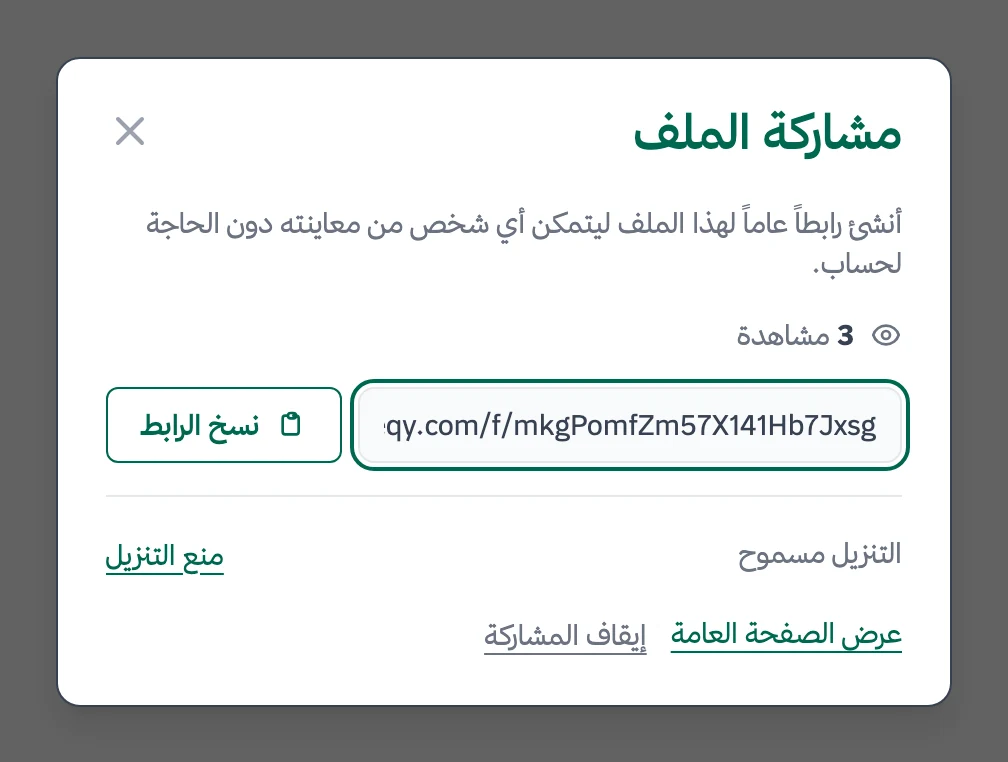
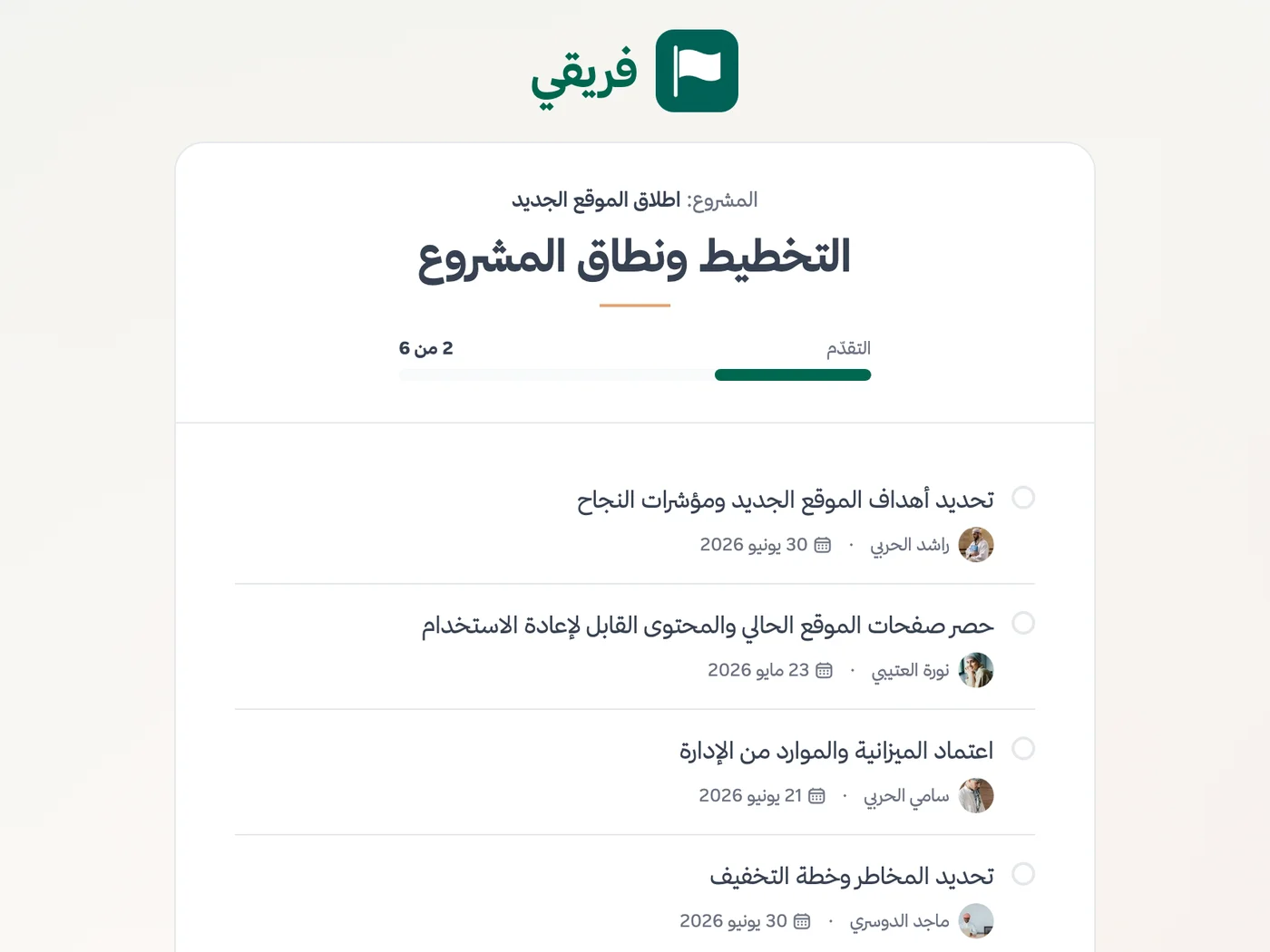
Allow or block proposal downloads, keep onboarding-plan comments hidden, and stop sharing whenever it is no longer needed.
What changes for sales teams
Other teams
Frequently Asked Questions
Is Fareeqy a CRM for sales teams?
How do I hand a won deal to delivery without losing context?
Can I see each rep's work and prepare manager reports?
Does every sales rep need a paid seat?
Can commercially sensitive deals and accounts stay private?
Is the Free plan enough for sales follow-up tracking?
How can a prospect review the proposal before creating an account?
What Teams Say About Project Management with Fareeqy
One of the nicest, most pleasant experiences I've had managing teams. Fareeqy stands out for being simple, easy, and uncomplicated.
And the most important feature is scheduling your work and tasks around prayer times, not the other way around!Honestly, I love using Fareeqy,
First, the project organization part, and its reminders if there are overdue tasks.
Fareeqy is easy and straightforward. I don't need to read or watch any video to know how to use any feature; everything is straightforward, and that's what makes me like Fareeqy most.Start with your first project today
The Free plan lasts forever, and no credit card is required.
Get Fareeqy Free