Operations Team Task Management Without Missed Steps
When weekly procedures cross departments, the step everyone assumed someone else owned gets lost. Fareeqy gives you business operations software that ties every step to one owner, one deadline, and one clear priority.
✓ Free Forever • ✓ No Credit Card • ✓ Ready in 2 minutes
How often does the week begin with a clear operations meeting, only for a step to disappear between procurement, finance, and HR? A supplier request awaits review, a branch setup awaits confirmation, and a routine obligation stalls because everyone assumed someone else owned it. When its deadline moves, nobody can quickly explain who changed it or why.
Fareeqy is not an ERP. It does not manage inventory, store purchase orders as business records, or run accounting. It organizes the work around those systems through projects, task lists, and tasks, while Majlis preserves operational context and Fareeqy Assistant reads the projects, tasks, discussions, files, and calendar available within your permissions when you ask it to investigate delays.
The result? Every morning, you can see what must happen, who owns it, and what needs attention, while recurring operations keep moving even when the team is busy or its members change.
How Fareeqy Maps to Operations Work
Here is how Fareeqy becomes a practical process tracking tool for work that currently lives across people, meetings, and separate systems.
A project represents an operational scope with a clear outcome and accountable team, whether it is an ongoing function, an improvement initiative, a rollout, or a compliance cycle.
- Head office daily operations
- Reducing customer request response time
- Launching operations at the Alexandria branch
- ISO 9001 audit readiness cycle
A task list groups steps around the way operations actually run: one list per process, one per branch or site, or one for each month's recurring obligations.
- Procurement cycle from request to receipt
- Operational hiring through employee readiness
- Alexandria branch readiness
- January operating obligations
A task is the step that cannot be left to assumption: it has one assignee, one deadline, and one priority, while its activity log shows who created it, assigned it, moved its deadline, completed it, or reopened it.
- Approve the supplier quote by September 12
- Confirm branch point-of-sale devices are ready
- Send the training record to the compliance lead
- Review the cause of the delayed shipment
Majlis preserves the operational memory usually lost in meetings and chat, keeping each decision, its rationale, its impact, and its supporting material inside the relevant project.
- Approved procedure for handling a system outage
- Reason for changing the purchase request approval path
- Weekly operations meeting minutes
- Service outage review findings
A ready task list prevents teams from rebuilding a process from memory: an owner or manager maintains it centrally, and any member creating a task list can apply it so the tasks appear ready inside the project.
- Weekly operations checklist
- New branch opening
- Supplier onboarding
- Audit preparation
When the current procedure or contract is buried in messages, the Files tab keeps folders, attachments, and external Google Drive or Dropbox links beside the operational work that depends on them.
- PDF of the approved operating procedure
- Approved supplier contracts folder
- Audit readiness evidence
- Google Drive link to branch inspection forms
An Operations Week Everyone Can Follow
Start From the Proven Process
If weekly setup starts from a blank page, apply the weekly operations ready task list inside the daily operations project. Its tasks are created in the project, ready for you to confirm one owner, one deadline, and one priority for each.
Connect Departments Through Clear Steps
When a procedure moves through procurement, finance, and HR, turn every handoff into a task owned by one person. Each participant sees what they are waiting for and what they must deliver, so accountability does not vanish between departments.
Track Variance as It Happens
If a deadline moves or an action is reopened, you do not have to rely on meeting notes to reconstruct events. The activity log shows who created, assigned, rescheduled, completed, or reopened the task.
Document the Decision and Why
When a procedure changes or an incident occurs, publish a topic in its dedicated Majlis category. The decision, its rationale, and the resulting action stay close to the project instead of disappearing in temporary chat.
Close the Week With Evidence
At the end of the week, review project, team, department, and company reports to see what finished and where delays keep recurring. Address the bottlenecks and save the proven workflow as a ready task list for the next cycle.
An Operational Memory That Outlives the Meeting
Operations keep changing, and when the reasoning is not documented, the team repeats the same debate after every incident. Each Majlis starts with Announcement, Question, Idea, Update, and General Discussion, then your team adds its own operations-specific categories on top.
Approved SOPs
When people execute the same process differently, this category keeps the approved procedure, its owner, and its context so everyone returns to one reference.
Process Change Decisions
When a step changes without explanation, this category records what changed, who decided it, why, and the expected impact so the new practice has a traceable origin.
Incident and Outage Reports
After a disruption, the team records what happened, its impact, the response, and the preventive action so the incident produces reusable learning.
Weekly Operations Minutes
Instead of ending the meeting with vague promises, this category preserves decisions, resulting actions, and their owners so the team can revisit what was agreed.
Improvement Proposals
When someone spots waste or a repeated manual step, they capture the problem, proposed solution, and expected impact so the opportunity is not lost in passing conversation.
Fareeqy Assistant Surfaces Operational Risk Early
Fareeqy Assistant freely reads projects, task lists, tasks, Majlis, files, and the calendar within your permissions, then prioritizes delays and analyzes the week's pressure. When you ask it to create or update work, a live card lets you correct the title or priority before it acts once you approve; deletion is unavailable in every mode.
«Which obligations are late or at risk this week, and who owns each one?»
It returns a prioritized view of each task, its owner, deadline, and priority so you can address the highest risks first.
«Create a task list for opening the new branch and assign each step to the right owner.»
It presents a draft of the list and its tasks, owners, and deadlines, where you can correct titles and the list's priority, then creates the work inside the project once you approve.
«Analyze why supplier onboarding kept running late last month.»
It compares tasks, deadlines, and status patterns to highlight repeated bottlenecks and risky handoffs between departments.
«Write an executive report on operations progress, delays, and next week's risks.»
It prepares the report and delivers a private PDF in the conversation for your review; it reaches project files only if you press the separate publish button.
Operations updates vendors can follow
Instead of repeating the next task or current procedure to every vendor and service provider, place the instructions in a dedicated viewing link. They can open it without creating a user profile while your operations workspace stays closed.
Service operations plan
The service provider sees progress, tasks, owners and due dates, making pending work clear.
Operating procedure
The vendor previews the published procedure in the browser instead of relying on scattered instructions.
Service visit
The service provider sees the visit time, place and description before travelling.
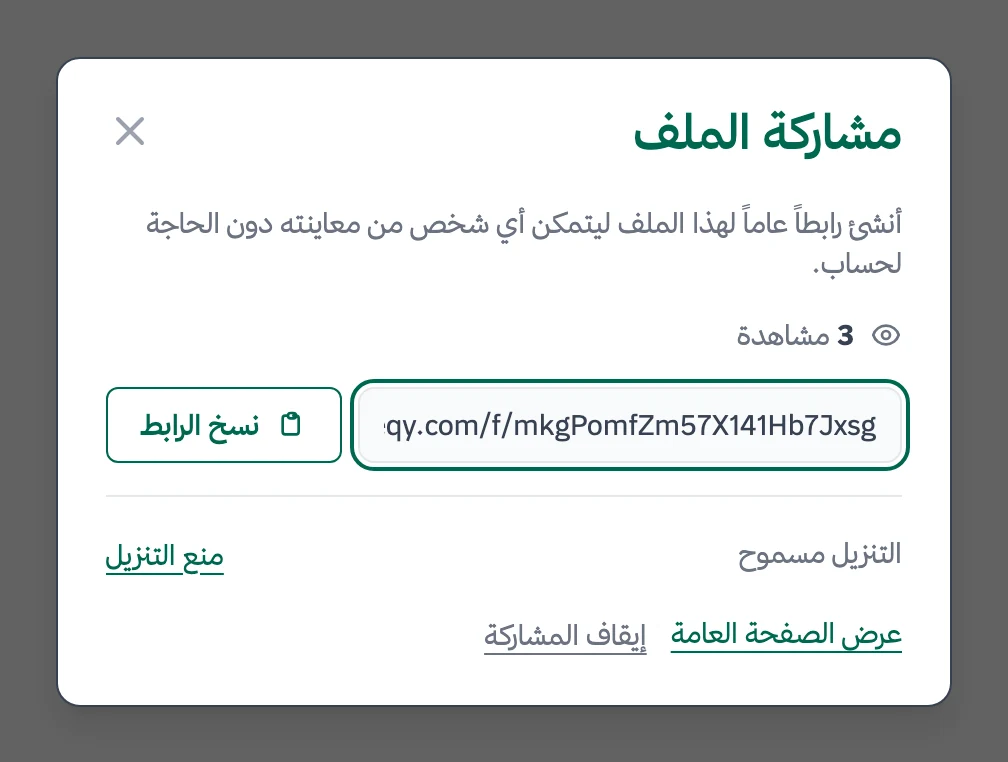
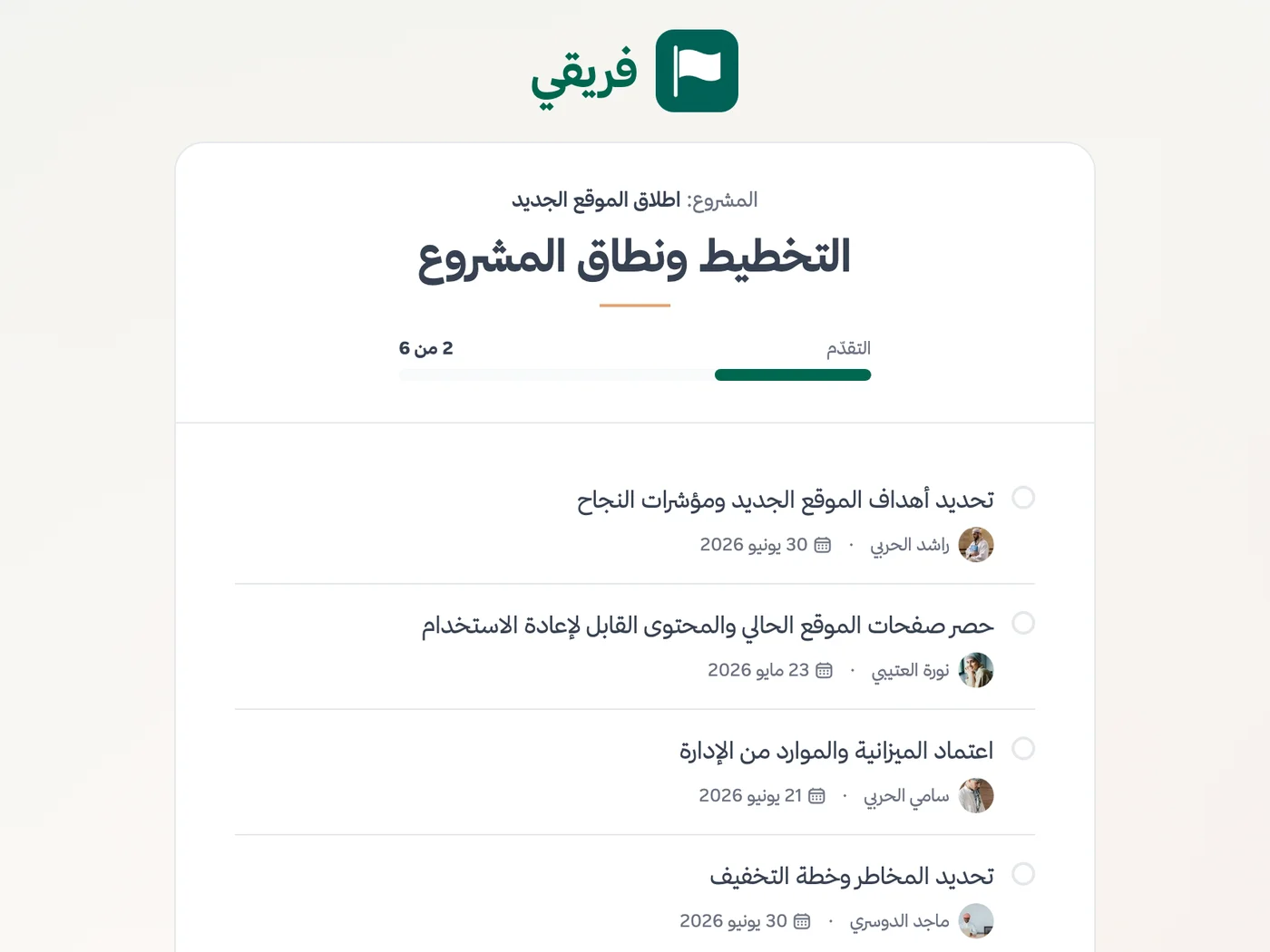
Allow or block procedure downloads, hide operations-plan comments, and stop the link as soon as the service ends.
What changes for operations teams
Other teams
Frequently Asked Questions
Does Fareeqy replace an ERP for operations management?
How do I manage recurring weekly operations work?
Can several departments coordinate in one workspace?
How can I restrict access to sensitive operations projects?
What reports can management review?
Is there a free plan for an operations team?
What does a service provider need to follow the operations plan?
What Teams Say About Project Management with Fareeqy
One of the nicest, most pleasant experiences I've had managing teams. Fareeqy stands out for being simple, easy, and uncomplicated.
And the most important feature is scheduling your work and tasks around prayer times, not the other way around!Honestly, I love using Fareeqy,
First, the project organization part, and its reminders if there are overdue tasks.
Fareeqy is easy and straightforward. I don't need to read or watch any video to know how to use any feature; everything is straightforward, and that's what makes me like Fareeqy most.Start with your first project today
The Free plan lasts forever, and no credit card is required.
Get Fareeqy Free