Product Team Management From Discovery to Launch
Bring product roadmap organization and product launch planning into one clear flow with owners, deadlines, and documented context.
✓ Free Forever • ✓ No Credit Card • ✓ Ready in 2 minutes
Looking for Software teams instead? That is a separate page. This one is for Product teams.
How often does your week begin with user interviews, scattered feedback, an urgent executive request, and questions from design, engineering, and marketing about what is being built, why it matters, and when it will ship? When priorities change, the reasoning disappears into meetings and message threads. If your focus is engineering delivery and breaking features into work for individual engineers, head to the Software Teams page.
In Fareeqy, projects represent roadmap initiatives, discovery efforts, or launches. Task lists shape those projects into workable cycles, while every task gives a product decision one owner, one deadline, and one priority. Majlis preserves the research and reasoning, and Fareeqy Assistant can read permitted projects, tasks, task lists, Majlis topics, and files to summarize and analyze them. Fareeqy does not provide a dedicated roadmap timeline board, story points, an idea-voting portal, or product analytics; it manages the work, context, and reasoning that connect your analytics and design tools to execution.
The result? Design, engineering, and marketing know what was decided, who owns the next move, and when it is due, while the reasoning remains available weeks later.
How Fareeqy Maps to Product Work
Connect discovery, roadmap choices, and launches through a structure that reflects how product teams make decisions.
A project represents a roadmap theme, a focused initiative, a release, a discovery effort, or an ongoing function such as feedback analysis.
- New-user activation initiative
- Version 4.2 launch
- Research into free-trial abandonment
- Continuous feedback analysis
Use one list per release or quarter, or let the list represent a single initiative whose tasks cover discovery, design, build coordination, and launch.
- Version 4.2 launch list
- Onboarding simplification initiative
- Search-problem discovery cycle
- Fourth-quarter planning
A product decision without an owner or date is only a wish, so each task carries one assignee, one deadline, one priority, and notes containing its context and links.
- Approve the release scope before readiness review
- Summarize 8 interviews about signup
- Review the interactive checkout prototype
- Hand the launch brief to marketing
Majlis is the team's memory for research, product decisions and their rationale, roadmap ordering, launch plans, and post-launch learning.
- Decision to delay personalization in favor of activation
- Summary of new-user interviews
- Rationale for prioritizing search improvements
- Annual billing post-launch review
These centrally managed templates preserve recurring discovery, launch, readiness, and quarterly-planning cycles, then create the prepared tasks inside any project.
- Product launch checklist
- Problem discovery cycle
- Release readiness review
- Quarterly planning cycle
Project files keep requirements, research recordings, launch briefs, prototype links, and analytics links close to the work, with folders and external links to Google Drive and Dropbox.
- Activation improvement requirements document
- User interview recordings and transcripts
- Interactive checkout prototype link
- External analytics dashboard link
From User Signal to Launch Review
Collect the Signals
Create a discovery project for a problem worth validating instead of scattering evidence across conversations. Keep user notes, interview recordings, and external analytics links with that work.
Preserve the Learning
Summarize the research in the Majlis research category, then record the product decision and its rationale. Turn the initiative into a task list spanning discovery, design, build coordination, and launch.
Shape the Commitment
Represent committed initiatives as projects and classify them with owner-created project categories to organize the roadmap. Use a list per release or quarter, with one assignee, one deadline, and one priority on every task.
Coordinate Launch Readiness
Apply a ready release-review list so design, engineering, marketing, and support checks recur without gaps. Share the launch list publicly so stakeholders can see completed work, remaining work, owners, and deadlines.
Close the Learning Loop
After launch, review feedback and results in the analytics tools linked from the project. Document the learning in Majlis, assign follow-up tasks, and archive the project when the work is complete, with the option to restore it later.
A Memory for Why the Decision Was Made
Products change quickly, and without a durable record the team repeats old debates or builds on expired assumptions. Every Majlis begins with Announcement, Question, Idea, Update, and General Discussion, then the product team adds named, emoji-labeled categories for the knowledge it needs to preserve.
Product Decisions and Rationale
Record the decision, alternatives considered, and decisive reasoning so future discussions do not restart from zero when the team or context changes.
Research and Interview Summaries
Capture what users said, recurring patterns, and open uncertainties so the next choice rests on evidence the team can revisit.
Roadmap Prioritization Rationale
Explain why one initiative moved ahead of another and which goal the ordering serves, giving partner teams context for every change.
Launch Plans
Keep the target audience, message, channels, timing, and readiness criteria together so product, marketing, and support stay coordinated.
Post-Launch Reviews
Document what happened after launch, what challenged expectations, and what will change next cycle so learning becomes an operational improvement.
An Assistant That Understands Product Context
Fareeqy Assistant freely reads the projects, tasks, task lists, Majlis topics, and files available within the member's permissions, helping summarize feedback, spot delays, and prioritize work. Writes appear in a live confirmation card you can edit and are applied once you approve, unless you enable the optional Instant Execution switch, which is off by default; deletion is unavailable in either mode.
«Summarize the feedback threads in Majlis and task comments, then identify recurring problems.»
It returns an organized summary of requests, recurring patterns, and questions that still need validation.
«Which decisions are still open in the activation project, and which overdue tasks are blocking them?»
It connects unresolved decisions to the project's overdue tasks, current assignees, and deadlines.
«Create the design, build-coordination, and launch-preparation tasks for the next release.»
It presents a live confirmation card with each task's title, assignee, and deadline, then creates the tasks once you approve.
«Write a Markdown report summarizing what we learned from the annual billing launch.»
It creates a private in-conversation document covering outcomes, risks, and next steps without publishing it to project files on its own.
Product progress beyond the team
If a beta customer asks what is ready or a partner needs the context behind a product decision, publish the record itself instead of writing a separate summary. They receive a link that needs no invitation and grants viewing rather than editing access.
Beta release plan
The beta customer sees progress, tasks, owners, due dates, what is complete and what remains.
Beta feedback discussion
The partner reads the topic and its replies to understand the feedback and the resulting decision.
Product demo
Stakeholders see the demo time, place and description without repeated coordination.
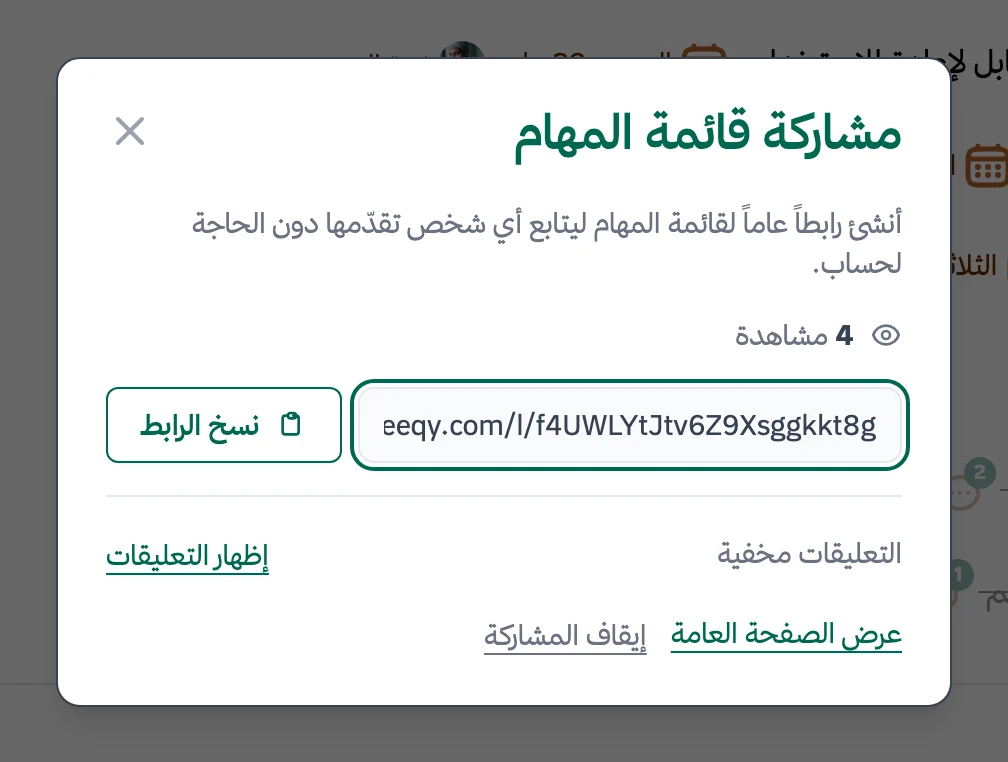
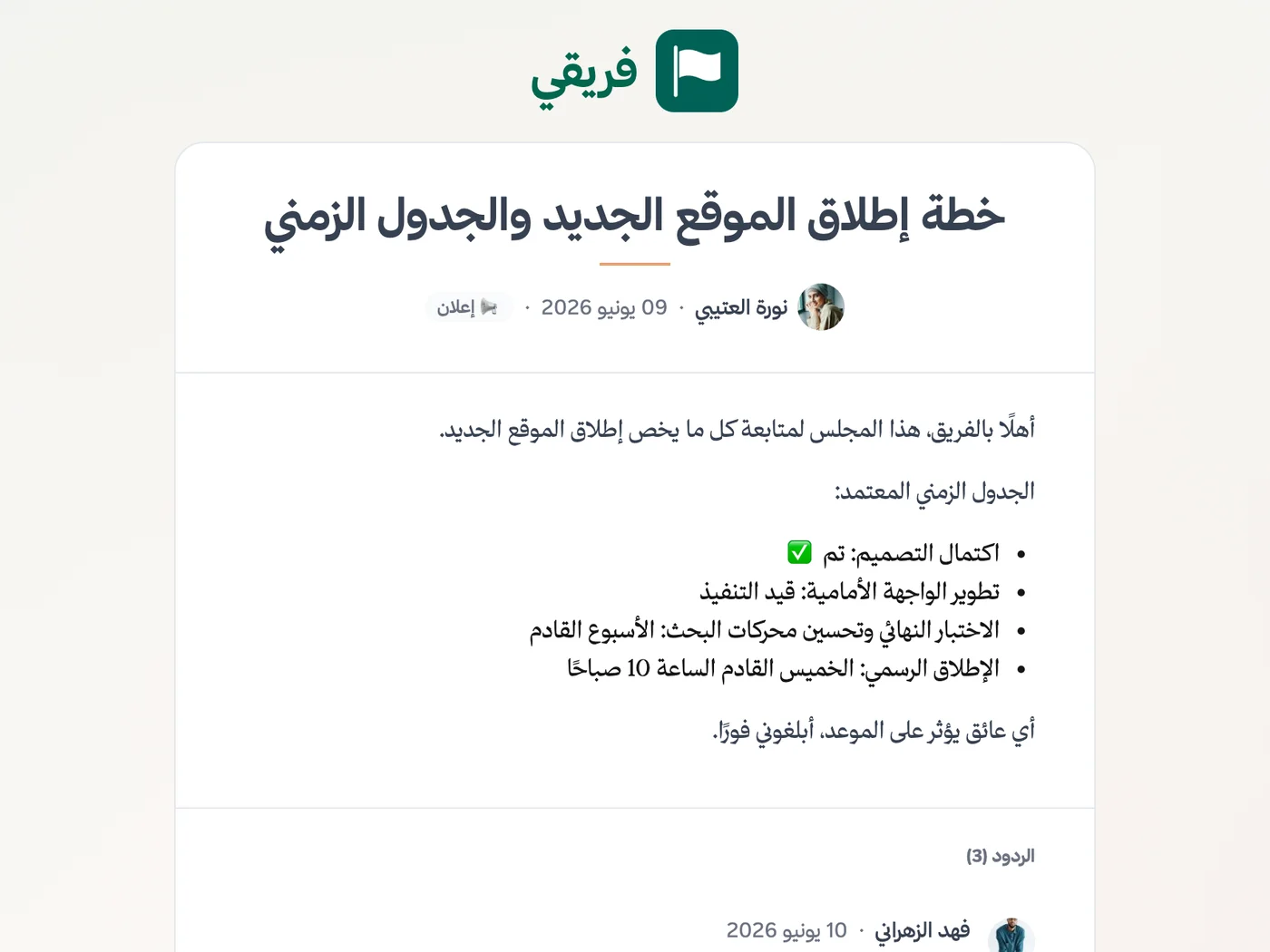
Release-plan comments stay hidden unless you show them, and you can stop any link before republishing it later at the same address.
What changes for product teams
Other teams
Frequently Asked Questions
How does Fareeqy separate product work from engineering delivery?
Does Fareeqy have a product roadmap view?
How do we capture the why behind product decisions?
Can I share a launch plan with stakeholders who do not have a seat?
Is the Free plan enough to test Fareeqy with a product team?
Can Fareeqy Assistant summarize feedback threads?
Does the release-plan link change if I stop publishing and later republish it?
What Teams Say About Project Management with Fareeqy
One of the nicest, most pleasant experiences I've had managing teams. Fareeqy stands out for being simple, easy, and uncomplicated.
And the most important feature is scheduling your work and tasks around prayer times, not the other way around!Honestly, I love using Fareeqy,
First, the project organization part, and its reminders if there are overdue tasks.
Fareeqy is easy and straightforward. I don't need to read or watch any video to know how to use any feature; everything is straightforward, and that's what makes me like Fareeqy most.Start with your first project today
The Free plan lasts forever, and no credit card is required.
Get Fareeqy Free