Project Management for Software Teams, With Clear Ownership
Model a product phase, client build, or epic as a project, then use each task list as a feature or user story with its tasks acting as subtasks. Every task has one engineer, one deadline, and one priority.
✓ Free Forever • ✓ No Credit Card • ✓ Ready in 2 minutes
Looking for Product teams instead? That is a separate page. This one is for Software teams.
How often does delivery week begin with the spec in one file, the architecture decision buried in chat, the client asking for an update, and nobody sure who moved the deadline? When context is scattered, managing a development team turns into a constant search for the latest truth.
Fareeqy is a project management tool for software companies that maps directly to delivery work: projects hold phases, client builds, or epics; task lists hold related work or act as features and user stories; small tasks drive execution; and the Majlis preserves technical reasoning. Fareeqy Assistant reads projects, task lists, tasks, Majlis topics, files, and calendars freely within each member's permissions, while proposed writes appear by default in a live editor and run once you approve.
The result? Every engineer knows what they own and when it is due, a new hire can understand why a decision was made, and clients can follow the build without entering the team's workspace.
How Software Delivery Maps Into Fareeqy
Start with the real shape of the work, then place it at the level that keeps scope and ownership clear.
For a software team, a project can represent a product phase, a complete client engagement, or a large epic with a concrete delivery outcome.
- Beta launch phase for the Nabd product
- Client project: launching a new website for Madar
- Epic: external payment gateway integrations
- Epic: building the administration portal
A task list can group related small tasks, or it can be the unit of work itself, such as a feature or user story, with the tasks inside acting as its subtasks.
- Feature: sign in with a phone number
- User story: an administrator can export the weekly report
- Task group: resolve performance issues on the search page
- Task group: prepare the staging environment for a client demo
Break work down until a task feels like 1 or 2 points, 3 at most in your team's own sizing language, then give it one engineer, one deadline, and one priority in Fareeqy; Fareeqy does not store points or track velocity.
- Add a loading state to the create-account button
- Validate coupon codes in the orders API
- Write tests for failed card payments
- Fix result ordering on mobile screens
The Majlis keeps the options considered, the tradeoffs, the final choice, and the plans and reports that explain why the system was built this way.
- Technical decision: why invoice processing became event-driven
- Tech brief before the custom permissions epic
- Customer data migration plan for the legacy system
- Weekly report for the mobile engineering team
When release, engineer onboarding, client website, or security review steps repeat, an owner or manager can preserve them as central templates that any member can apply to a project.
- Production release checklist
- New engineer's first-week onboarding
- Standard client website delivery steps
- Pre-launch security review
The project's Files tab keeps specifications, designs, API contracts, uploads, and external references together so engineers can find the implementation context quickly.
- Subscription system specification in PDF
- OpenAPI contract for the payments service
- Links to the repository and design file
- Staging environment and test data links
A Delivery Cycle Engineers and Clients Can Follow
Choose the Project Shape
Create a project for a product phase, a client delivery, or an epic such as Building the Administration Portal. Place it in a category that matches your portfolio, such as Products, Client Work, or Infrastructure.
Capture Context and Break Down Work
Write the tech brief and early decisions in Majlis before context scatters across conversations. When useful, make each task list a feature or user story, then break it into tasks your team would size at roughly 1 or 2 points.
Execute With Clear Ownership
Give every task one engineer, one deadline, and one priority, then coordinate through comments and mentions. If someone asks who moved the delivery date, the activity log shows exactly who changed it and when.
Share the Build Status
Keep specifications, designs, API contracts, repository links, and the staging environment beside the project. Share a public task-list link so the client can see completed work, remaining work, owners, and deadlines without an account, while comments stay hidden unless you expose them.
Review and Reuse
Close the cycle with a release review or weekly report in Majlis, then archive the finished project with the option to restore it later. Save the release, engineer onboarding, or security review checklist as a Ready Task List for the next project.
Code Explains the Change, Majlis Explains the Choice
Code review shows what changed, but an engineer joining in month six also needs to know why the decision was made and which alternatives were rejected. Majlis starts with Announcement, Question, Idea, Update, and General Discussion, then your team adds its own engineering categories.
Technical Decision (ADR)
Record the options considered, their tradeoffs, and the final choice so the team does not reopen the same debate months later.
Tech Brief
Define an epic's scope, constraints, and affected interfaces before the team breaks it into implementation work.
Release Review
Capture what shipped, what slipped, and what still needs attention so the next delivery cycle starts from an accurate picture.
Weekly Report
Keep completed work, blockers, and pending decisions in a record that both engineering and management can revisit.
Incident Review
Document the timeline, root cause, and preventive action after an incident so the failure produces a lasting improvement.
An Assistant That Understands Delivery Status
Between standups and release day, Fareeqy Assistant reads projects, task lists, tasks, Majlis topics, files, and calendars within your permissions to surface delays, order priorities, and summarize decisions. When you ask it to create work or write a plan, it shows a live editable confirmation card and acts once you approve; optional Instant Execution can skip that card, while deletion always remains unavailable.
«Which overdue tasks could block the 2.4 release this week?»
It returns the relevant tasks with their owners, deadlines, priorities, and the delivery risk created by each delay.
«Break the subscription renewal feature into small tasks, suggest an owner for each, and order them by priority.»
It presents the proposed tasks, with owners and order, in a live card where you can fix titles and notes before approving them.
«Write a weekly progress report for the mobile app and deliver it as a PDF.»
It prepares the report from workspace data and delivers it at once, privately, in the conversation; only you can publish it to project files.
«Analyze why release 2.4 slipped and what we should change next cycle.»
It connects overdue work, deadline changes, and relevant discussions, then lets you turn its reply into a Majlis draft that you review before publishing.
Share development updates with clients
When a client asks for a build update or an integration partner needs the latest specification, turn the relevant record into a public page instead of preparing another report. They can read it in their browser while your team workspace remains private.
Release delivery plan
Your client sees progress, every task, its owner, its due date, what is complete and what remains. That means fewer status requests.
Integration specification
Your integration partner previews the specification in the browser, saving you from sending a new attachment after every update.
Scope decision thread
The client reads the topic and its replies, preserving the decision and its context without another email thread.
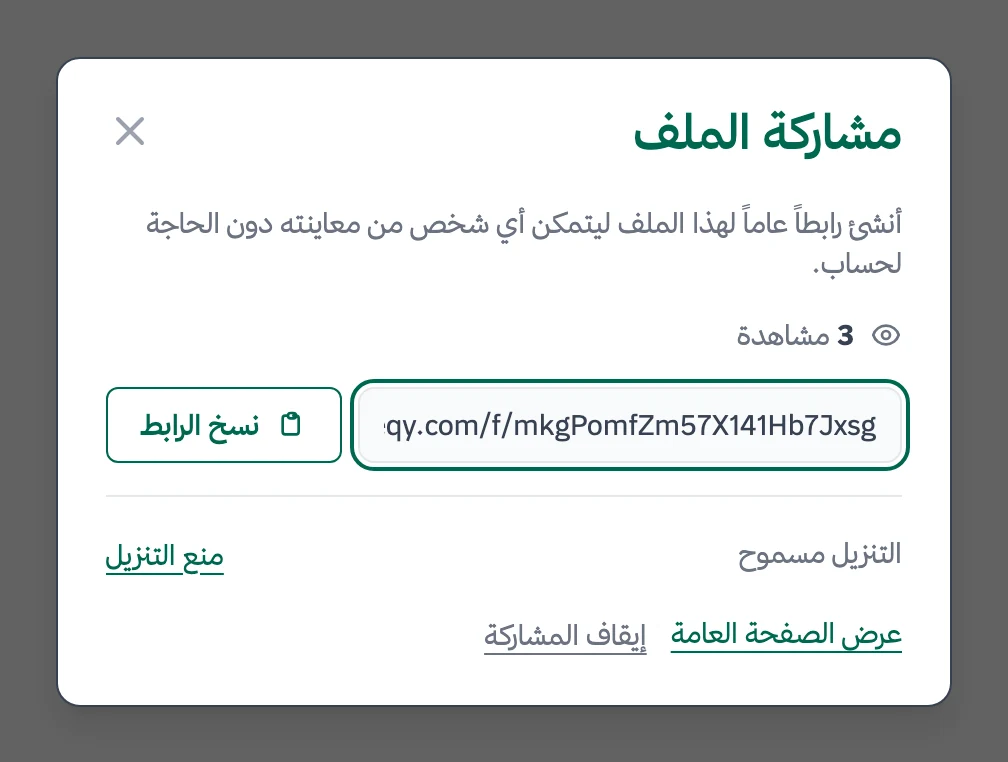
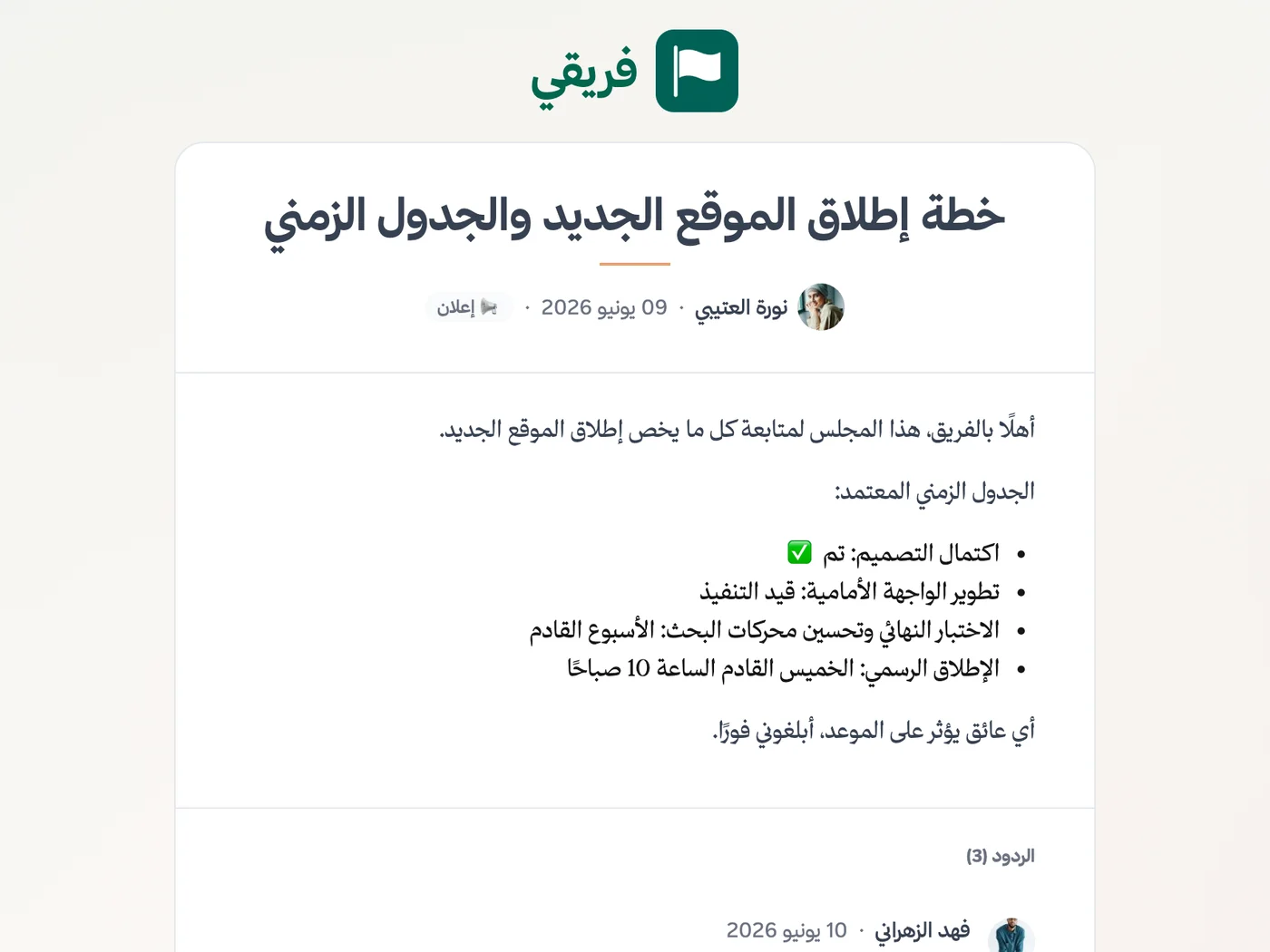
Keep delivery-plan comments hidden unless you choose to show them, stop sharing anytime, and republish later with the same link.
What changes for software teams
Other industries
Frequently Asked Questions
Does Fareeqy support subtasks?
Does Fareeqy have Kanban boards or sprint planning?
Can Fareeqy connect to our repository or CI pipeline?
How do we migrate from Jira or Trello?
How much does Fareeqy cost for a small development team?
Can Fareeqy Assistant touch our codebase or production?
How can I share integration specifications with a client who has no account?
What Teams Say About Project Management with Fareeqy
One of the nicest, most pleasant experiences I've had managing teams. Fareeqy stands out for being simple, easy, and uncomplicated.
And the most important feature is scheduling your work and tasks around prayer times, not the other way around!Honestly, I love using Fareeqy,
First, the project organization part, and its reminders if there are overdue tasks.
Fareeqy is easy and straightforward. I don't need to read or watch any video to know how to use any feature; everything is straightforward, and that's what makes me like Fareeqy most.Start with your first project today
The Free plan lasts forever, and no credit card is required.
Get Fareeqy Free