Run Every Training Cohort Without Missed Handoffs
A course management tool for launch checklists, weekly production, handoffs, and cohort closing. Fareeqy runs the operation around teaching; it is not an LMS.
✓ Free Forever • ✓ No Credit Card • ✓ Ready in 2 minutes
How often does a training week begin with slides still missing, an editor waiting for a recording, and the coordinator hunting for the approved assessment? The same steps return with every cohort, yet one deliverable without an owner or date can disrupt an entire session.
Fareeqy treats each cohort as a project with a clear start and finish. Projects, task lists, tasks, Majlis, and Fareeqy Assistant bring the coordinator, instructors, content producers, and support team into one training program management workflow.
The result? Registration, content, assessment, and certificate preparation stay visible in one place, while every new intake starts with the knowledge earned by previous cohorts.
A Structure That Matches How Your Academy Works
Fareeqy maps directly to the way an intake moves from preparation through delivery and closing.
A project is a time-bound cohort, a course being developed, or a training event, grouped under categories such as Active Programs, Curriculum Development, Events, or Marketing.
- January 2026 Intake, Digital Marketing Diploma
- Data Analytics Course Curriculum Build
- Product Development Bootcamp
- Leadership Workshop with a Professional Partner
A task list can represent a cohort phase such as pre-launch, weekly delivery, assessment, or closing, or one module containing its slides, recording, editing, exercises, question bank, and review; one list per program week makes the whole term visible at a glance.
- Pre-launch: Registration and Instructor Readiness
- Week 3: Paid Advertising Module
- Assessments and Final Evaluation
- Cohort Closing and Certificate Preparation
Every recording, rubric, question bank, or certificate batch receives one owner, one deadline, and one priority, replacing vague promises such as “the instructor will send it” with accountable delivery and a visible activity history.
- Review Sunday Session Slides
- Edit the Module 3 Recording
- Approve the Final Project Rubric
- Prepare the Graduate Certificate Batch
Majlis becomes the program’s institutional memory, preserving curriculum decisions, instructor observations, cohort retrospectives, and aggregated learner feedback beyond the life of a chat thread.
- Why Analytics Moved to Week 2
- Instructor Notes After the Practical Project Session
- What We Learned from the Spring Intake
- Action Taken on Delayed Grading Complaints
Build a recurring operational checklist once, or save an existing list as a template in one click, then apply it to every intake so its tasks appear inside the new project; key Majlis topics can also be copied forward, one topic at a time, each arriving as a draft you review before publishing.
- Launch a New Cohort
- Onboard a New Instructor
- Produce One Course Module
- Close the Cohort and Prepare Certificates
The project Files area keeps curricula, slide decks, rubrics, question banks, and attendance sheets beside external links to recordings and the LMS, so the team can reach the right version quickly.
- Curriculum and Session Plan
- Slide Decks and Rubrics
- Question Banks and Attendance Sheets
- Recording and LMS Links
A Repeatable Training Program Workflow
Open the Cohort Project
When registration opens, create a January 2026 Digital Marketing Diploma project under Active Programs. Keep it private and give access to the operating team so the right people share one workspace.
Apply the Ready Workflow
Instead of reconstructing the recurring process, apply the Launch a New Cohort list and create a list for each phase or week. Copy the previous cohort’s key Majlis topics so the new intake begins with documented decisions, not scattered memories.
Assign Every Deliverable
Give every slide deck, recording, exercise, assessment, and certificate batch one owner and a firm date. Use priority to separate what must exist before Sunday’s session from improvements that can wait.
Run the Training Week
As the session approaches, review the weekly list, attach files, follow comments, and record the instructor’s observations in Majlis after delivery. If work begins slipping, Fareeqy Assistant analyzes tasks and dates so you can intervene before learners are affected.
Close and Learn
Track assessments, grading, attendance, and certificate preparation through closing, then document what the team learned in Majlis. Save any improved task list as a template for the next intake and archive the completed project.
A Program Memory That Survives Every Cohort
Every intake reveals something worth carrying forward, but insights buried in chat usually disappear when the cohort ends. Alongside the seeded Announcement, Question, Idea, Update, and General Discussion categories, your team can add categories tailored to the academy’s operational memory.
Curriculum Decisions
Record what changed in the modules and why, so the next coordinator understands the reasoning instead of reopening a settled problem.
Instructor Observations
Capture post-session observations about timing, content difficulty, and learner engagement so the next delivery improves.
Cohort Retrospective
Document what worked, what slipped, and what must change before registration opens for the next intake.
Learner Feedback
Keep aggregated feedback, complaints, and follow-up actions together so learner experiences become trackable improvements.
An Assistant That Spots What Threatens Delivery
Within each member’s permissions, Fareeqy Assistant freely reads projects, tasks, task lists, Majlis, files, and the calendar to analyze delays, prioritize work, and summarize cohort status. Create and edit requests pause at a live confirmation card that you can correct before execution once you approve; optional Instant Execution can skip the card, while deletion always remains unavailable.
«Summarize overdue tasks in the January intake and identify what threatens Sunday’s session.»
It reads the permitted tasks and calendar, then returns overdue work ranked by impact with each task’s owner and deadline.
«Create a task for the instructor to review the Module 4 slides before Sunday, and put it at the top of the list.»
A live card appears with the title, assignee, and deadline, where you can edit the title and notes; once you approve, the task is created and moved to the top.
«Compare instructor notes from the last two cohorts and summarize recurring problems.»
It reads the Majlis topics available to you and returns recurring themes with suggested changes for the next cohort.
«Write a PDF closing report for the Spring intake.»
A private PDF arrives inside the conversation and reaches project files only if you press the separate publish button.
Share training materials without accounts
Give trainees or corporate clients a link that opens the selected course material or programme update directly in their browser. They see only that content and never enter the academy's workspace.
Course materials
The trainee browses the materials, folder branches and files without searching through scattered messages.
Programme delivery plan
The corporate client sees progress, tasks, owners and due dates, making delivered and remaining work clear.
Training session
The trainee opens the event to see its time, place and description without contacting the coordination team.
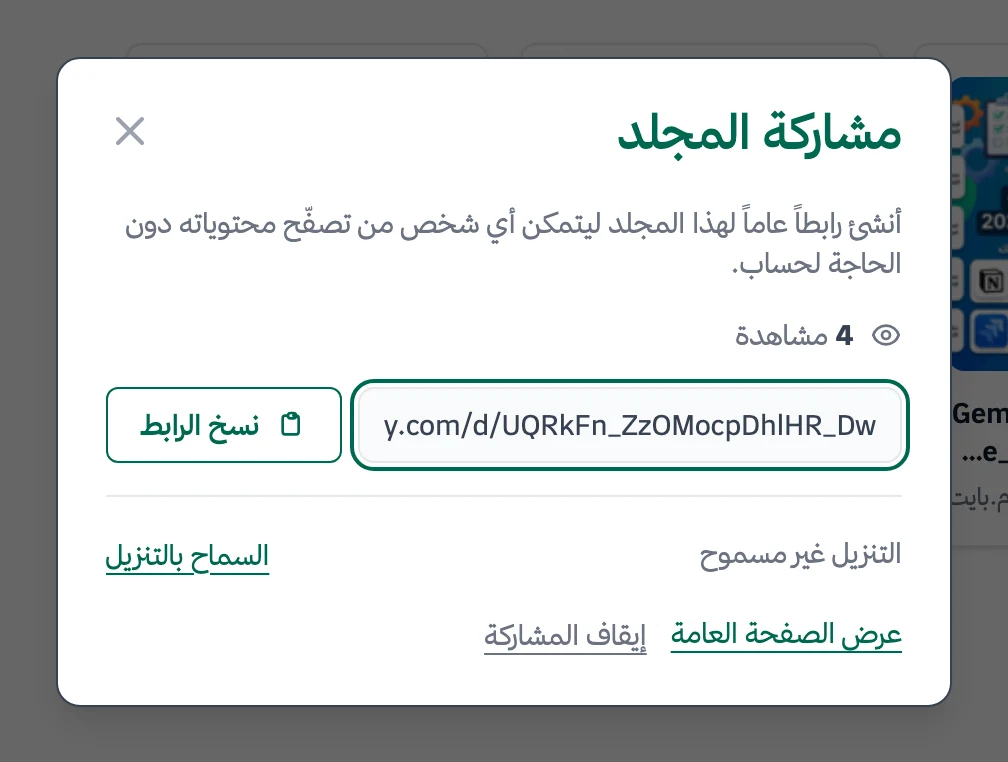
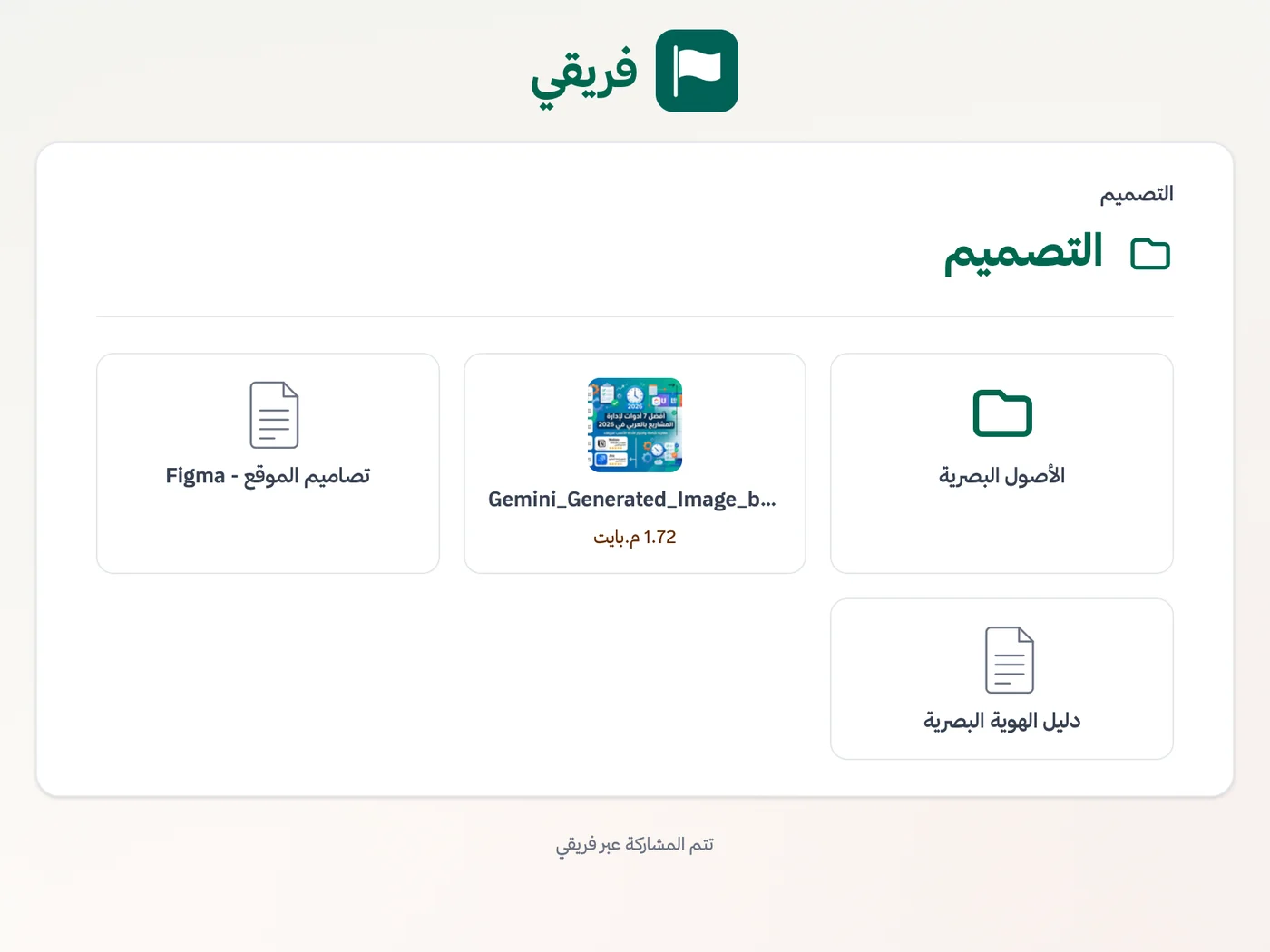
For the materials folder, allow or block downloads, stop the link whenever you want, and restore the same link by republishing.
What changes for training academies
Other industries
Frequently Asked Questions
Is Fareeqy an LMS, and will it replace our course platform?
Do learners need Fareeqy accounts?
How do we manage a course that repeats four times a year?
Does Fareeqy support Hijri dates and Ramadan scheduling?
Is the Free plan suitable for a small training centre?
Do part-time instructors need paid seats?
What is the right way to give a learner access to course materials?
What Teams Say About Project Management with Fareeqy
One of the nicest, most pleasant experiences I've had managing teams. Fareeqy stands out for being simple, easy, and uncomplicated.
And the most important feature is scheduling your work and tasks around prayer times, not the other way around!Honestly, I love using Fareeqy,
First, the project organization part, and its reminders if there are overdue tasks.
Fareeqy is easy and straightforward. I don't need to read or watch any video to know how to use any feature; everything is straightforward, and that's what makes me like Fareeqy most.Start with your first project today
The Free plan lasts forever, and no credit card is required.
Get Fareeqy Free