Run Clearer Logistics Operations Across Every Site
Connect warehouse work, fleet projects, customs files, and client accounts in one workspace. Every responsibility has a clear owner, deadline, and priority.
✓ Free Forever • ✓ No Credit Card • ✓ Ready in 2 minutes
How often has a container sat at port because no one clearly owned the missing customs document? As one shift ends and another begins, warehouse updates, vehicle issues, and client requests scatter across chats, spreadsheets, and calls, leaving managers to reconstruct the truth every morning.
Fareeqy turns a warehouse launch, hub fit-out, client onboarding, or fleet initiative into a structured project. Task lists organize the work, every task has one assignee, one deadline, and one priority, Majlis preserves operational decisions, and Fareeqy Assistant reads the projects, tasks, files, and calendar available within your permissions to identify delays. Fareeqy is not a TMS or WMS, does not track shipments, inventory, routes, or fleet telemetry, and provides no live tracking; logistics project management here covers the projects and recurring work around those systems.
The result? Warehouse team coordination becomes clearer, shift handovers keep their context, and shipping operations tracking focuses on accountable work instead of scattered updates.
How Fareeqy Maps to Your Logistics Operation
Use Fareeqy's structure to mirror how work actually moves across clients, sites, and shifts.
A project represents a defined operational initiative, such as fitting out a site, onboarding an account, completing a compliance file, or running an ongoing function at one location.
- Jeddah Distribution Hub Launch
- Al Noor International Freight Account Onboarding
- Fleet Management System Upgrade
- Medical Equipment Customs and Compliance
A task list can hold the work for one warehouse or site, serve as an entire client onboarding checklist, or collect a month's recurring maintenance and compliance duties.
- Riyadh Warehouse, Evening Shift
- New Client Account Setup
- Fleet Maintenance, September 2026
- Monthly Compliance Review
A task is one concrete operational action, such as completing a customs document that could hold a container; it has one assignee, one deadline, one priority, and an activity log showing assignments, deadline changes, and where delay entered.
- Upload Certificate of Origin for Container C-184
- Approve the Forklift Inspection Date
- Confirm Receiving Details with the Client
- Review the Bill of Lading Before Submission
Majlis is the durable record for route decisions, clearance status, incident reports, and approved safety procedures, so context survives shift changes and handovers.
- East Delivery Route Change Decision
- Dammam Warehouse Permit Status
- Refrigerated Truck Delay Report
- Weekly Operations Meeting Minutes
Ready task lists turn repeatable client, audit, maintenance, and peak-season procedures into centrally managed templates that teams can apply inside any project.
- New Client Account Onboarding
- Warehouse Readiness Audit
- Fleet Maintenance Cycle
- Peak-Season Readiness
Each project's Files tab keeps execution documents close to the work, organized in folders alongside external Google Drive and Dropbox links.
- Standard Operating Procedures
- Customs Licenses and Compliance Certificates
- Warehouse Layouts and Safety Instructions
- Client Contract and Delivery Document Links
A Clear Operating Week from Planning to Review
Define the Operation
Start with a project for a hub launch, client onboarding, compliance file, or ongoing site function. Keep access, files, and the intended outcome together for the people responsible.
Apply the Repeatable Process
Rebuilding warehouse checks or onboarding steps from memory invites omissions. Apply a ready task list so the project begins with a consistent operating standard.
Assign Shift Responsibilities
Do not leave a document or inspection between two people. Give each task one assignee, one deadline, and one priority so every member sees clear responsibilities in My Tasks.
Document Exceptions and Decisions
When a route changes or a permit stalls, record the reason and decision in Majlis instead of an isolated chat. If a client needs progress visibility, share a public task-list link showing completed work, remaining work, owners, and deadlines.
Review Delays and Brief Management
At the end of the cycle, review activity logs and reports to see where deadlines moved and which tasks reopened. Management gets an explainable view, and the next week begins with specific actions.
An Operational Memory That Outlasts Every Shift
Logistics teams need a durable record of what was decided and why, especially when investigating a delay or handing work to another shift. Every Majlis starts with Announcement, Question, Idea, Update, and General Discussion, and your team can add categories with names and emojis suited to daily operations.
Operations and Route Decisions
Record route changes, their rationale, operational impact, and approver so the next shift understands why the plan changed.
Permits and Customs Clearance
Document each file's status, missing paperwork, and pending authority so every follow-up starts with the full context.
Incident and Delay Reports
Capture the sequence, impact, response, and lessons from an incident or delay to support review and prevent recurrence.
Approved Safety Procedures
Keep approved procedures and implementation notes available to site supervisors during shift starts and staff onboarding.
Operations Meeting Minutes
Preserve decisions, owners, and due dates from operations meetings so follow-up becomes assigned work instead of personal memory.
An Assistant for Operational Pressure
Fareeqy Assistant freely reads the projects, tasks, task lists, Majlis topics, files, and calendar available within your permissions to analyze delays and prioritize work. Type your request or speak it in Arabic; by default, any proposed write or change appears in an editable confirmation card and runs once you approve.
«Which operations are late this week, and which ones threaten a client delivery date?»
You receive an analysis of overdue tasks, their owners and deadlines, and the projects most likely to be affected.
«Summarize the Majlis decisions related to delays at the Jeddah warehouse.»
It returns a focused summary of the recorded decisions, causes, and actions from topics you can access.
«Move the bill of lading review to the top of its list and set its deadline to tomorrow.»
It presents the change in a live confirmation card where you review the new order and deadline, then applies it once you approve.
«Create a PDF report on the client account setup delay and the recommended actions.»
It creates a private file inside the conversation for your review; it reaches project files only if you press the separate publish button.
A public link for shipment updates
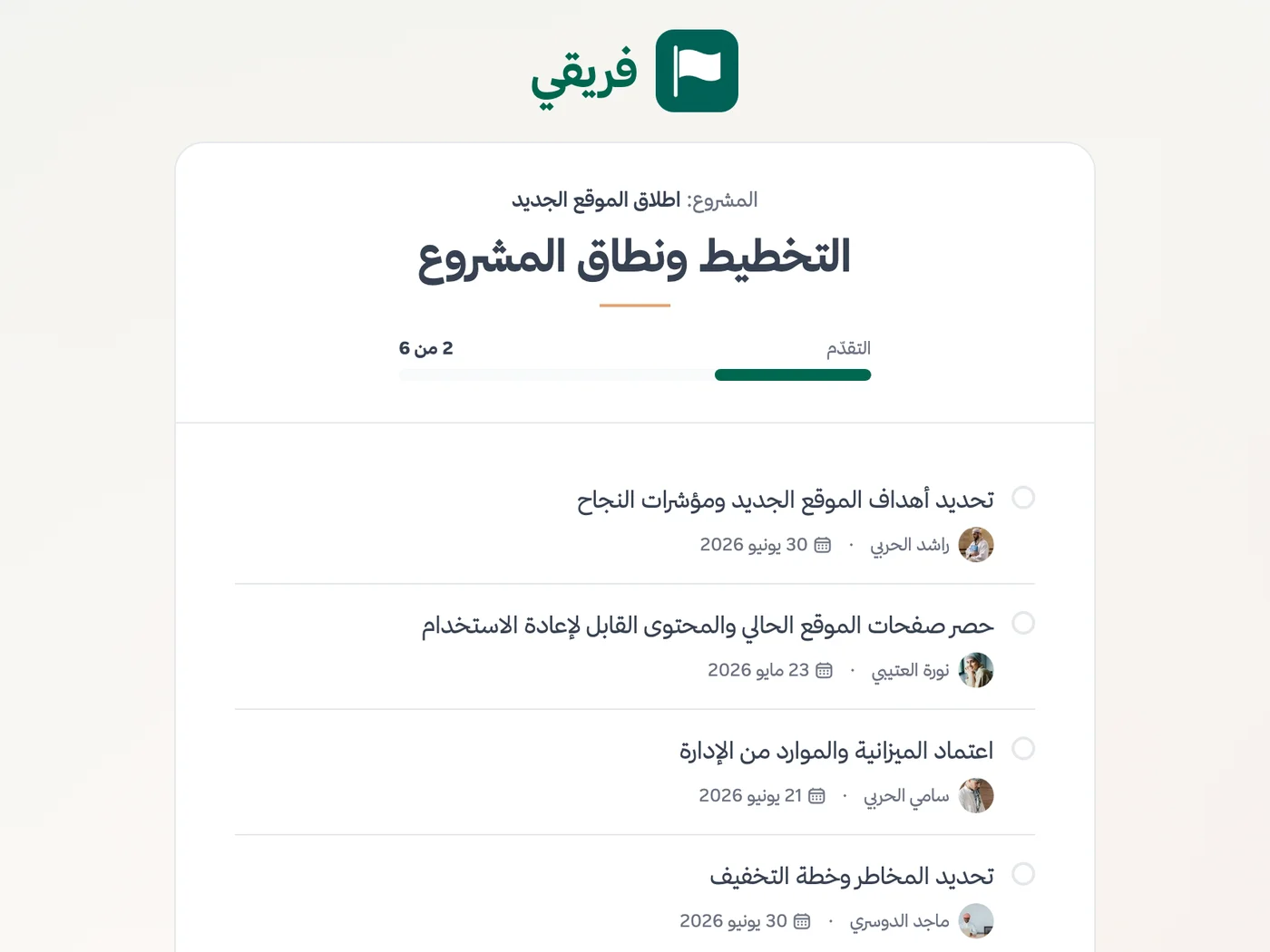
Put shipment readiness details or pickup instructions at a public link instead of repeating them over calls. The customer or carrier can open it without signing in and read the current information immediately.
Shipment readiness list
The customer sees preparation progress, every task, its owner, its due date and what remains before dispatch.
Shipping instructions
The carrier previews the current instructions in the browser, reducing the risk of using an outdated copy.
Pickup appointment
The carrier sees the pickup time, place and description without contacting the coordinator.
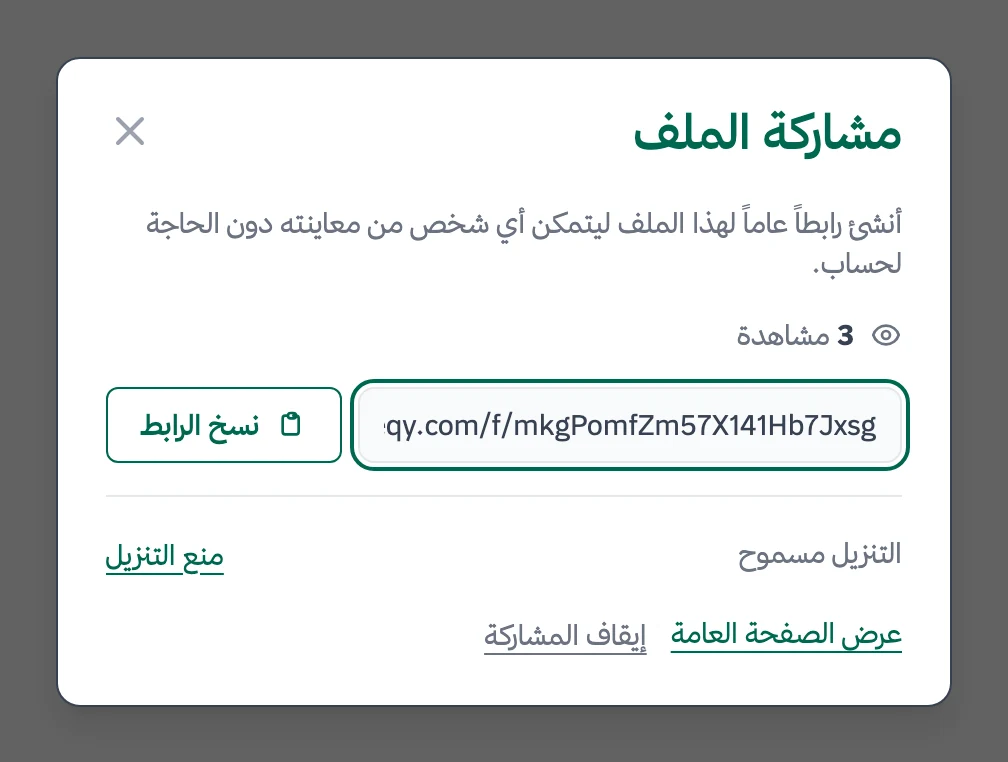
Decide whether shipping instructions can be downloaded, keep readiness-list comments hidden, and stop the link after pickup.
What changes for logistics and shipping
Other industries
Frequently Asked Questions
Does Fareeqy track shipments or inventory?
How can I coordinate teams across warehouses and shifts?
Can our team use Fareeqy on a phone at the warehouse?
Can client account onboarding become a repeatable checklist?
What logistics reports can I provide to management?
Is there a free plan for a logistics company trying Fareeqy?
What is the best way to give a carrier the shipping instructions?
What Teams Say About Project Management with Fareeqy
One of the nicest, most pleasant experiences I've had managing teams. Fareeqy stands out for being simple, easy, and uncomplicated.
And the most important feature is scheduling your work and tasks around prayer times, not the other way around!Honestly, I love using Fareeqy,
First, the project organization part, and its reminders if there are overdue tasks.
Fareeqy is easy and straightforward. I don't need to read or watch any video to know how to use any feature; everything is straightforward, and that's what makes me like Fareeqy most.Start with your first project today
The Free plan lasts forever, and no credit card is required.
Get Fareeqy Free