Manage consulting engagements from brief to delivery
Bring client engagement tracking, deliverables, and steering decisions into one workspace. Give every consulting task one clear owner, deadline, and priority.
✓ Free Forever • ✓ No Credit Card • ✓ Ready in 2 minutes
How often does the week begin with a status meeting while interview notes sit in documents, client decisions hide in messages, and deliverables stall between review, revision, and approval? Across several live engagements, it becomes difficult to spot what will slip before the client does.
Fareeqy turns each engagement into a project, then maps its phases, workstreams, and deliverables into task lists. Every task has one owner, one deadline, one priority, and notes for source material and links. Majlis preserves assumptions and client decisions, while Fareeqy Assistant reads projects, tasks, task lists, Majlis, files, and calendars within your permissions to summarize progress and expose delivery risk. Fareeqy does not track billable hours, generate invoices, or provide utilization or resource-planning reports; consulting firms run it beside their time and billing system to manage professional services delivery and its documented reasoning.
The result? Partners know where to intervene, engagement managers know what will ship this week, and consultants start each conversation with the full context instead of reconstructing it.
Map your methodology to clear delivery
Fareeqy mirrors the way your firm actually runs an engagement, from scope definition to final approval.
A project can represent a complete client engagement, a phase or workstream within a larger engagement, a proposal in development, or an internal knowledge, recruiting, or marketing initiative.
- Operating-model diagnostic for a distribution company
- Governance design workstream within an enterprise transformation
- Market-entry study proposal
- Internal knowledge-base initiative
A task list can follow an engagement phase such as diagnosis, analysis, recommendations, or delivery; it can also represent one deliverable and its production steps, or a dedicated workstream.
- Diagnosis and data-gathering phase
- Executive presentation and its production steps
- Organization-design workstream
- Handover and knowledge-transfer phase
A deliverable owned by “the team” is easy to delay; a Fareeqy task gives each production step one owner, one deadline, one priority, and notes containing its evidence, links, and working material.
- Analyze leadership interview findings
- Review the cost model with the sector expert
- Revise the presentation narrative after client feedback
- Deliver the final transformation roadmap
Majlis preserves the reasoning behind each recommendation, keeping assumptions, client decisions, research summaries, and steering-committee minutes attached to the engagement.
- Document an assumption used in the financial model
- Record client approval for a scope change
- Publish a stakeholder interview summary
- Preserve steering-committee minutes
Ready task lists turn the firm's repeatable methodology into an actionable starting point for engagement setup, deliverable review, steering cycles, and engagement closure.
- Engagement startup kit
- Deliverable review cycle
- Steering-committee preparation
- Engagement closure and knowledge transfer
Project files keep presentations, analytical models, interview guides, and meeting records beside the engagement, with folders and external Google Drive or Dropbox links for source material stored elsewhere.
- Steering-committee presentation
- Financial model supporting the recommendation
- Stakeholder interview guide
- Client data-room link
A delivery cycle your team can repeat
Open the engagement
Create a private project for the client, grant access to the engagement team, and place it in a firm-defined category such as Strategy, Transformation, or Operations. The assigned team gets the context without exposing other client work.
Build the delivery plan
Organize work into diagnosis, analysis, recommendations, and delivery lists, or use one list per deliverable or workstream. Apply an engagement startup template so routine setup steps are not missed.
Assign production
Turn each interview, analysis, review, and handoff into a task with one accountable owner, deadline, and priority. Put source material and links in the notes so the consultant can begin with the right context.
Review and align with the client
Record open questions, client decisions, and steering minutes in Majlis, then update the affected work. Share a task list, individual task, or Majlis topic through a public link when the client needs visibility without an account.
Close and learn
Capture closeout lessons, save the delivery or closure list as a reusable template, and copy the key Majlis topics when similar work begins. Archive the completed project with the option to restore it, while time and billing remain in their specialist system.
Preserve the reasoning, not just the decision
Engagement teams change, but the reasoning behind every recommendation must remain understandable and traceable. Alongside the seeded Announcement, Question, Idea, Update, and General Discussion categories, your team adds consulting-specific categories with its own names and emojis.
Approved assumptions and methodology
Record each assumption, its evidence, and the chosen method so reviewers can understand and test the foundation of the analysis.
Client decisions and approvals
Capture the client decision, who approved it, and its context so the team does not reopen settled questions or work from an outdated scope.
Interview and research summaries
Keep interview findings, recurring themes, and important evidence together so insight moves from individual notes into the engagement's shared memory.
Steering-committee minutes
Preserve decisions, blockers, and next actions after each steering meeting so the team can see what changed and who must respond.
Engagement closeout lessons
Document what worked, what failed, and what should change so the next engagement begins with a stronger method.
Know the engagement before the meeting
When the engagement picture is spread across projects, tasks, task lists, Majlis, files, and calendars, Fareeqy Assistant reads everything available within your permissions to summarize progress, analyze delays, and prioritize the next moves. When you request a write, it presents a live confirmation card you can edit and executes once you approve, unless you enable Instant Execution; deletion is unavailable in either mode.
«Summarize the operating-model engagement before this morning's partner meeting.»
It returns a briefing that connects completed deliverables, open tasks, approaching deadlines, and decisions recorded in Majlis.
«Which deliverables are at risk this week, and what is driving the risk?»
It analyzes deadlines, priorities, and task status to identify bottlenecks and the work that needs the engagement manager's attention.
«Draft a client status memo from project progress and open decisions.»
It creates a PDF or Markdown document privately inside the conversation; it reaches project files only when you press the separate publish button.
«Create follow-up tasks from the steering-committee decisions and order them by priority.»
It prepares tasks with an owner, deadline, and order, then shows a live confirmation card where you can correct titles or notes before it executes once you approve.
Share engagement progress with clients
A public viewing link gives your client a direct answer when they ask about engagement progress or the latest report. Choose the exact record they can see, with no sign-in and no exposure of the rest of your workspace.
Engagement work plan
The client sees progress, every task, its owner and due date, making completed and remaining work clear.
Executive report
The client previews the report in the browser instead of waiting for another attachment.
Recommendation decision
The client reads the recommendation topic and its replies, keeping the decision context clear.
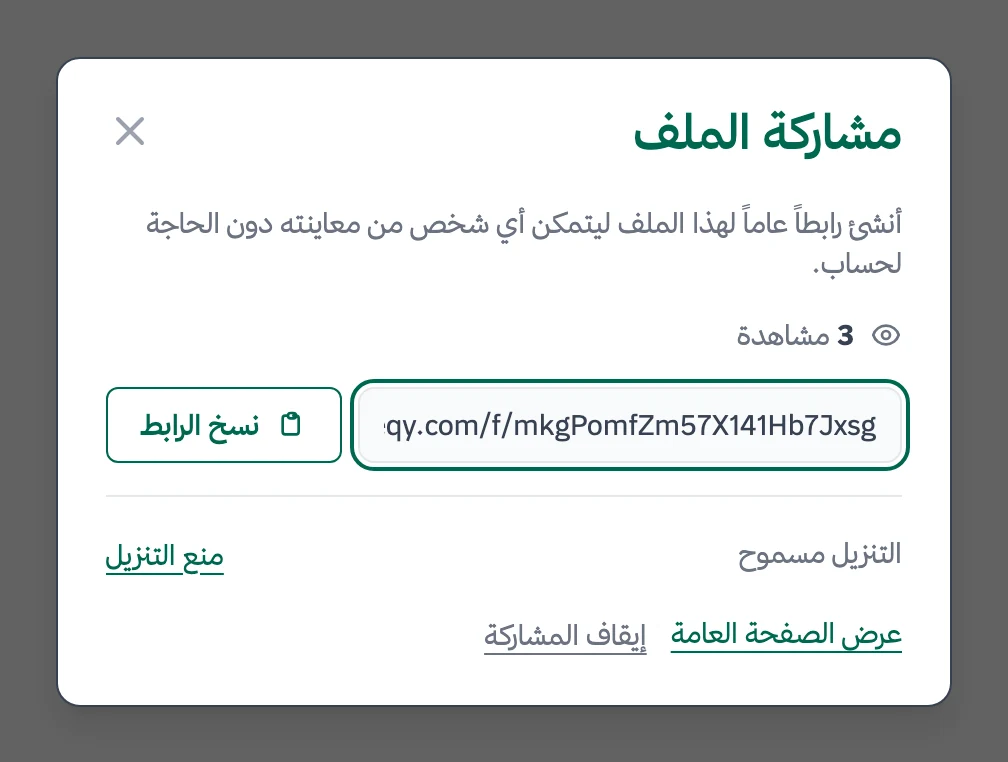
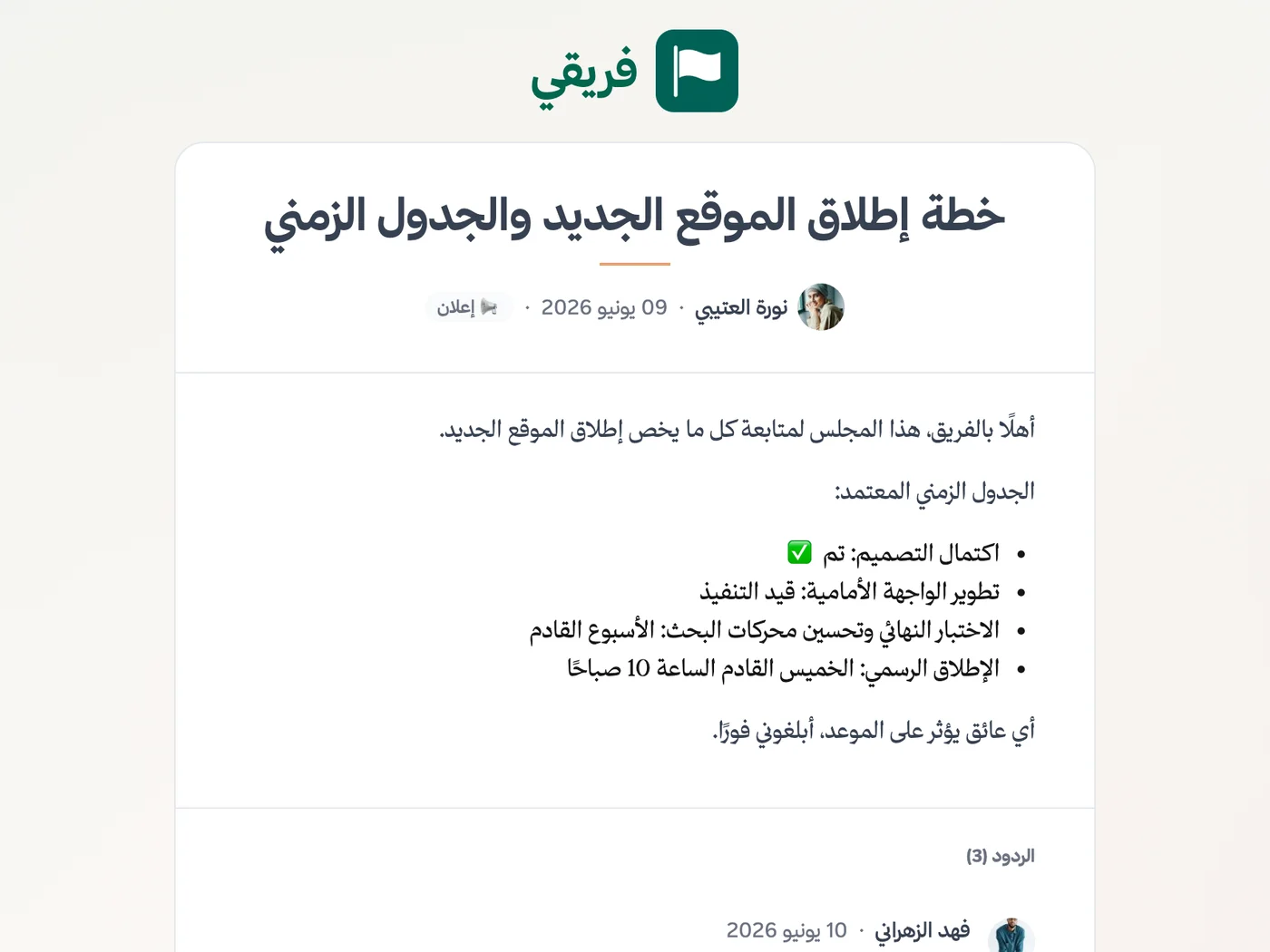
Work-plan comments remain hidden until you choose to show them, and you can stop sharing immediately and later restore the same link.
What changes for consulting firms
Other industries
Frequently Asked Questions
Does Fareeqy track billable hours or generate invoices?
How can I show a client progress without giving them a seat?
How do I keep each client engagement isolated?
Can we reuse our consulting methodology across engagements?
Do subcontracted consultants need Fareeqy seats?
Is the Free plan enough to try consulting project management?
How can a client view the executive report outside our workspace?
What Teams Say About Project Management with Fareeqy
One of the nicest, most pleasant experiences I've had managing teams. Fareeqy stands out for being simple, easy, and uncomplicated.
And the most important feature is scheduling your work and tasks around prayer times, not the other way around!Honestly, I love using Fareeqy,
First, the project organization part, and its reminders if there are overdue tasks.
Fareeqy is easy and straightforward. I don't need to read or watch any video to know how to use any feature; everything is straightforward, and that's what makes me like Fareeqy most.Start with your first project today
The Free plan lasts forever, and no credit card is required.
Get Fareeqy Free